Somewhere between "we need better maintenance software" and "we need a six-figure enterprise platform" sits a decision most facility teams get wrong at least once: confusing an Integrated Workplace Management System with a Computerized Maintenance Management System, and buying far more platform than the job actually needs. The two categories overlap enough to cause genuine confusion, yet they solve different problems for different teams, at very different cost and deployment timelines. This guide breaks down what an IWMS actually is, how it compares to a CMMS, and how to tell which one your organisation genuinely needs. If maintenance requests, work orders and compliance evidence are your real pain point, you can try OxMaint free before you read any further.
What Is an Integrated Workplace Management System (IWMS)?
An IWMS is an enterprise platform that brings real estate, space planning, maintenance and sustainability data into one system. Most facility teams, however, need something far more focused on the day-to-day reality of requests, work orders and compliance — and this guide explains why that distinction matters before you sign a contract.
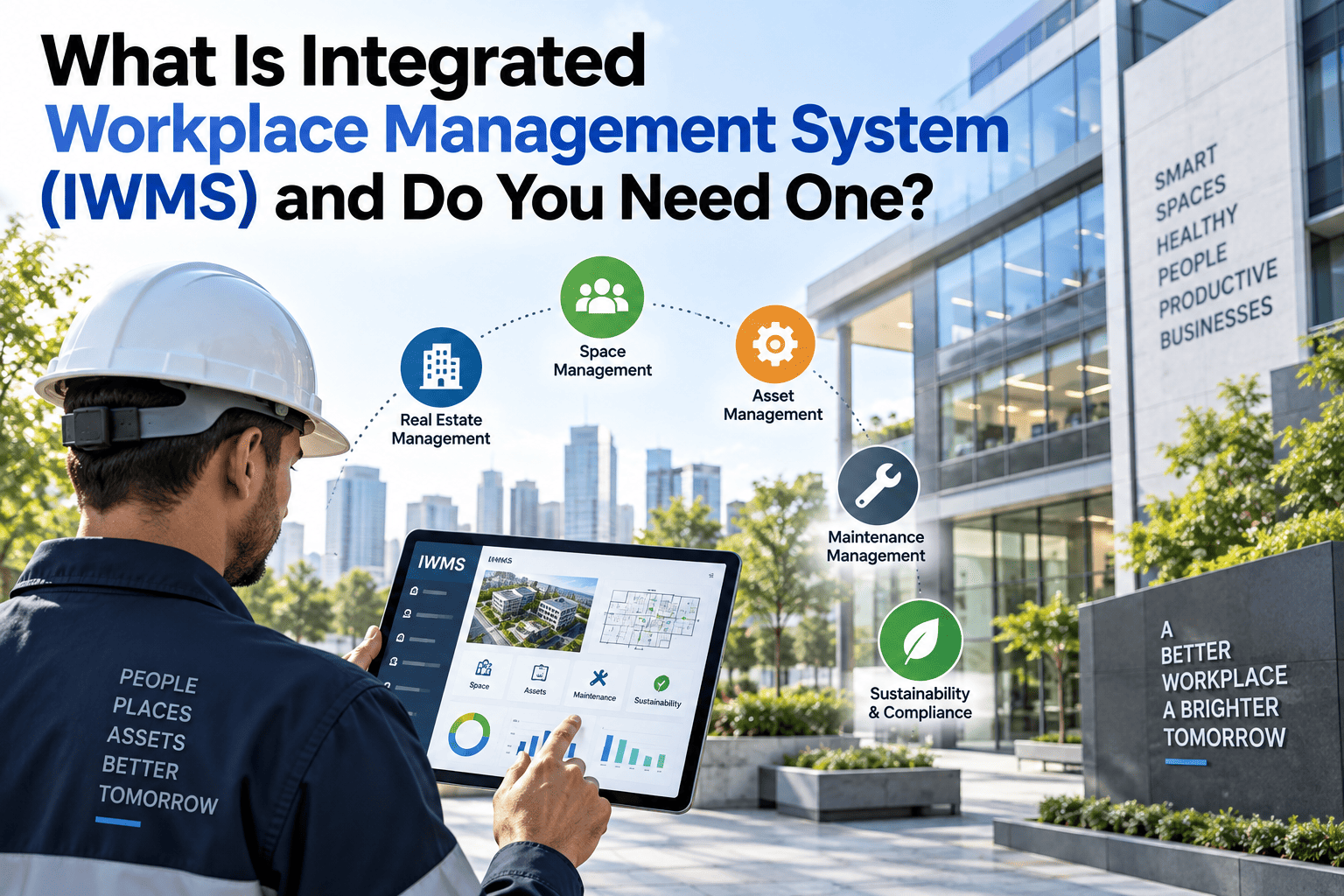
The Five Pillars of an IWMS
The IWMS category was originally defined around five functional areas that sit together in one platform. Understanding these helps explain why IWMS deployments take so much longer than a maintenance-focused tool, since each pillar typically needs its own data migration, configuration and stakeholder sign-off before the platform can go live across the whole organisation.
Maintenance management is only one of five modules inside a full IWMS. For most facility and maintenance teams, that one module is the only part they will use daily — which is exactly where a dedicated CMMS earns its place, delivering the depth of a maintenance module without paying for, configuring, or waiting on the other four pillars around it.
IWMS vs CMMS at a Glance
The feature overlap between the two categories is real, which is exactly why so many organisations end up comparing quotes for platforms that were never actually built to solve the same underlying problem in the first place — a mistake that usually only becomes obvious months into an implementation that should never have started.
IWMS
A broad enterprise platform covering real estate, space, sustainability and maintenance across a large, complex portfolio.
- Best for large multi-site enterprises
- Deployment typically 6–18 months
- Includes lease and carbon reporting
- Higher licence and implementation cost
- Usually requires a dedicated project team
CMMS
A focused system for work orders, planned maintenance, asset history and maintenance requests — built to be live fast.
- Best for facility and maintenance teams
- Deployment typically 7–30 days
- Deep preventive maintenance features
- Lower cost, faster time to value
- Self-serve setup for most implementations
The Most Common Mistake in This Decision
The single most expensive mistake facility teams make is buying platform scope they will never use. An IWMS licensed for its lease and sustainability modules, but only ever opened for its maintenance tab, is effectively an over-priced CMMS with a much longer implementation behind it — and a support contract that keeps charging for functionality nobody on the team logs into. The reverse mistake happens too, though less often: a team outgrows a lightweight CMMS once lease administration or portfolio-wide sustainability reporting genuinely becomes part of the facilities remit, and finds itself migrating data into a broader platform a few years later. Neither mistake is fatal, but both are expensive to unwind once a contract is signed and a team has been trained on a system that does not match the job it was actually bought to do — which is exactly why this comparison is worth doing properly before, not after, a decision gets made.
See a Focused Maintenance System in Action
OxMaint gives your team the maintenance-management depth of an IWMS module, without the lease administration, space planning or months-long rollout that come attached to the full platform.
Do You Actually Need an IWMS?
The honest answer for most organisations is no — not yet, and possibly not ever. Here is a fair way to sort out which category actually matches your situation, based on what your team spends most of its time doing day to day rather than what a vendor's feature list promises during a sales pitch. Treat the two lists below as a starting point for an internal conversation, not a final verdict, since most organisations sit closer to one side than the other rather than cleanly on it.
You probably need an IWMS if...
- You manage leases, rent reviews or property transactions across many sites
- Sustainability and carbon reporting sit formally with the facilities team
- Space planning and occupancy data actively drive real estate decisions
- You have the budget and time for a multi-month enterprise rollout
- Multiple departments beyond maintenance will use the platform daily
- Capital project planning needs to sit alongside day-to-day operations
You probably need a CMMS if...
- Your main pain point is missed or poorly tracked maintenance requests
- Engineers need mobile access to work orders and asset history on site
- Compliance evidence and SLA response times matter most to your role
- You want a working system live within weeks, not quarters
- Real estate and sustainability reporting sit with a different team entirely
- Budget approval is easier to secure for a smaller, focused tool
What a CMMS Rollout Actually Looks Like
Part of why the deployment gap is so large is that a CMMS rollout genuinely is a smaller project. A typical week-one to week-three timeline covers importing an asset list, setting up recurring PM schedules, inviting engineers to the mobile app, and running a short pilot on a handful of live requests before opening it up to the whole site. There is no lease register to migrate, no space plan to digitise, and no cross-departmental sign-off chain to work through before the first work order can be logged — which is exactly why facility teams under pressure to show quick results tend to lean toward this category first, and why so many end up staying with it long after the initial pressure has eased.
How OxMaint Turns Every Request Into an Audit-Ready Record
Most facility teams don't need lease management — they need every maintenance request, from a tenant complaint to a QR code scan on a broken unit, to become a tracked, timestamped record automatically, without an admin team retyping details from an inbox into a spreadsheet.
Request raised via helpdesk, QR code scan or tenant portal
Automatically converted into a prioritised work order
SLA response timer starts and the right engineer is notified
Job updated from mobile, with photos attached on site
Proof-of-completion photo closes the ticket automatically
Full record stored and searchable for audit or SLA review
Each step above removes a manual handoff that used to introduce delay or data loss — the gap between "someone reported a problem" and "there is a record of what was done about it" closes almost entirely once the whole chain runs through one connected system, rather than passing through an inbox, a spreadsheet and a paper checklist along the way.
Cost & Deployment: The Gap That Actually Matters
The biggest difference between the two categories rarely shows up in a features list — it shows up in how long it takes to get a working system in front of your team, and what that costs before a single work order is logged. Procurement teams often compare licence fees side by side and miss the much larger cost sitting behind an IWMS rollout: internal project resource, data migration, and months of dual-running old and new processes while the implementation completes.
| Factor | IWMS | CMMS |
|---|---|---|
| Typical deployment time | 6–18 months | 7–30 days |
| Implementation involvement | Dedicated project team | Self-serve or light onboarding |
| Core focus | Real estate, space, sustainability | Maintenance, work orders, requests |
| Best fit | Large multi-site enterprise | Facility & maintenance teams |
Total cost of ownership is the number worth asking for, not just the headline licence fee. A CMMS with a lower per-seat price but genuinely fast adoption typically beats a discounted IWMS licence that sits half-configured six months after signing, because the real cost of enterprise software is rarely the invoice — it is the time your team spends not using it properly during rollout, and the parallel spreadsheets that quietly keep running while the "official" system catches up.
Get a Working System Live This Month
Skip the months-long procurement cycle. See how quickly OxMaint can turn your maintenance requests, SLAs and audit records into one connected view your whole team can rely on daily.
Staying GDPR-Compliant While Tracking Requests
Maintenance request records often contain personal data — a tenant's name, a flat number, a contact detail — which means UK GDPR's storage limitation principle applies just as much here as anywhere else in the organisation. It is easy to overlook because a maintenance log doesn't feel like a data protection risk in the way a customer database does, but the same rules apply the moment a name or contact detail is attached to a ticket, and the ICO makes no exception for facilities data simply because it looks operational rather than commercial.
Purpose-Led Retention
Request records should be kept only as long as needed for maintenance history, warranty claims or dispute resolution, not indefinitely by default, and the reason for keeping each category should be documented.
Documented Schedule
A written retention schedule for request and work order data helps demonstrate compliance if a regulator or auditor ever asks to see it, and should be reviewed at least annually.
Access Control
Only the people who need to see a tenant's request details should have access to it, with a clear record of who viewed or edited what and when.
None of this requires a dedicated compliance module — it requires a system that timestamps changes, restricts access sensibly by role, and makes it straightforward to locate and delete a specific record when a retention period expires or a data subject makes an access or erasure request under UK GDPR.
We looked at an IWMS for eighteen months and never got past the business case, largely because the lease and space modules would have sat unused by our team. What we actually needed was simpler: every maintenance request tracked from the moment it comes in to the moment it's closed, with a photo and a timestamp attached. OxMaint gave us that in a fraction of the time and cost we were quoted for the enterprise platform, and our engineers were logging jobs from their phones within the first week.
Facilities Operations Lead, UK Multi-Site RetailerFrequently Asked Questions
Is a CMMS just a smaller version of an IWMS?
Not quite — a CMMS is purpose-built for maintenance, so its work order, PPM and asset history features often go deeper than the maintenance module inside a full IWMS, which has to spread its focus across five different functional areas rather than perfecting one of them.
Can I upgrade from a CMMS to an IWMS later?
Yes. Many organisations start with a focused CMMS to solve maintenance visibility quickly, then evaluate a broader IWMS only once real estate or sustainability reporting genuinely becomes a shared priority across departments, rather than committing to the larger platform on day one before that need is even confirmed.
Does OxMaint support QR code work order requests?
Yes. Assets can carry a QR code that lets anyone on site raise a fault report instantly, which is automatically converted into a prioritised work order with the full asset history already attached to it, removing the need for a phone call or an email to get a job started. Sign up free to try it on your own site.
How are SLA response times tracked?
Each request is timestamped the moment it is raised, and a response and resolution timer runs against the SLA agreed for that priority level, giving managers a live view of which jobs are at risk of breaching target before it actually happens rather than after.
What counts as an audit-ready maintenance record?
At minimum, it should show who raised the request, when, what work was carried out, by whom, and proof of completion such as a photo — all retained against a documented, reviewable policy that an auditor or insurer can check without a lengthy back-and-forth. Book a demo to see this in your own account.
Stop Paying for Modules You'll Never Use
If maintenance requests, SLA tracking and audit-ready records are what your team actually needs, OxMaint delivers that depth without the enterprise IWMS price tag or the rollout timeline that comes with it.