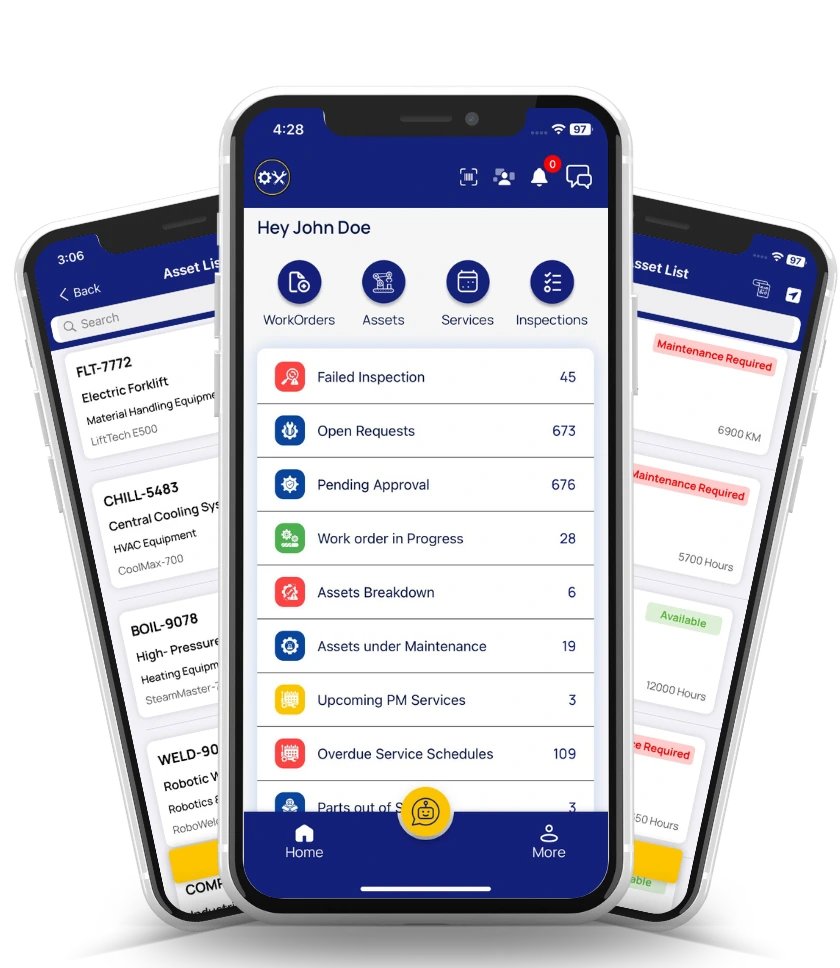
Work Order Management Software
Create, assign, track, and complete maintenance work orders 40% faster with OxMaint's AI-powered CMMS. Streamline your entire maintenance workflow from request to resolution—all from one powerful platform.

Trusted by over 1000+ clients across the world








Complete Work Order Solution
9-Step Work Order Workflow
Create detailed, compliant work orders with our intuitive step-by-step wizard. Each section ensures nothing is missed.
Basic Info
Title, Type, PriorityAdvanced Details
Safety & ComplianceTask List
Work BreakdownParts & Materials
Required ItemsAttachments
Documents & FilesLabor & Resources
Team AssignmentRemarks & Notes
ObservationsCosts & Budget
Financial TrackingReview & Submit
Final CheckFeature Spotlight
Create Work Orders
Build comprehensive work orders with our intuitive 9-step wizard. Capture all essential details including title, type, priority, asset information, and compliance requirements in a streamlined workflow.
Multiple Work Order Types
Preventive, Corrective, Emergency, Critical, High Risk, and Billable.
Priority Levels
Critical, High, Medium, Low priority with color-coded indicators.
Asset & Location Linking
Associate work orders with specific assets and functional locations.
Safety Requirements
Add safety tags like LOTO, Confined Space, Hot Work permits.
Custom Categories
Organize work orders by category, subcategory, and failure modes.
Rich Text Description
Add detailed descriptions with formatting and instructions.
Create Work Order
9
Steps5
Required1
Completed4
PendingAI-Powered
Synapse AI Assistant
Let artificial intelligence supercharge your work order creation. Synapse AI can automatically generate work orders with detailed tasks, parts lists, safety requirements, and time estimates—all based on asset type and industry best practices.
Auto-Generate Work Orders
Describe your maintenance need and get a complete work order.
Task Breakdown
AI creates detailed task lists with time estimates for each step.
Parts Recommendations
Get suggested parts and materials based on the maintenance type.
Safety Guidance
AI recommends safety procedures and compliance requirements.
Time Estimates
Accurate labor hour estimates based on historical data.
Cost Projections
Get estimated costs for labor, parts, and total work order.
Synapse AI
Generating work order..."Create a preventive maintenance work order for HVAC system with filter replacement and coil cleaning"
- Shut down HVAC system (15 min)
- Replace air filters (30 min)
- Clean evaporator coils (45 min)
- HEPA Filter 20x25 (Qty: 4)
- Coil Cleaner Solution
- LOTO Required, PPE: Gloves, Mask
Instant Creation
Quick Work Order
Need to create a work order fast? Skip the full wizard and use Quick WO to instantly create and assign work orders with just the essential fields. Perfect for emergency repairs and urgent maintenance requests.
30-Second Creation
Create work orders in under 30 seconds with essential fields only.
Instant Assignment
Assign to technicians directly from the quick creation modal.
Time Estimates
Set estimated hours and costs for quick planning.
Mobile Friendly
Create work orders on the go from your mobile device.
Edit Later
Add more details later through the full work order form.
Notification Alerts
Assigned technicians get instant push notifications.
Quick Work Order
Team Management
Assignment & Scheduling
Assign work orders to individual technicians or vendors, schedule with precise dates, and coordinate planned shutdowns. Keep your maintenance team organized and efficient with smart scheduling tools.
Technician Assignment
Assign to individual team members with availability check.
Vendor Assignment
Assign to external vendors for specialized maintenance.
Scheduled Dates
Set requested, scheduled start, and scheduled end dates.
Planned Shutdown
Link work orders to planned shutdown periods.
Duration Estimates
Set expected duration in hours or days.
Calendar View
Visualize all scheduled work orders on a calendar.
Scheduling & Assignment
Linked to Planned Shutdown
Q4 Maintenance Window - Dec 24-26Work Breakdown
Task List & Breakdown
Break down work orders into detailed, actionable tasks. Define each step of the maintenance process, set time estimates, track completion status, and ensure nothing gets missed during execution.
Multiple Tasks
Add unlimited tasks to each work order with descriptions.
Time Estimates
Set planned duration for each individual task.
Completion Tracking
Mark tasks as complete with actual time spent.
AI Task Generation
Let Synapse AI generate task lists automatically.
Task Templates
Save and reuse common task lists for similar jobs.
Progress Percentage
See overall work order progress as tasks complete.
Task List
5 TasksFinancial Control
Cost & Budget Tracking
Gain complete visibility into maintenance costs. Track estimated vs actual expenses for labor, parts, and external services. Monitor budgets and generate cost reports to optimize your maintenance spending.
Estimated Costs
Set estimated costs for labor, parts, and services upfront.
Actual Cost Tracking
Record actual expenses as work progresses.
Labor Hour Tracking
Track estimated vs actual labor hours with rates.
Parts & Materials Cost
Automatically calculate parts costs from inventory.
Budget Variance
See over/under budget status in real-time.
Cost Reports
Generate detailed cost reports by asset, type, or period.
Costs & Budget
$1,250
Estimated Cost$1,180
Actual CostCost Breakdown
Under Budget
$70 saved on this work orderPreventive
Scheduled maintenance to prevent failures.
Corrective
Reactive repairs after breakdown.
Emergency
Urgent repairs requiring immediate action.
Billable
Work orders billable to customers.
Work Order Types
Support for All Maintenance Needs
OxMaint supports multiple work order types to handle any maintenance scenario your organization faces.
Critical & High Risk
Special handling for safety-critical maintenance with additional approvals.
Custom Work Order Types
Create custom types specific to your organization's needs.
Approval Workflows
Configure approval requirements based on work order type and cost.
Integrated Modules
Work Orders Connected to Every Module
OxMaint's work order management integrates seamlessly with all maintenance modules for complete operational visibility.
Team
Technician assignmentInspection
Linked inspectionsShutdown
Planned downtimePurchasing
PO & demand partsAsset
Equipment detailsInventory
Parts & materialsEHS
Safety & complianceDocument
Attachments & filesWe are proud of our works
We bring solutions to make life easier for our customers.

1000+
Completed Projects

50%
Reduce Breakdown

99.7%
Customer Satisfaction
"With OxMaint it's easy to follow and track your work orders and supplies. You can keep everyone updated on where work orders stand and have multiple users so everyone is accountable for their assigned tasks."
Hanson
Australia
"Easy to use! I'm trying to get the company I work for to go paperless. Easy to create work orders, always available on cloud. Schedule helps so much to get reminders of maintenance tasks."
Ramky
India
"Using OxMaint has been an easy process, and it helps keep everything in one place. I also like that our Operations Manager sees everything that I do."
TTCFL
USA
"Great program and customer service has been awesome. If you have a fleet of assets, especially larger assets, this app is great for managing work orders."
RCLEAMA
Brazil
FAQ
Frequently Asked Questions
Everything you need to know about OxMaint's work order management capabilities.
Work order management software is a digital solution that helps organizations create, assign, track, and manage maintenance tasks from start to completion. OxMaint's work order management system streamlines the entire maintenance workflow, enabling teams to create work orders in seconds, assign tasks to technicians, track costs and labor hours, and maintain complete visibility over all maintenance activities.
OxMaint's Synapse AI assistant can automatically generate comprehensive work orders based on simple descriptions. Just describe your maintenance need, and Synapse will create a complete work order with tasks, time estimates, parts lists, safety requirements, and cost projections—saving hours of manual work.
Yes, OxMaint provides comprehensive cost tracking for every work order. You can set estimated costs for labor, parts, and external services, then track actual expenses as work progresses. The system shows budget variance in real-time and generates detailed cost reports by asset, type, or time period.
OxMaint supports multiple work order types including Preventive (scheduled maintenance), Corrective (reactive repairs), Emergency (urgent repairs), Critical (safety-critical), High Risk (requires special handling), and Billable (customer billing). You can also create custom work order types specific to your organization.
Yes, OxMaint's mobile apps for iOS and Android allow you to create, view, and manage work orders from anywhere. The Quick Work Order feature lets you create work orders in under 30 seconds with essential fields only. All data syncs automatically when you have connectivity.
Connect all your field staff and maintenance teams in real time.
Create, track and manage work orders from anywhere. Perfect for maintenance teams managing assets and equipment repairs.
OxMaint is available to download from both App Store and Google Play Store.