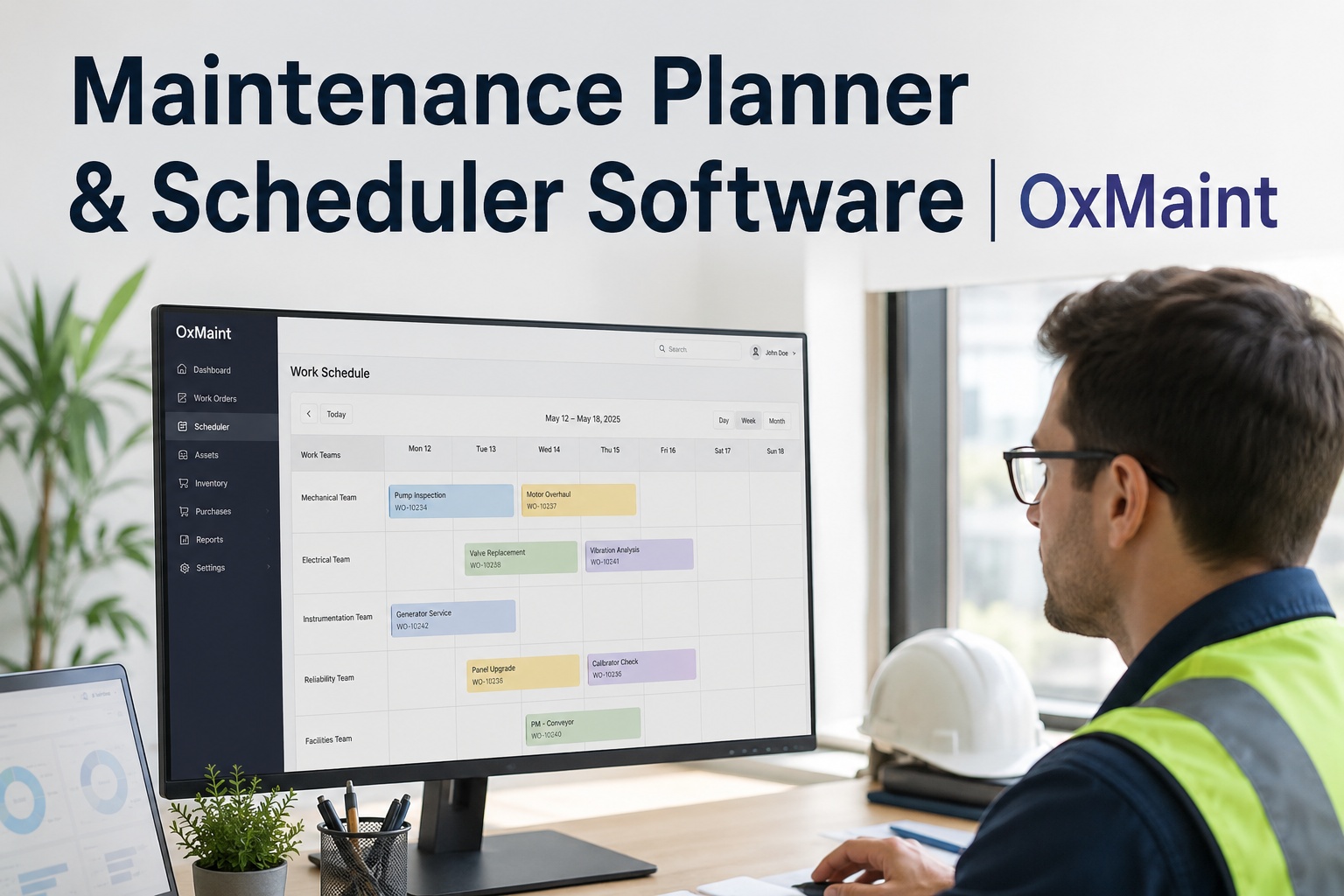
Ask a maintenance planner what keeps them up at night and it's rarely the work itself — it is not knowing whether Tuesday's schedule is realistic. Which technician has capacity, which parts are actually in stock, which job has been quietly ageing in the backlog for three weeks. Most planners still juggle this across spreadsheets, whiteboards and gut instinct. A healthy backlog should sit at 2–4 weeks of work; once it climbs past six, deferred maintenance starts building toward a breakdown wave nobody scheduled. Book a free demo to see planning done properly.
Technician
Mon
Tue
Wed
Thu
Fri
Mechanical
7.5h
8h
5h
7h
3h
Electrical
4.5h
5h
8h
6h
2h
Instrumentation
2h
4h
4.5h
3h
5h
Spare capacity
Near full
Overloaded
Why Planning Breaks Down Before the Week Even Starts
Most maintenance teams don't fail because technicians aren't working hard enough — they fail because the plan was never realistic to begin with. Work gets assigned by whoever's free, not who has the right skill. Parts get discovered missing mid-job rather than checked beforehand. And because wrench time across most unplanned maintenance environments sits at just 25–35%, a schedule built on theoretical hours rather than actual working capacity is wrong before the week even starts. Sign up free and map your team's real capacity in minutes.
25–35%average wrench time in unplanned environments
+15–25ptwrench time gain reported after mobile CMMS scheduling
2–4 wksis a healthy backlog; 6+ weeks signals trouble ahead
From Backlog Chaos to a Schedule You Can Trust
OxMaint gives planners one connected view of every open work order, technician skill set, available hours and parts status — so a schedule is built on what's actually possible this week, not what looks fine on a spreadsheet. Priority, readiness and capacity all sit in the same place a job gets assigned.
1
Work Order Logged
Enters the backlog with priority and asset criticality
2
Readiness Checked
Parts, permits and access confirmed before scheduling
3
Skill Matched
Assigned to a technician with the right qualification
4
Capacity Confirmed
Slotted against real remaining hours for that shift
5
Scheduled to Field
Appears on the technician's mobile work list
See Your Backlog Turned Into a Realistic Schedule
Watch how OxMaint matches open work orders to skills, parts and available capacity in a live 30-minute walkthrough.
Reading Your Backlog Health at a Glance
Backlog size alone doesn't tell a planner much — a growing queue of routine PMs is very different from a growing queue of overdue safety-critical repairs. What matters is composition: how much of the backlog is reactive, how old the oldest job is, and whether it's trending up or down week over week.
0–2 wks
Under-capture risk
6+ wks
Breakdown wave building
Measured in estimated work order hours against real (wrench-time-adjusted) technician capacity — not headcount hours.
Expert Perspective: Why Realistic Scheduling Beats Optimistic Scheduling
The single biggest planning mistake is scheduling against theoretical hours instead of actual wrench time. A team with five technicians on paper looks like 200 weekly hours of capacity — but if wrench time sits at 30%, the real number is closer to 60. Planners who build schedules on the honest figure stop overcommitting, and backlog stabilises instead of quietly compounding.
Skills-First Assignment
Matching a job to the nearest available technician, rather than the right one, creates rework and repeat visits that eat future capacity.
Parts Readiness Before Scheduling
A job scheduled without confirmed parts becomes a wasted trip and a technician back in the queue.
Weekly Backlog Review as Routine
Reviewing backlog age and composition weekly catches capacity drift before it becomes an emergency-driven month.
Where UK Maintenance Teams Are Making the Change
Roughly seven in ten UK manufacturing sites now run some form of CMMS, yet a large share still lean on parallel spreadsheets for the actual planning work — the step where priorities, skills and capacity get reconciled. That gap is exactly where OxMaint's planning and scheduling tools sit: connected to the work order and asset data you already have, instead of asking planners to re-enter it somewhere else. Teams ready to swap the spreadsheet for a live capacity view can Sign up free and build this week's schedule.
Getting Started With Structured Planning
You don't need to overhaul your maintenance operation to plan better — you need visibility into three things at once: what's waiting, who's available, and what's actually ready to go. Start by getting your backlog into one place with priority and readiness tagged, then layer in technician capacity by skill and shift. Planners can Sign up free and tag today's backlog by priority to see how quickly the picture clarifies.
Bringing Planners and Technicians Onto the Same Page
A schedule only works if it reaches the people doing the job. Once a plan is built, technicians should see it on the device they already carry — no separate whiteboard, no printed sheet that's out of date by lunchtime. Changes made by the planner update the technician's mobile work list immediately, and completions flow straight back into the backlog and capacity numbers for next week's plan. Book a free demo to see this built around your own backlog.
Frequently Asked Questions
What does maintenance planning and scheduling software actually do?
It gives planners one connected view of the maintenance backlog, technician skills and availability, and parts readiness, so work orders can be scheduled against real capacity rather than guesswork. Instead of manually cross-referencing spreadsheets for who's free, what qualification a job needs, and whether parts are in stock, the software surfaces all three together at the point a job is assigned — turning planning from a reactive scramble into a repeatable weekly process.
How is a maintenance backlog measured properly?
Backlog should be measured in work order hours against your team's real, wrench-time-adjusted capacity — not raw headcount hours. Five technicians working 40 hours each is 200 theoretical hours, but if actual wrench time is 30%, real weekly capacity is closer to 60 hours. A backlog of 240 hours looks like 1.2 weeks against theoretical capacity but is actually 4 weeks against real capacity — a healthy range, once measured correctly.
How do I prioritise which backlog jobs get scheduled first?
Prioritisation should combine asset criticality, safety risk and job readiness rather than simply working oldest-first. A routine PM on a non-critical asset can safely wait, while a safety-related repair on a critical line should jump the queue regardless of age. Jobs that are fully ready — parts confirmed, permits in place — should also be favoured over equally urgent jobs still waiting on materials, since scheduling an unready job just creates a wasted visit.
Can OxMaint match technicians to jobs based on their specific skills?
Yes. Technician profiles can be tagged with certifications, trade skills and equipment familiarity, and the scheduling view surfaces only qualified, available technicians when a job is assigned. This prevents the common failure mode of assigning work to whoever appears free, which often results in extended job times, rework, or a second visit from a properly qualified technician.
How quickly can a maintenance team improve wrench time with better scheduling?
Teams moving from paper or spreadsheet scheduling to mobile-first CMMS scheduling typically see wrench time improve by 15 to 25 percentage points, largely by removing round trips to a maintenance office to receive or close out work orders. Since a 10-point wrench time improvement across a 20-person team adds roughly 16 productive labour hours per shift, the capacity gain often shows up within the first few scheduling cycles rather than requiring months of change management.
Give Your Planners a Schedule They Can Trust
Connect backlog, skills and capacity in one view. See it built around your own maintenance data in a free 30-minute walkthrough.