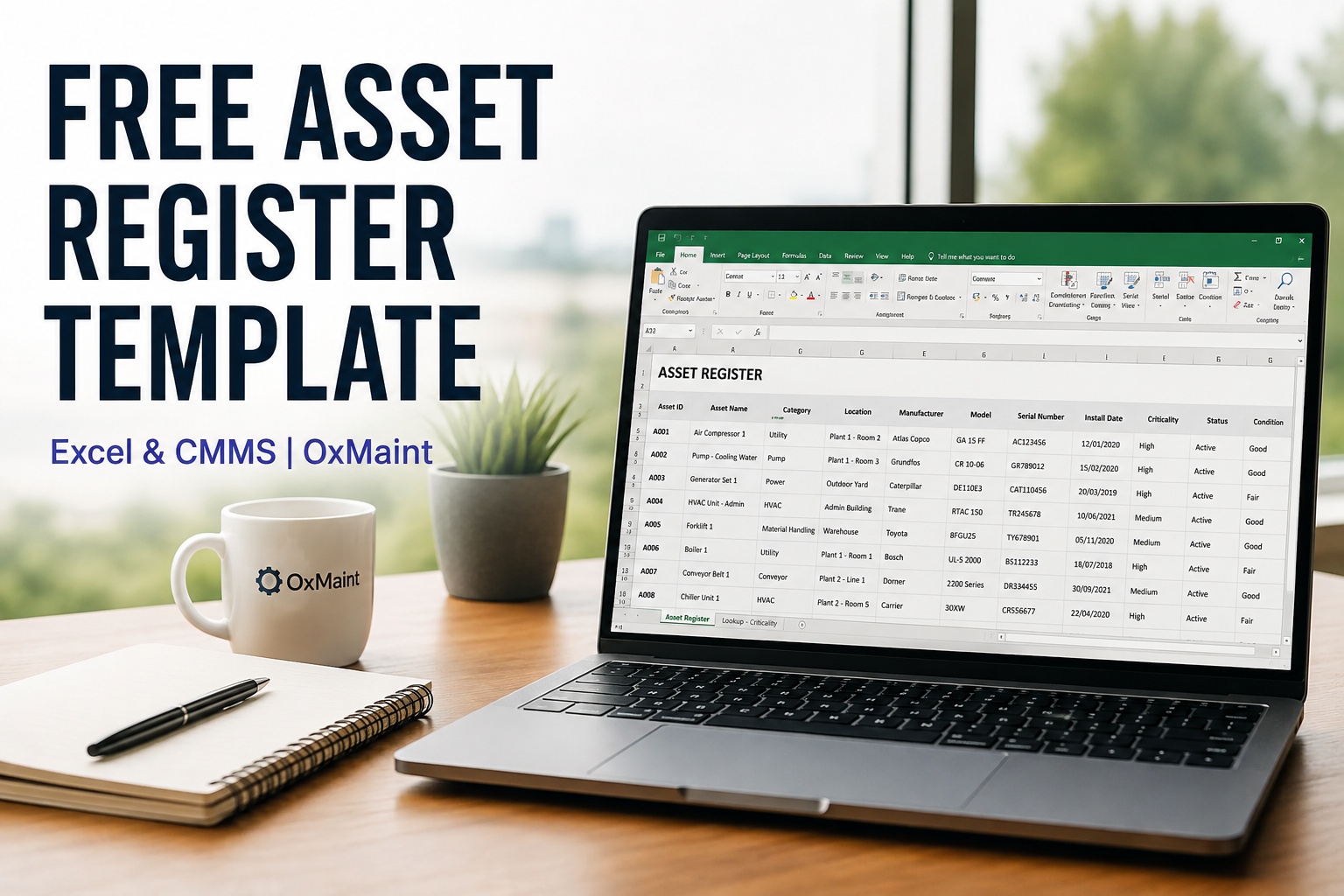
Every maintenance team starts somewhere, and for most that's a spreadsheet listing what equipment exists, where it sits, and who's responsible for it. That's exactly what a good asset register should do — but too many start with a blank sheet and guesswork about which fields actually matter. This free asset register template gives you the structure UK maintenance teams use for equipment, location, criticality and service history from day one, so you're not rebuilding it three months in. Sign up free to build a live version of this register whenever spreadsheets stop being enough.
Free Asset Register Template
Excel-ready. Pre-built columns for equipment, location, criticality and maintenance history — the same structure OxMaint uses when teams outgrow spreadsheets.
.XLSX format
No sign-up wall
UK-ready fields
What's Inside the Template
A structured asset register gives maintenance teams a reliable foundation for organising equipment, locations, criticality and maintenance information in one place — instead of scattered across memory, whiteboards and someone's personal notebook. The template is built around six field groups that map directly onto how a CMMS actually stores asset data, so nothing needs re-working later.
Identification
Asset ID, name, make, model, serial number
Location
Site, building, department, exact position
Criticality Rating
Critical, high, medium, low — drives PM priority
Maintenance History
Last service, next due, warranty status
Ownership
Responsible technician or trade category
Compliance Notes
Inspection dates, certifications, standards
Why Criticality Rating Is the Field Most Teams Get Wrong
Most asset registers list equipment; few actually rank it. Criticality determines everything downstream — how often something gets inspected, how much spare parts stock it justifies, and how fast a technician should respond when it fails. A conveyor motor and a printer might both be "equipment," but treating them the same wastes maintenance hours on the printer while the conveyor quietly drifts toward failure.
Critical
Stops production entirely if it fails. No backup available.
Daily/weekly PM, spares held on-site
High
Significant output loss or safety risk if it fails.
Monthly PM, spares sourced fast
Medium
Some disruption, but workarounds exist.
Quarterly PM, standard lead times
Low
Minimal impact if it fails or waits.
Annual PM or run-to-failure
When the Spreadsheet Stops Scaling
A spreadsheet works well for the first fifty assets. Past that, most teams hit the same wall: two people editing the file at once, no history of who changed what, and no link between the register and actual work orders. Book a free demo to see the connected alternative before that wall shows up.
Spreadsheet
Manually updated, easily out of date
No link to work orders or history
One editable file, version conflicts
No mobile access on the shop floor
OxMaint Register
Updates automatically from closed work orders
Every asset linked to its full maintenance history
Multi-user, real-time, fully auditable
Full access from any technician's phone
See Your Asset Register, Live and Connected
Import your existing spreadsheet or start fresh — watch how OxMaint keeps every asset record current automatically.
Expert Perspective: Getting the Foundation Right
The biggest mistake teams make with an asset register isn't skipping fields — it's treating it as a one-time exercise. An asset register is only as good as its last update. The ones that stay accurate are the ones tied to a live workflow, where completing a work order automatically refreshes the record, rather than depending on someone remembering to open the spreadsheet.
Start With Criticality, Not Completeness
Rank your top 20% of assets first. A perfectly detailed register of low-impact equipment delivers far less value than a rough one covering what actually matters.
One Owner Per Asset
Registers without a named responsible person drift out of date fastest — accountability keeps data current.
Plan the Migration Path Early
Structuring fields to match CMMS import requirements now saves a painful re-entry exercise later.
Walking the Site With Your Template
Walk your site with the template open, tagging equipment as you go rather than trying to recall it all from memory afterwards. Assign a rough criticality rating on first pass — you can refine it later, but skipping it means every asset defaults to being treated the same.
Moving Beyond the Spreadsheet When You're Ready
Sign up free and import this template the moment your register outgrows a single spreadsheet, and every field maps straight across into a live, connected record.
Keeping Your Register Accurate Long-Term
A register is a snapshot the day you build it and a liability the day after, unless something keeps it current. The teams that succeed treat updates as part of closing a work order, not a separate admin task — which is exactly the gap a connected CMMS closes. If your spreadsheet is already a few hundred rows deep, it's usually faster to import than to keep patching it by hand.
Frequently Asked Questions
What should be included in a basic asset register?
At minimum, an asset register needs identification details (ID, make, model, serial number), location, a criticality rating, maintenance history, an assigned owner, and any relevant compliance or inspection notes. These six field groups cover the information a maintenance team, auditor, or CMMS import process will need, without over-complicating the initial build.
How do I rate asset criticality if I've never done it before?
Start simple: ask what happens if this asset fails right now. If production stops entirely with no backup, it's critical. If there's significant disruption or a safety risk but some workaround exists, it's high. If the impact is limited or delayed, it's medium or low. You don't need a complex scoring model on day one — a rough first pass split across four tiers is enough to start prioritising maintenance sensibly.
Is this asset register template really free, with no sign-up required?
Yes, the template itself downloads with no account or sign-up wall. Signing up free with OxMaint is only needed if you want to move beyond a static spreadsheet into a live, connected register that updates automatically from work orders — that step is optional and entirely separate from downloading the template.
How many assets can a spreadsheet-based register realistically handle?
Most teams manage comfortably up to around fifty assets in a spreadsheet. Beyond that, common problems appear: multiple people editing simultaneously, no audit trail of changes, and no automatic link between the register and actual maintenance work being completed. At that point a connected CMMS-based register typically saves more time than it costs to set up.
Can I import my existing spreadsheet into OxMaint later?
Yes. If you build your register using this template's field structure, it maps directly onto OxMaint's asset database, so importing later is a straightforward upload rather than a manual re-entry exercise. Existing spreadsheets in a different format can usually still be imported, though matching this template's columns from the start makes the transition fastest.
Ready to Move Past the Spreadsheet?
Import your asset register into OxMaint and keep every record current automatically. See it working with your own assets in a free 30-minute walkthrough.