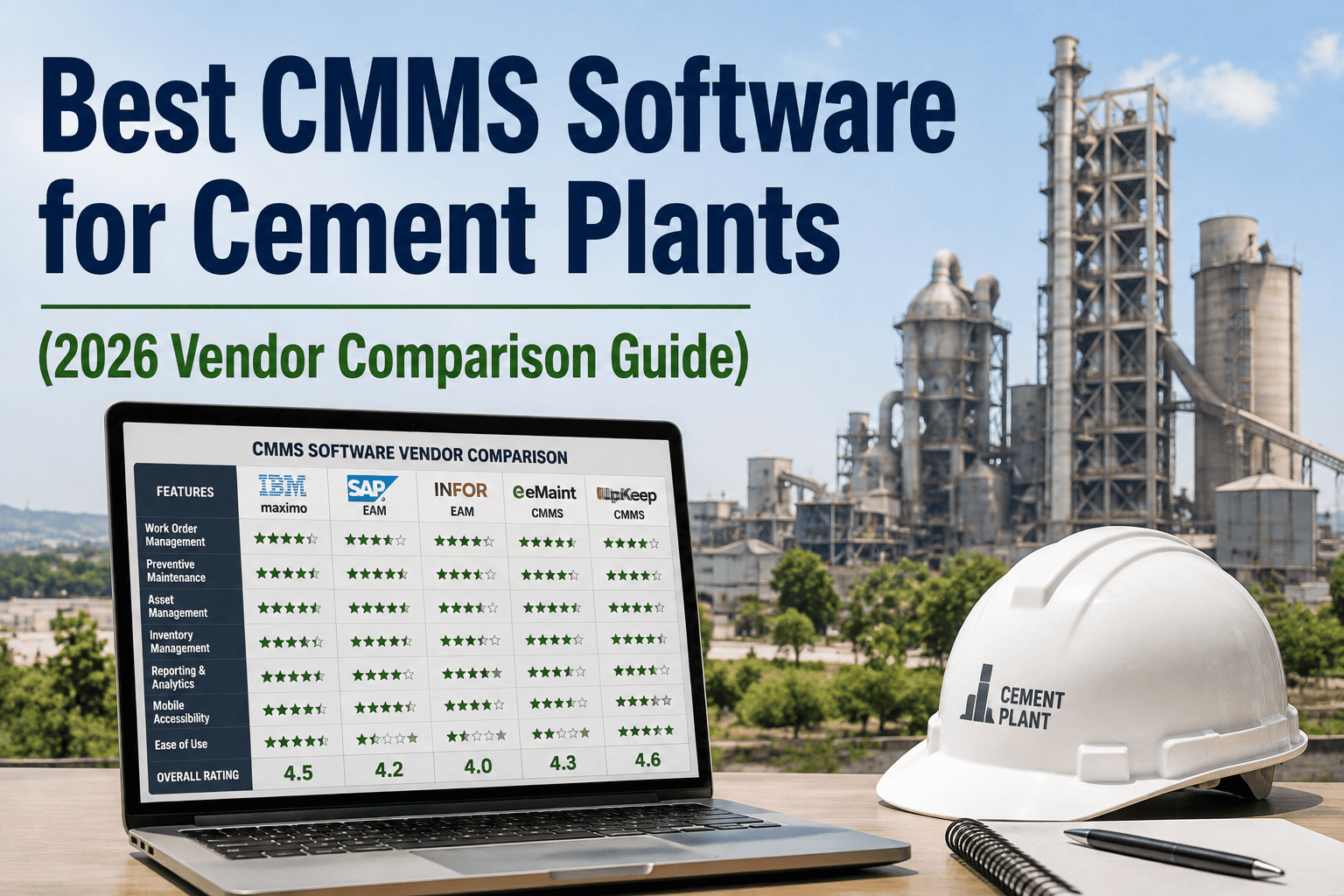
Most cement plants don't lose money because they lack a CMMS — they lose money because they picked one built for warehouses, hospitals, or offices and then tried to force it onto a 1,500°C kiln line. A generic system can log a work order. It usually can't tell you a kiln bearing is trending toward failure four weeks out, sync spare parts with your ERP in real time, or let a technician close a job from inside a silo with zero signal. This guide compares CMMS platforms on the eight criteria that actually decide whether a cement plant sees a return in 90 days or is still fighting the software a year later: preventive maintenance, predictive maintenance, ERP integration, inventory management, mobile access, reporting, pricing, and ROI. Sign up for a free trial or book a demo to see how Oxmaint scores against your current shortlist.
Why a Feature List Alone Won't Tell You Which CMMS Wins
Almost every CMMS vendor claims to cover preventive maintenance, inventory, and reporting. The gap shows up in execution: whether preventive schedules adjust to real run-hours, whether predictive alerts turn into a work order automatically, and whether the mobile app works the same 200 feet up a preheater tower as it does in the office. That's the level this comparison works at.
Many platforms schedule PMs by fixed dates instead of actual run-hours or condition, so kilns and mills get serviced too early or too late relative to real wear.
Sensor data sits in a separate dashboard that never triggers a work order, so alerts get seen and ignored instead of acted on.
Parts, purchase orders, and cost data have to be manually re-entered on both sides instead of syncing live with SAP or your ERP of choice.
Technicians find out a spare part is out of stock only after they've already started the job, not when the work order is created.
The 8 Criteria That Actually Separate the Leaders
These are the categories worth scoring every vendor against before a contract gets signed.
Schedules driven by run-hours and condition, not just a fixed calendar date.
Sensor thresholds that generate a prioritized work order automatically, not just a chart.
Live two-way sync with SAP or your ERP for parts, costs, and purchase orders.
Stock levels checked automatically the moment a work order is raised, not after.
Full offline work order creation and closure, built for dust, gloves, and dead zones.
Live downtime, cost-per-ton, and PM compliance dashboards, not a monthly export.
Transparent per-asset or per-user pricing without hidden implementation fees.
A documented payback window based on actual cement plant deployments, not a guess.
Generic CMMS vs. a Cement-Ready CMMS
| Criteria | Generic or Legacy CMMS | Cement-Ready CMMS |
|---|---|---|
| Preventive maintenance | Fixed calendar intervals across all asset types | Run-hour and condition-based schedules per asset class |
| Predictive maintenance | Separate monitoring tool, manual follow-up | Sensor data auto-generates a prioritized work order |
| ERP integration | Manual export or one-way data push | Live two-way sync with SAP and major ERPs |
| Inventory management | Stock checked separately from work orders | Parts availability shown at the point of work order creation |
| Mobile access | View-only offline mode, stripped-down app | Full offline lifecycle with dust-proof QR scanning |
| Reporting | Static monthly reports pulled manually | Live dashboards for downtime, cost per ton, and compliance |
| Pricing | Bundled tiers with unclear add-on costs | Transparent per-asset pricing, no hidden implementation fees |
| ROI | Rarely documented for heavy industry use cases | Payback typically within 90 to 120 days on avoided downtime |
Vendor Evaluation Checklist Before You Sign
How Oxmaint Scores on Every Criteria
Oxmaint was built around cement plant asset data from the start, not adapted from a general-purpose maintenance tool. Sign up to run it against your own kiln, mill, and conveyor data, or book a demo to see the ERP sync and predictive workflow live.
PM intervals adjust to real run-hours and sensor readings on kilns, mills, and conveyors, not a fixed calendar.
Vibration, thermal, and current data auto-generate a prioritized work order with recommended parts and no manual step.
Parts, costs, and purchase orders stay current between Oxmaint and SAP or your existing ERP without duplicate entry.
Deployment data from plants between 1.5 and 6 MTPA gives a realistic payback window before you commit.