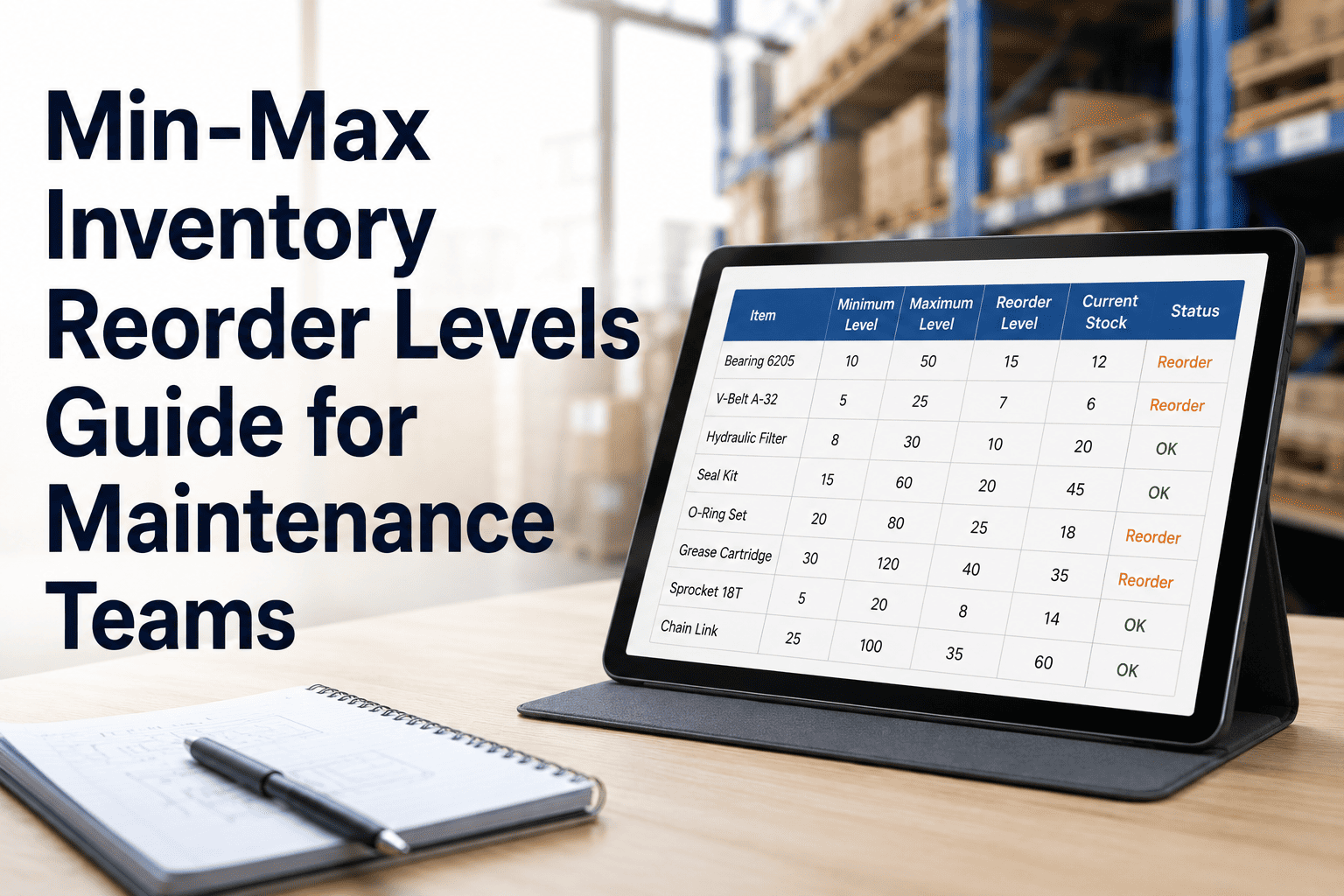
Min-Max Inventory Reorder Levels Guide for Maintenance Teams
By Mark strong on May 28, 2026
A technician walks to the storeroom mid-repair. The shelf is empty. The bearing needed to bring a production line back up has not been in stock for two weeks — and nobody noticed, because the reorder point was never set. That sequence costs facilities thousands per hour in unplanned downtime, and it is entirely preventable with one structured framework: min-max inventory levels. Start your free trial on OxMaint and apply min-max logic to every part in your storeroom — automatically, without a spreadsheet in sight.
Maintenance Inventory Playbook
Min-Max Inventory Reorder Levels Guide for Maintenance Teams
The formulas, frameworks, and practical steps maintenance planners use to eliminate stockouts and dead stock — without overhauling how their storeroom runs.
What MIN Level Means
The stock quantity that triggers a reorder — calculated from lead time and safety stock, not guesswork
What MAX Level Means
The ceiling that prevents overstocking — set to avoid tying up capital in parts that sit unused for years
How Often to Review
Min-max levels are not set once — usage patterns, supplier lead times, and asset criticality all change
Software vs. Spreadsheets
Why manual min-max calculations drift out of date — and how a CMMS keeps them current automatically
What Are Min-Max Inventory Levels?
Min-max inventory — also called periodic automatic replenishment (PAR) levels — defines two thresholds for every stocked part: the minimum quantity at which a replenishment order must be placed, and the maximum quantity that should be held at any time. When stock falls to the MIN, an order is raised. The order quantity brings stock back up to the MAX. It is the simplest effective inventory control method available, and it works for MRO maintenance environments where demand is intermittent and spreadsheets consistently fail. Book a demo to see how OxMaint applies min-max logic across your full parts catalogue automatically.
MAX Level — Order-up-to quantity
Overstock Zone — Capital locked up unnecessarily
MAX
Healthy Operating Range — Work order demand met from stock
MIN — Reorder triggers here
Risk Zone — Order placed, waiting on supplier lead time
ZERO — Stockout. Line stops.
The Formulas: How to Calculate MIN and MAX
Three inputs drive every min-max calculation: average daily usage, supplier lead time in days, and safety stock. Get these three right and your min-max levels will hold. Get them wrong — or never update them — and your reorder logic works against you.
Step 1
Calculate Safety Stock
Safety stock is the buffer that covers demand spikes and supplier delays. Without it, your MIN level assumes everything goes to plan — and MRO demand rarely does.
Formula
Safety Stock = (Max Daily Usage − Avg Daily Usage) × Max Lead Time
Worked Example — Pump Seal
Max daily usage:3 units/day
Avg daily usage:1.5 units/day
Max lead time:10 days
Safety Stock:(3 − 1.5) × 10 = 15 units
Step 2
Calculate MIN (Reorder Point)
The MIN level is the stock quantity at which a replenishment order must be placed. It is set so that stock does not reach zero before the order arrives — accounting for normal usage during lead time plus the safety stock buffer.
Formula
MIN = (Avg Daily Usage × Avg Lead Time) + Safety Stock
Worked Example — Pump Seal (continued)
Avg daily usage:1.5 units/day
Avg lead time:7 days
Safety stock:15 units
MIN Level:(1.5 × 7) + 15 = 26 units
Step 3
Calculate MAX (Order-Up-To Level)
The MAX level defines how much to order when the reorder triggers. It is high enough to supply demand until the next replenishment cycle, but not so high that capital is locked up in excess stock.
Formula
MAX = MIN + (Avg Daily Usage × Review Period in Days)
Worked Example — Pump Seal (continued)
MIN level:26 units
Avg daily usage:1.5 units/day
Review period:14 days
MAX Level:26 + (1.5 × 14) = 47 units
Order Quantity When MIN Is Reached
Order Qty = MAX − Current Stock = 47 − 26 = 21 units
When your pump seal stock hits 26 units, order 21. You will receive them before stock reaches zero and replenish to the MAX without overstocking.
OxMaint Calculates Min-Max Levels For You
Stop running these calculations by hand in spreadsheets that go stale the moment usage patterns change. OxMaint computes reorder points and max levels from actual work order consumption data — updating automatically as lead times and usage rates shift. Sign up free or book a demo to see it in action.
MRO is Different: Why Standard Formulas Need Adjusting
Min-max formulas developed for retail and production inventory assume relatively steady demand. MRO spare parts do not behave that way. A critical pump bearing might sit untouched for three years, then two are needed in the same week following a cascade failure. Applying a standard formula without accounting for MRO-specific factors produces levels that are either dangerously low or wastefully high.
Intermittent Demand
60–70% of storeroom SKUs have annual demand below 10 units. Standard rolling-average formulas underestimate safety stock when demand is sporadic. Use max-observed demand in a single period rather than average daily usage for these parts.
Variable Supplier Lead Times
Suppliers often miss committed schedules. Using the average lead time for your MIN calculation exposes you to stockouts whenever a supplier runs late. Use the 90th-percentile lead time — not the quoted one — for safety-critical parts.
Insurance Spares Exception
Some parts should be held regardless of recent consumption — because the consequence of a stockout (total plant shutdown, safety incident) far exceeds the carrying cost. These are insurance spares. Set a fixed minimum quantity independent of the standard ROP formula and exclude them from turnover ratio calculations.
Criticality-Adjusted Safety Stock
A Vital part (production stops without it) warrants higher safety stock than a Desirable part (minor delay). Multiply your calculated safety stock by a criticality factor: 1.5x for Vital assets, 1.0x for Essential, 0.5x for Desirable — then round up to the nearest whole unit.
Common Min-Max Mistakes Maintenance Teams Make
01
Setting levels once and never reviewing them
Usage rates change as equipment ages, production schedules shift, and assets are retired or added. Min-max levels set 18 months ago are almost certainly wrong today. Best practice is quarterly review for A-class parts, semi-annually for B, annually for C.
02
Using quoted lead times instead of actual performance data
A supplier quotes 5 days. Their actual 90th-percentile delivery is 12 days. If your MIN is calculated on 5 days, you will experience stockouts every time performance reverts to normal. Track actual lead times per supplier per part — not what the contract says.
03
Applying the same formula to all parts regardless of criticality
A $6 O-ring on a critical compressor seal and a $6 O-ring on a non-critical water line are not the same inventory decision. The first needs higher safety stock and tighter review cycles. The second can run lean. Uniform treatment creates both stockouts and dead stock simultaneously.
04
Not linking parts consumption to work orders
If parts are issued from the storeroom without being logged against a work order, your consumption data is inaccurate. Inaccurate consumption data produces wrong MIN calculations. The formula is only as good as the input — which is why a CMMS that captures parts usage at the point of issue is essential, not optional.
05
Ignoring planned maintenance demand when setting MAX levels
A scheduled annual shutdown may consume 40 units of a part in a single week that normally moves 2 units per month. If MAX is set on normal consumption, you will run short during the shutdown. Link PM schedules to inventory planning so seasonal and planned demand spikes are accounted for in your MAX calculation.
Min-Max Levels by Part Type: Quick Reference
Part Type
MIN Approach
MAX Approach
Review Cycle
Vital / Critical
Main drive bearing, control board
Formula-based + criticality multiplier (1.5x safety stock). Set absolute floor regardless of consumption.
Higher MAX — cost of overstocking is less than cost of stockout. Include planned shutdown demand.
Quarterly or after any failure event
Essential
Pump seal, VFD fuse, filter element
Standard ROP formula. Use 90th-percentile lead time, not quoted.
Standard MAX formula. Align to normal replenishment cycle.
Semi-annually
Desirable
Light bulbs, cable ties, lubricant wipes
Lean MIN — lower safety stock multiplier (0.5x). Stockout causes minor delay only.
Bulk order MAX to reduce order frequency and per-unit cost.
Annually or when usage pattern shifts
Insurance Spare
Transformer winding, long-lead motor
Fixed minimum (1–2 units), independent of formula. Floor set by lead time vs. acceptable downtime window.
No MAX in traditional sense — hold minimum quantity. Review annually for obsolescence.
Annually — check asset still active
Let OxMaint Run the Min-Max Maths — While Your Team Runs Maintenance
OxMaint calculates reorder points and MAX levels from real work order consumption data. When stock hits the MIN, a purchase request drafts automatically to the right supplier. Lead times update from actual delivery history — not quoted promises. Criticality tiers set safety stock multipliers without a spreadsheet cell in sight. Ready to replace gut-feel stocking with a system that works at 2am on a Sunday? Sign up free today, or book a demo and we will walk through your specific storeroom setup.
What is the difference between the MIN level and the reorder point?
They refer to the same threshold — the stock quantity at which a replenishment order must be placed. In min-max inventory systems, the MIN level is the reorder point. Some systems use the term ROP (reorder point) for the formula-calculated trigger and MIN for the manually-set floor. In maintenance inventory best practice, both approaches are used: formula-based ROP for regularly consumed items, and a fixed minimum quantity for insurance spares held for emergency use regardless of recent demand.
How do I calculate daily average usage for a part used infrequently?
For slow-moving MRO parts — which represent 60–70% of a typical storeroom — daily average usage is too small a number to be meaningful. Use monthly consumption averaged over 12 months, then divide by 30 for a daily figure. For very intermittent parts (fewer than 3 uses per year), ignore averages entirely and base the MIN on the maximum observed demand in any single maintenance event, plus the lead time buffer. The risk of a single stockout exceeds the cost of a small permanent stock holding.
Should every part in the storeroom have a min-max level?
No. Applying min-max to every SKU wastes planner time and produces unreliable levels for parts with no meaningful consumption history. Prioritize: set formula-based min-max for all A-class and B-class parts first. For C-class consumables, a simple PAR count (fixed quantity trigger) is sufficient. For insurance spares with zero recent demand, set a fixed minimum based on lead time and criticality — not a usage formula.
How does a CMMS improve min-max accuracy over spreadsheets?
A CMMS captures parts consumption automatically when technicians close work orders — so usage data stays current without manual stocktake reconciliation. It also tracks actual supplier lead times against purchase order history, so the lead time input to your MIN calculation reflects real delivery performance, not the quoted figure from a supplier contract that was last checked two years ago. Spreadsheet-based min-max requires someone to manually update both inputs — and that update rarely happens on schedule.
What MRO storeroom KPIs should sit alongside min-max levels?
The four most important: service level (target 95–97% of part requests fulfilled from stock), stockout frequency (below 5 per month for a well-run storeroom), inventory accuracy (above 95% — physical count matches system count), and dead stock percentage (below 15% of SKUs with no movement in 12 months). Min-max levels determine the reorder logic; these KPIs tell you whether that logic is actually working.