How to Link Work Orders to Inventory for Accurate Maintenance Cost Tracking
By Mark strong on June 4, 2026
Most maintenance budgets are wrong — not because the numbers are faked, but because the data feeding them is incomplete. When work orders and inventory live in separate systems, or worse, in spreadsheets and paper logs, the true cost of every repair is invisible. Linking work orders to inventory is the single change that makes maintenance cost tracking real. Start free on OxMaint or book a demo to see connected cost tracking in action.
BlogMaintenance Operations
How to Link Work Orders to Inventory for Accurate Maintenance Cost Tracking
When parts consumption, labor, and work orders connect in one system, every repair gets a real price tag — and your maintenance budget finally reflects reality
Why Maintenance Cost Data Breaks Down Without Integration
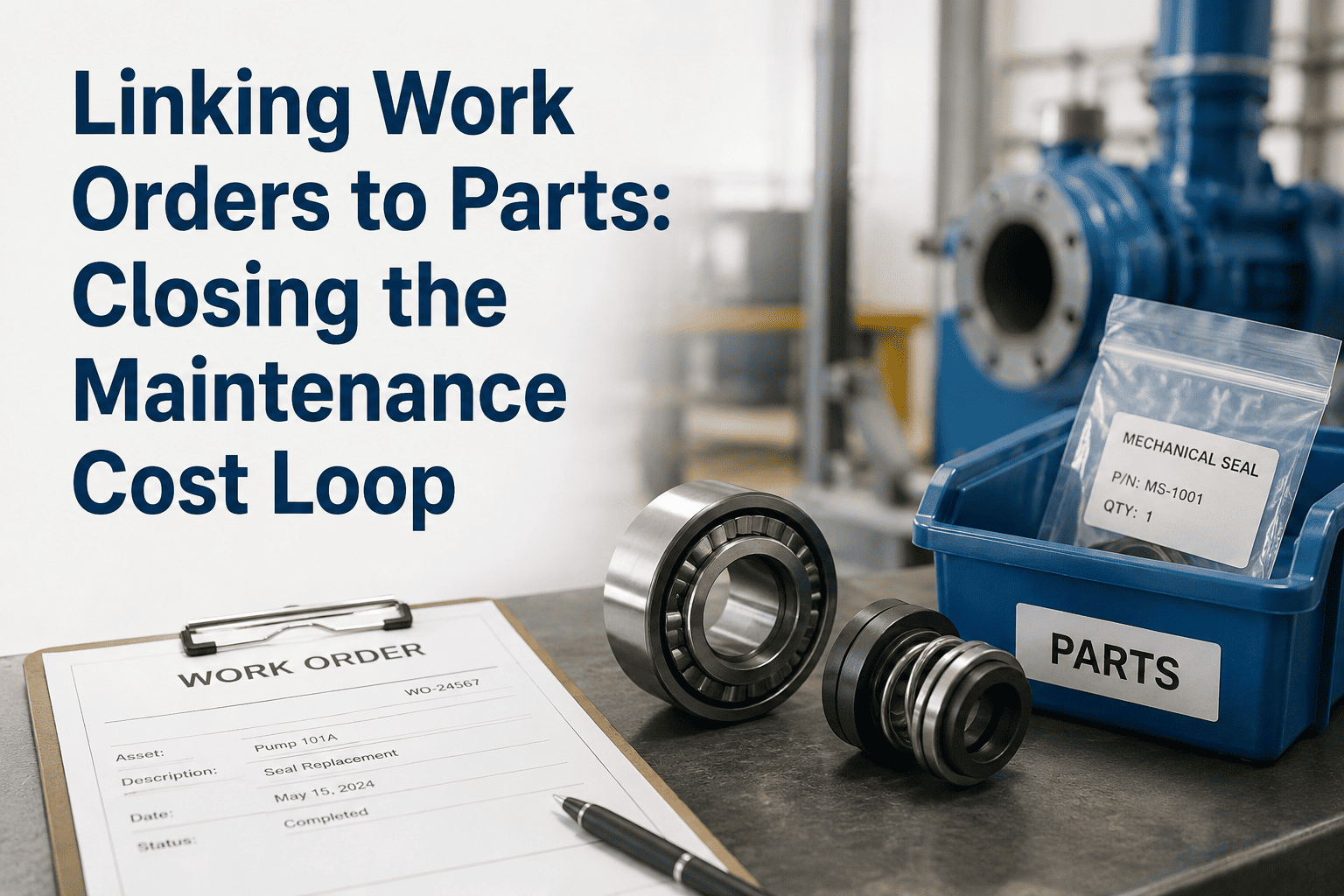
Picture a compressor failure repaired last Tuesday. The technician pulled three parts from the storeroom, spent four hours on the fix, and called in a contractor for a specialist task. What did that repair actually cost? If your work orders and inventory live separately, the honest answer is: you do not know. You know the contractor invoice because it arrived as a bill. The parts cost is buried in a purchase order from three months ago. The labor hours are in a time sheet no one tied to that asset. Every number exists somewhere — but they never add up to a single, accurate repair cost.
Parts consumed are not tracked, reorder triggers fail, and stockout delays extend repair time — inventory must connect to work orders
Most factories track maintenance spend via invoices but miss the true cost of unreliability — downtime, waste, and reactive labor premiums go uncounted
A $12M maintenance budget with 35% administrative waste means $4.2M spent on process overhead — not actual repairs
Section 02
The Three Cost Components Every Work Order Must Capture
Accurate maintenance cost tracking requires every work order to record three things at the moment they happen. Miss any one and your cost-per-asset data is unreliable — and the budget decisions built on that data are wrong.
01
Parts and Materials
Every part pulled from the storeroom should decrement inventory and log its cost against the work order simultaneously. Part number, unit cost, quantity used — all captured at the point of issue, not reconciled weeks later from a spreadsheet.
Real-time inventory decrement on issue
Parts cost tied directly to work order
Auto-reorder triggered at minimum threshold
02
Labor Hours
Technician time logged against a work order gives you actual labor cost per repair — multiplied by the blended rate. Over time this reveals which assets consume the most skilled labor and whether reactive work is crowding out planned maintenance.
Hours clocked in and out per work order
Blended labor rate applied automatically
Planned vs reactive labor ratio visible
03
Contractor and External Costs
External contractor hours and rates logged directly inside the work order close the gap that payroll-only tracking misses entirely. Contractor cost per asset becomes visible and comparable — making renewal and replacement decisions defensible with data.
External hours and rates logged per WO
Contractor cost included in asset TCO
No hidden costs outside the maintenance record
When a motor fails, the real cost is: Part cost + Labor hours + Contractor fees + Downtime impact. Most systems only show you the part invoice. Linked work orders show you the full number — and it is almost always significantly higher than what the invoice reflects.
Section 03
How Linking Work Orders to Inventory Actually Works
The mechanism is straightforward once a CMMS treats work orders and inventory as parts of the same closed-loop system rather than separate modules. Here is the workflow from the moment a repair is triggered to the moment cost data hits your reports.
The Closed-Loop: Work Order to Inventory to Cost Report
Every step in a single connected system — no manual reconciliation required
1
Work Order Created
A work order is raised — reactive, preventive, or inspection-triggered. The asset, priority, technician, and required parts are assigned in a single record. Required parts are reserved from inventory at this point, giving the storeroom visibility before the job starts.
2
Parts Issued Against the Work Order
Technician scans or selects parts from linked inventory during execution. Stock levels decrement instantly. Part cost posts to the work order in real time. If stock falls below the minimum threshold, an auto-reorder is triggered — before the next technician needs the same part.
3
Labor and Contractor Costs Logged
Hours worked are clocked directly in the mobile app against the work order. Contractor invoices are entered with rates and hours. All three cost components — parts, internal labor, external labor — are now attached to a single work order record.
4
Cost Rolls Up to Asset and Budget Reports
On work order closure, total repair cost posts automatically to the asset's lifetime maintenance cost record. Management dashboards show cost per asset, cost by category, planned vs reactive ratio, and budget variance — all without a single manual data entry step.
Ready to see what your repairs actually cost?
OxMaint links parts, labor, and contractor costs to every work order automatically — so your next budget review is built on data, not estimates. Sign up free or book a demo.
What You Can See After Work Orders and Inventory Are Linked
The reports that become possible once work orders and inventory share the same data layer are not incremental improvements — they are a fundamentally different level of visibility. These are the five views that matter most to maintenance managers and finance teams.
Most Impactful
Cost Per Asset Over Time
The total spend on any asset — parts, internal labor, contractor costs — accumulated across all work orders in its history. This is the number that answers the repair-vs-replace question with evidence instead of gut instinct.
Planned vs Reactive Cost Ratio
What percentage of maintenance spend is preventive versus reactive? Emergency repairs cost 3–5x more than planned ones. This ratio tells you exactly how much reactive premium your operation is carrying — and where to invest in PM to reduce it.
MRO Consumption Patterns
Which parts are consumed most frequently? Which assets drive the highest parts spend? Usage analytics built on work order linkage reveal patterns invisible in a purchase order report — and let you set smarter reorder points for critical spares.
Budget Variance in Real Time
Actual spend vs budgeted spend per asset, per department, or per facility — updated with every work order closure. No waiting for month-end reconciliation to find out the HVAC floor ran 40% over budget three weeks ago.
Technician Productivity and Cost
Labor cost per work order, first-time fix rate, and average completion time by technician. Not to surveil — but to identify training needs, optimal team sizing, and skill gaps that are quietly inflating your labor cost per repair.
Section 05
OxMaint: Where Work Orders, Inventory, and Cost Tracking Meet
OxMaint connects all three cost components inside a single CMMS platform. Work orders, spare parts inventory, asset records, and cost reports share one database — so there is no integration project, no duplicate entry, and no reconciliation delay. Parts consumed in the storeroom post to the work order and the asset record in the same action.
01
Automatic Cost Capture on Every Work Order
OxMaint automatically captures labor hours, parts consumed, and contractor costs against every work order — giving you real cost-per-repair data without any manual tracking step after the job closes.
02
Inventory Decrements on Part Issue
When a technician selects parts during work order execution, inventory decrements automatically and reorder triggers activate when stock falls below minimum thresholds — no separate storeroom entry required.
03
Asset Lifetime Cost Reports
Every closed work order feeds the asset's cumulative cost record. Over months and years, this builds a repair history that makes capital replacement decisions defensible to finance — not based on a technician's feeling that the machine is old.
04
Planned vs Reactive Budget Visibility
Dashboards show planned-vs-reactive ratios updated in real time. Teams that implement OxMaint typically report 25–40% reduction in total maintenance costs within 12–24 months — driven by eliminating emergency spend, not cutting planned maintenance.
Annual Value — Connected Cost Tracking
Mid-size operation, conservative estimate
Emergency procurement eliminated
$18K+
Labor reconciliation time saved
$9K+
Dead stock and over-ordering reduced
$7K+
Audit and report assembly time
$4K+
Total estimated annual value
$38,000+
Section 06
Frequently Asked Questions
Do we need to integrate OxMaint with a separate inventory system?
No separate integration is needed. OxMaint's inventory module and work order module share the same database by design. Parts issued in the storeroom automatically post to the linked work order — there is no API to configure or data pipeline to maintain between separate systems.
What if our technicians are not logging parts against work orders consistently?
OxMaint addresses this with mobile-first design and barcode scanning that makes part selection faster than skipping the step. When a technician opens a work order on mobile, required parts are displayed with current stock levels — selecting them is the natural next action, not an extra effort. Compliance rates improve significantly once the friction of manual entry disappears.
How long before we have meaningful cost-per-asset data?
Most teams see actionable cost data within 60–90 days of going live — enough closed work orders to show patterns by asset and category. The data improves continuously as history builds. Many teams report that their first full quarterly review after OxMaint deployment is the first budget meeting where everyone is working from the same numbers.
Can we export maintenance cost data to our accounting or ERP system?
OxMaint supports data export in standard formats compatible with common accounting and ERP platforms. Cost summaries by asset, work order, department, or period can be exported on demand or scheduled for automated delivery — keeping the finance team informed without requiring them to log into the CMMS directly.
Live in 72 Hours — Free to Start
Your maintenance budget deserves accurate data.
OxMaint automatically captures labor hours, parts consumed, and contractor costs against every work order — giving you real cost-per-asset data, planned-vs-reactive ratios, and budget variance reports without any manual tracking. If you are making maintenance budget decisions today, they are only as good as the data behind them.