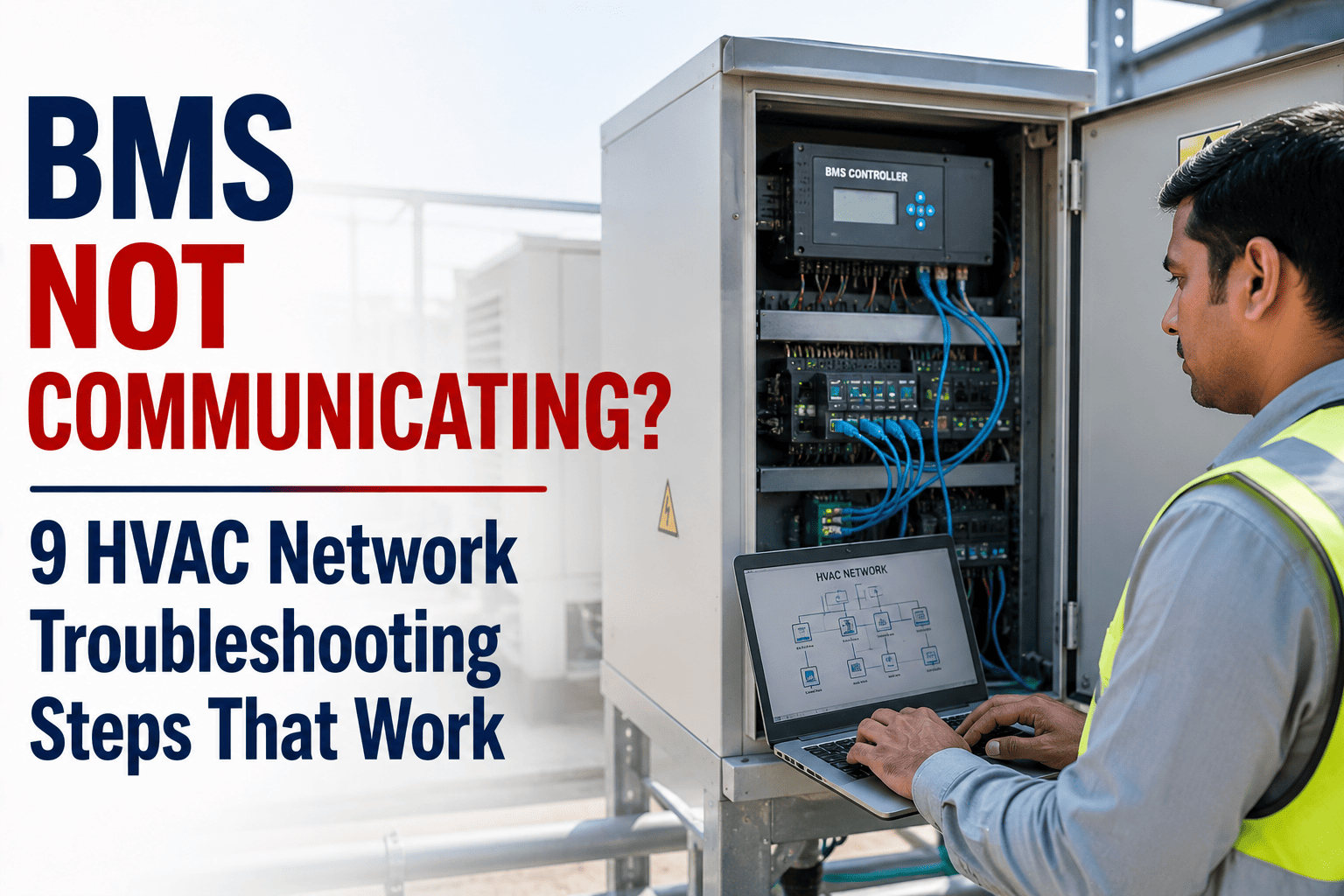
A BMS that stops communicating does not just create a dashboard full of red icons — it blinds your facility team to every HVAC fault, setpoint drift, and alarm that follows. The cause is almost never the BMS itself. It is a physical layer failure, a misconfigured protocol parameter, or a device ID conflict that a structured diagnostic sequence resolves in under an hour. Start a free trial to see how Oxmaint's CMMS tracks BMS communication history and auto-generates work orders when controllers go offline.
65%
Of BMS communication emergencies stem from failure patterns a structured diagnostic protocol would have resolved in minutes
3
Protocol layers where BMS faults originate — physical, network config, and device-level — each needs a different diagnostic approach
9
Step-by-step troubleshooting actions in this guide — from power check to protocol-level diagnosis
4x
Faster mean time to repair when facilities use a CMMS with BMS fault history linked to each controller asset
Before You Start
Work through these 9 steps in sequence — physical layer first, protocol layer last. Jumping straight to software diagnostics when the cable is unplugged wastes hours. Each step tells you what to look for, what it means, and what action to take before moving on.
Why BMS Communication Fails — The Three Layers
Every BMS communication failure lives in one of three layers. Misidentifying the layer is the most common reason troubleshooting takes four hours instead of forty minutes.
Layer 1
Physical
Power, cables, connectors, switches, RS-485 termination resistors. No software fix resolves a physical layer fault.
Layer 2
Network Config
IP addresses, subnet masks, baud rates, device instance IDs, BACnet broadcast domains. A single mismatch silences a device.
Layer 3
Device / Protocol
Firmware bugs, conflicting device IDs, non-compliant BACnet implementations, Modbus register mapping errors.
9 BMS Network Troubleshooting Steps That Work
01
Verify Power at the Controller
Layer 1 — always start here
A controller with no power produces exactly the same symptom as a controller with a configuration fault — it does not respond. Before touching software, confirm 24VDC at the controller power terminals with a multimeter. Check that the panel breaker feeding the controller is on, and inspect the power supply unit for fault LEDs or burnt smell.
What You Find
No voltage at terminals or tripped breaker
Action
Restore supply, check for short circuit on secondary wiring before re-energising
02
Inspect Physical Cables and Connectors
Layer 1 — most overlooked step
Loose terminals, damaged RS-485 cable, bent RJ-45 pins, and water-ingress on external field panels are among the most frequent physical causes of BMS communication loss — and the most frequently skipped during diagnosis. Walk the cable run. Check link lights on every managed switch between the controller and the head-end. A switch port with no link light is telling you exactly where the break is.
What You Find
Switch port amber or off, frayed cable jacket, corroded terminal
Action
Re-terminate, replace damaged segment, reseat RJ-45. Re-test link light before proceeding.
03
Ping the Controller IP Address
Layer 1/2 bridge — confirms network reach
From the BMS head-end workstation or an engineering laptop on the same network segment, ping the controller's configured IP address. A successful ping confirms physical and network connectivity to that device — the fault is then above the IP layer. A failed ping with physical cables intact points to an IP address conflict, wrong subnet, or switch VLAN misconfiguration.
Ping Fails
Check IP address matches controller configuration; check subnet mask; check VLAN assignment on switch port
Ping Succeeds
Physical and IP layers are good — fault is in BACnet/Modbus application layer. Move to Step 5.
04
Check for IP Address Conflicts
Layer 2 — silent killer on BMS networks
Two devices on the same IP address produce intermittent, unpredictable communication failures that are extremely difficult to trace without checking directly. On a managed switch, use ARP table inspection or the BMS head-end's network diagnostic view to confirm no duplicate IPs exist. This is particularly common after a controller replacement where the replacement unit was assigned the same address as an existing device still powered on the network.
What You Find
Two MACs mapped to same IP in ARP table, or ping responses with alternating round-trip times
Action
Assign a unique IP to the conflicting device and update the BMS database record to match
05
Verify BACnet Device Instance ID — No Duplicates
Layer 2/3 — single duplicate takes down multiple devices
Every BACnet device must have a unique Device Instance ID across the entire BACnet network. Duplicate IDs cause the BMS server to receive conflicting responses to Who-Is broadcasts — the server cannot determine which physical device to bind to, so it drops both. Use a BACnet diagnostic tool such as Yabe, BACnet Scan, or the BMS vendor's own network explorer to scan all active device IDs and identify any conflicts. This step is essential after any controller replacement or firmware upgrade that resets the device to factory defaults.
What You Find
Two devices responding with identical instance IDs on BACnet scan output
Action
Access the duplicate controller via local connection or its web interface, assign a unique instance ID, reload the BMS server binding
06
Check Modbus RTU Parameters — Baud Rate, Parity, Stop Bits
Layer 2 — RS-485 Modbus networks only
For RS-485 Modbus RTU networks, the baud rate, parity setting, and stop bits must match exactly between every master and every slave on the bus. A single device with a mismatched parameter does not just fail to communicate itself — it can corrupt bus traffic for all other devices on the same RS-485 segment. After any device replacement or configuration change, confirm the serial parameters at the controller level match those set in the BMS gateway or master device configuration exactly.
Common Mismatches That Break Modbus RTU
Baud rate 9600 vs 19200
Even parity vs None
1 stop bit vs 2 stop bits
07
Check RS-485 Bus Termination
Layer 1 — signal integrity on long RS-485 runs
RS-485 networks require a 120-ohm termination resistor at each physical end of the bus — and only at the ends. Missing termination on long cable runs causes signal reflections that corrupt data and produce intermittent communication errors that appear random. Multiple termination resistors placed at intermediate points produce the same symptom. This is a common mistake when devices have been added to an existing bus without reviewing the termination topology.
Symptom
Intermittent errors on some devices but not all, errors worsen as bus load increases or cable length is longer
Action
Measure resistance across A/B at the bus midpoint — should read ~60 ohms with two 120-ohm end terminators correctly placed
08
Isolate the Faulty Device Using the Binary Elimination Method
Layer 3 — one bad device can drop the whole bus
When multiple devices fail simultaneously on the same bus segment, one faulty device is usually responsible. Use the binary elimination method to find it: disconnect all devices except the first one connected to the controller. Confirm communication with that single device. Reconnect devices one at a time, testing after each addition. The moment a specific device is added and communication fails, that device is the culprit — either faulty hardware, incorrect address, or non-compliant protocol behaviour.
Binary Elimination — Step Sequence
1. Disconnect all devices. Connect only the first device. Test communication.
2. Reconnect the next device. Test again. Repeat until failure occurs.
3. The device that causes failure when added is the problem device. Remove and investigate.
09
Pull the Fault Code Log and Review Communication Error History
Layer 3 — patterns reveal root cause
Most modern BMS controllers and gateways log communication errors with timestamps. A controller that shows a single fault today but has logged 47 communication timeouts over the past 30 days is on a failure trajectory — not experiencing a random event. Pull the fault log before replacing hardware. Escalating error frequency over 2–4 weeks is a reliable pre-failure signature for both controller PCBs and network switch hardware. If no CMMS has been tracking this, the pattern is invisible — and the failure appears to arrive without warning.
What the Log Shows
Escalating timeout counts, repeated Who-Is with no I-Am response, periodic connection drops at specific times
Action
Escalate to controller replacement before total failure, or investigate time-correlated events (HVAC startup load, network storms)
Your BMS Has Already Logged the Next Communication Failure
Oxmaint links BMS controller fault code history, communication error trends, and PM completion records into one asset intelligence feed — surfacing controller failures before they take down HVAC control. Sign up free or book a demo to see it live.
BMS Communication Failure — Quick Reference Diagnostic Table
Use this table to cross-reference your symptom with the most likely cause and which step above addresses it. Sign up to Oxmaint to store each diagnosis against the asset record so the next technician starts with context, not a blank page.
| Symptom |
Most Likely Cause |
Step to Run First |
| All controllers offline simultaneously |
Network switch failure or head-end server issue |
Step 01 — check power, then Step 02 — switch link lights |
| One controller offline, others unaffected |
Physical cable fault, IP conflict, or device hardware failure |
Step 02 — cable, then Step 03 — ping |
| Controller found but no data points visible |
BACnet non-compliance, wrong device ID binding, or protocol mismatch |
Step 05 — BACnet instance ID check |
| Intermittent RS-485 bus errors, random devices dropping |
Termination fault or Modbus parameter mismatch |
Step 06 — baud rate/parity, then Step 07 — termination |
| Multiple devices drop after one device was added or replaced |
New device corrupting bus or duplicate ID introduced |
Step 08 — binary elimination |
| Communication failures increasing in frequency over weeks |
Controller PCB or switch hardware approaching end of life |
Step 09 — fault log history review |
Why the Same BMS Fault Keeps Coming Back
A BMS communication fault that recurs every 3–4 months is not bad equipment — it is an incomplete corrective action, a configuration change that was never documented, or an institutional knowledge gap that resets with every technician turnover.
Gap 01
The Fix Was Applied, the Root Cause Was Not Documented
The termination resistor was replaced. No one noted that the third-party gateway added six months ago had its own termination enabled, making it the actual root cause. The same fault recurs when the gateway is power-cycled. The original repair fixed the symptom, not the configuration.
Gap 02
Fault History Lived in the Engineer's Head
The senior controls engineer knew this BAS network dropped three specific devices every time the building's chilled water pump started — a power quality issue on the panel feeding those controllers. That technician left. The replacement treated each drop as a new unrelated fault. The pattern had never been in a CMMS.
Gap 03
Configuration Changes Were Never Recorded
A contractor changed two Modbus device addresses during a VAV box replacement. The BMS database was not updated to match. Communication was restored by the contractor before they left. Eighteen months later during a different repair, another contractor updated the database to reflect the original addresses — which no longer matched the hardware. Communication failed again with no obvious cause.
Gap 04
Escalating Errors Were Logged, Not Actioned
The BMS alarm log showed communication timeouts on Controller 14 increasing from 2 per week to 19 per week over two months. The alarms were acknowledged and cleared each day. No work order was raised. On the day of total failure, the fault appeared to arrive without warning — because no one had connected the trend into a corrective action.
How Oxmaint Closes This Gap
Oxmaint links every BMS communication fault event to its controller asset record, prior fault history, and related work orders — surfacing escalating error frequency as a pre-failure indicator, auto-generating CAPA work orders when fault rates cross thresholds, and maintaining a full configuration change log so the next technician has context before touching a single cable. Every fault becomes a tracked action, not an acknowledged alarm. Book a demo to see the BMS asset intelligence workflow.
Frequently Asked Questions
Q
What is the most common cause of BMS communication failure?
Physical layer faults — loose cable terminations, failed switch ports, and power supply issues — account for the majority of BMS communication failures in commercial buildings. Protocol-level issues such as duplicate BACnet device IDs and Modbus parameter mismatches are the next most common, typically introduced after device replacement or configuration changes by contractors who do not update the BMS database.
Q
Why would a BACnet device appear in discovery but show no data points?
This symptom typically indicates a BACnet protocol compliance issue — the device responds to Who-Is with an I-Am (so it appears in discovery) but does not correctly respond to Read-Property requests for its objects. This is common with third-party gateways that are partially BACnet-compliant. Check the BMS server error log for Reject Unrecognised Service responses, and engage the gateway manufacturer with a Wireshark capture of the BACnet exchange.
Q
How do I find which device is causing Modbus bus corruption?
Use the binary elimination method described in Step 08. Disconnect all devices from the RS-485 bus, reconnect one at a time from the master outward, and test communication after each addition. The device whose connection causes the bus to fail is the culprit. Check that device for correct slave address, matching baud rate and parity, and correct termination resistor status.
Q
Can a CMMS help prevent BMS communication failures?
Yes — through three specific mechanisms. A CMMS ensures scheduled controller inspections and firmware audits are completed rather than deferred. It links fault code history to each controller asset, making escalating communication error frequency visible as a pre-failure indicator rather than a series of unrelated alarms. And it closes corrective actions by generating work orders from fault observations rather than leaving them as acknowledged alarms in a BMS event log. Facilities with digital CMMS tracking for BMS assets report significantly faster mean time to repair and lower repeat fault rates than those using paper-based logs.
Stop Diagnosing BMS Failures From Scratch Every Time
Oxmaint stores every BMS controller fault, communication error trend, and configuration change against the asset record — so your next technician starts with a full history, not a blank page. AI RCA, automated CAPA closure, PM scheduling, and compliance documentation live in one platform within 5 weeks.
BMS Asset Intelligence
AI Root Cause Analysis
Automated PM Scheduling
CAPA Closure Tracking
Compliance Documentation