Best Barcode Inventory Management Software for Spare Parts and MRO Stores
By Mark strong on May 29, 2026
Across maintenance storerooms worldwide, the gap between what teams think they have in stock and what is actually on the shelf is costing thousands of hours and millions in lost productivity every year. Barcode inventory management software for spare parts closes that gap — permanently. Sign up free on OxMaint or book a demo to see how smarter inventory control works from day one.
BlogInventory and MRO
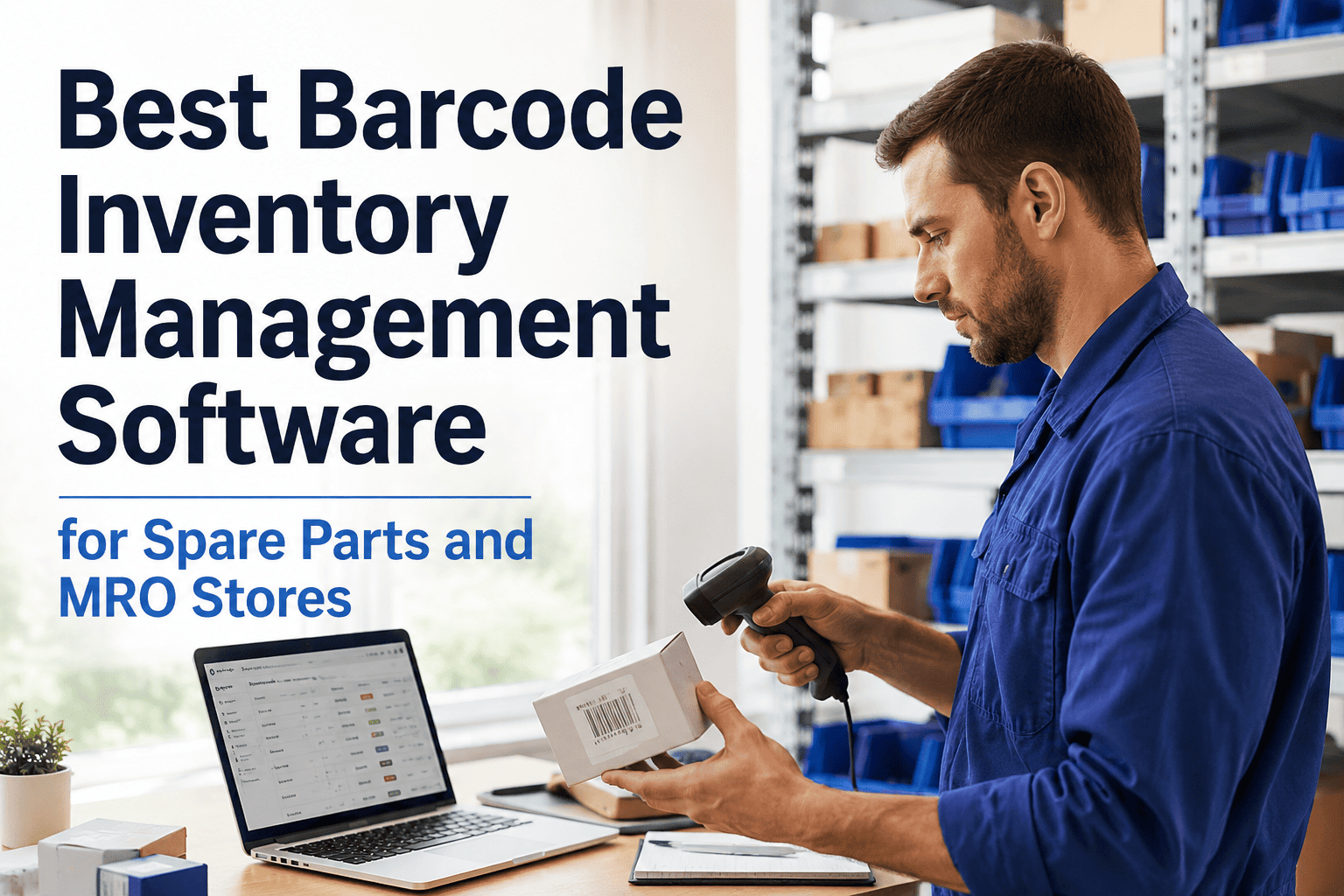
Best Barcode Inventory Management Software for Spare Parts and MRO Stores
Improve inventory accuracy with barcode scanning for spare parts, MRO inventory, warehouse operations, and maintenance stores — and stop losing hours to missing parts and manual count errors
95–99%
Data accuracy with barcode scanning
1 in 3M
Scan error rate vs 30–40 per 1,000 manual entries
60%
Of inventory software market dominated by barcode systems
12.3%
Annual growth in spare parts management market through 2030
What This Guide Covers
01The Real Cost of Manual Tracking
02How Barcode Systems Work
03Key Features to Look For
04Before vs After
05OxMaint Barcode Solution
06FAQ
Section 01
Your Storeroom Is Lying to You — and You Probably Know It
Most MRO storerooms run on a mix of handwritten logs, outdated spreadsheets, and the memory of one experienced tech who knows where everything actually is. When that person is out sick or leaves, the whole system breaks down. Parts are received without being recorded. Issued without being logged. Returned to random shelf locations. And the result? Technicians waste time hunting for parts during emergencies, purchasing orders duplicates because on-hand counts are wrong, and dead stock piles up because nobody knows what is actually sitting on the shelves.
This is not a staffing problem. It is a systems problem — and barcode inventory management software solves it directly. Try OxMaint free or book a demo to see what accurate inventory looks like.
Four Ways Manual Spare Parts Tracking Fails Every Day
Each one is predictable, measurable — and preventable
Parts That Cannot Be Found
Technicians spend 20–30 minutes searching for parts that exist in the system but are not in the listed location. Every search is unplanned downtime — and it multiplies across every shift.
Hidden productivity drain
Duplicate Purchase Orders
Inaccurate counts lead to ordering parts already in stock. Overstocked shelves tie up working capital while critical items go on back-order because no one checked accurately.
Wasted capital
Audit Failures
Manual logs have gaps, illegible entries, and missing timestamps. When an auditor or inspector arrives, assembling documentation from paper records takes days — and often still has unexplainable discrepancies.
Compliance exposure
Emergency Stockouts
The most expensive failure: a critical machine goes down and the part needed is either out of stock or cannot be located. Emergency procurement at premium rates — plus production downtime — far exceeds any software cost.
Maximum cost event
Section 02
How Barcode Inventory Management Actually Works for Spare Parts
Barcode systems eliminate the manual entry problem at its source. Instead of relying on someone to remember to log a transaction, every issue, receipt, return, and transfer is captured at the moment it happens — by scanning a label. The CMMS or inventory software updates in real time. No lag, no memory required, no paper to file later.
The Barcode Inventory Workflow — From Receiving to Work Order
Every transaction captured automatically at the point of action
01
Label and Receive
New parts are labeled with barcodes or QR codes on arrival. Scanning the label during receiving instantly creates a record: part number, quantity, location, date, and supplier. No manual entry.
02
Bin Location Scanning
Every shelf, bin, and aisle location has its own QR code. Scanning a bin shows its exact contents. Scanning a part shows its exact location. Finding any item takes seconds, not minutes.
03
Work Order Issue
Technicians scan the work order QR code on mobile. The system shows required parts, exact bin locations, quantities on hand, and available substitutes — no searching, no guessing.
04
Auto-Reorder Triggers
Every scan updates real-time stock levels. When a part hits its minimum threshold, the system auto-generates a purchase request — before the stockout ever happens, not after the emergency.
Section 03
What to Look for in Barcode Inventory Software for MRO Stores
Not all inventory software handles spare parts and MRO storerooms the same way. A general warehouse system built for retail works differently from one designed for maintenance operations where parts connect to work orders, assets, and preventive maintenance schedules. Here are the capabilities that matter most.
Must-Have
Work Order Integration
Parts consumption should link directly to work orders. When a technician pulls a part, it closes against the correct work order — giving you real cost-per-repair data and accurate inventory in one step.
Must-Have
Mobile Barcode and QR Scanning
Technicians should be able to scan using a smartphone or rugged handheld — no desktop required. Every issue, return, cycle count, and receiving action should be completable from the storeroom floor.
Must-Have
Real-Time Stock Levels
Every scan event — issue, receipt, transfer, return — should update inventory counts instantly. Stock levels viewed five minutes ago should reflect the last scan, not yesterday's data entry batch.
High Value
Auto-Reorder and Min/Max Alerts
Configurable thresholds that trigger purchase requests automatically when stock drops below the minimum. Prevents the emergency procurement scenario — and stops the habit of panic-ordering duplicates.
High Value
Bin Location and Aisle Mapping
QR-coded shelf and bin locations with aisle-bay-shelf-bin coordinates. Technicians can find any part in seconds. Inventory counters always know which location they are counting, eliminating placement confusion.
High Value
Usage Analytics and Demand Forecasting
Which parts move fastest? Which assets consume the most spares? Analytics built on scan data reveal consumption patterns that let you set smarter reorder points and reduce dead stock accumulation.
Your storeroom data is only as good as the system capturing it.
OxMaint's barcode inventory system connects spare parts directly to work orders, assets, and preventive maintenance schedules — giving your team real-time accuracy from the first scan. Sign up free and run your first barcode scan in under an hour.
Same Storeroom. Two Systems. Night-and-Day Results.
Manual Tracking vs Barcode Inventory Management
Same parts, same team — the system determines the outcome
Situation
Manual Tracking
With Barcodes + OxMaint
Finding a Part
Walk the storeroom, ask a colleague, check a paper log — 15 to 30 minutes per search
Scan the work order QR — exact bin location displayed in under 5 seconds
Cycle Counts
Annual wall-to-wall count that halts operations for 1–2 days with significant error rates
Continuous scan-based cycle counts by ABC class — no shutdown required, errors flagged immediately
Reorder Decisions
Based on memory or a count done weeks ago — frequently results in duplicates or stockouts
Auto-generated purchase request the moment stock hits the minimum threshold
Audit Trail
Paper logs with missing entries, illegible handwriting, and no timestamps — requires days to compile
Timestamped, technician-attributed digital record for every transaction — exportable in minutes
Section 05
OxMaint Barcode Inventory: Built for Maintenance Stores, Not Retail Warehouses
Generic warehouse software tracks boxes. OxMaint tracks spare parts the way maintenance teams actually use them — linked to assets, connected to work orders, and embedded in the same CMMS your technicians already use for PMs and reactive tasks. No separate system to learn. No duplicate data entry between inventory and maintenance.
Core Capability
Barcode and QR Scanning on Mobile
Technicians scan with any smartphone or rugged device. Issue parts against work orders, receive deliveries, run cycle counts, and look up bin locations — all from the storeroom floor without touching a desktop.
5 sec
Average part lookup time after scanning
Parts Linked to Work Orders and Assets
Every part issued is attributed to a specific work order and asset. You see real cost-per-repair data, which assets are consuming the most spares, and which parts are driving the most unplanned maintenance events.
0
Separate data entry steps between inventory and maintenance
Auto-Reorder and Stock Alerts
Set minimum and maximum thresholds per part. The system auto-generates purchase requests the moment stock falls below the minimum — before any technician is blocked waiting for a critical part.
Auto
Purchase requests generated at reorder threshold
Annual Value for a Mid-Size Maintenance Operation
Conservative estimates based on four direct improvement areas
Parts Search Time Eliminated
Technicians averaging 3 part lookups daily at 20 min each — reduced to under 1 min with bin location scanning. Across a 5-person team, 300 hours per year recovered.
$9,000+
Emergency Procurement Avoided
Auto-reorder triggers prevent 3 emergency stockout events per year. Average emergency procurement premium plus expedite freight eliminates a significant cost spike per event.
$14,000+
Dead Stock Reduction
Usage analytics identify parts that have not moved in 12 months. Eliminating duplicate purchases and turning dead stock improves working capital by a measurable percentage of total inventory value.
$7,500+
Audit Preparation Time
Compliance documentation that previously required 2 days of manual assembly from paper logs now exports in under 15 minutes — freeing the storeroom manager for higher-value work.
Do we need dedicated barcode scanners, or can we use smartphones?
OxMaint works with both. Smartphones with the OxMaint mobile app scan barcodes and QR codes natively — no additional hardware required to get started. For high-volume storerooms or harsh environments, rugged handheld scanners can also be connected. Most teams start with phones and upgrade hardware only if volume justifies it.
How long does it take to label and set up an existing storeroom?
Most teams complete initial labeling in one to two days for a standard MRO storeroom. OxMaint generates labels directly from the system, and bin location QR codes can be printed and applied in a single session. The first live scanning transactions typically happen within 72 hours of starting setup — not weeks.
Can barcode inventory integrate with our existing work order system?
OxMaint's barcode inventory is built into the same CMMS platform as work orders, preventive maintenance, and asset tracking. Parts issued in the storeroom link automatically to the relevant work order — no integration required because they already share the same database. If you are migrating from another system, OxMaint supports data imports to bring your existing parts catalog across.
What happens if a barcode label gets damaged or falls off a part?
OxMaint supports label reprinting directly from the mobile app or desktop — a replacement label for any part takes under 30 seconds to generate and print. The part record and all its history remain intact in the system regardless of label condition. For high-wear environments, durable polyester or metal-foil labels can be used to extend label lifespan on critical assets.
Free to Start — Live in 72 Hours
Stop running a storeroom that lies to you.
OxMaint's barcode inventory management gives maintenance stores real-time accuracy, mobile scanning, auto-reorder triggers, and full audit trails — all connected to the work orders and assets your team manages every day. No IT project. No long implementation. Your first barcode scan happens in your first shift.