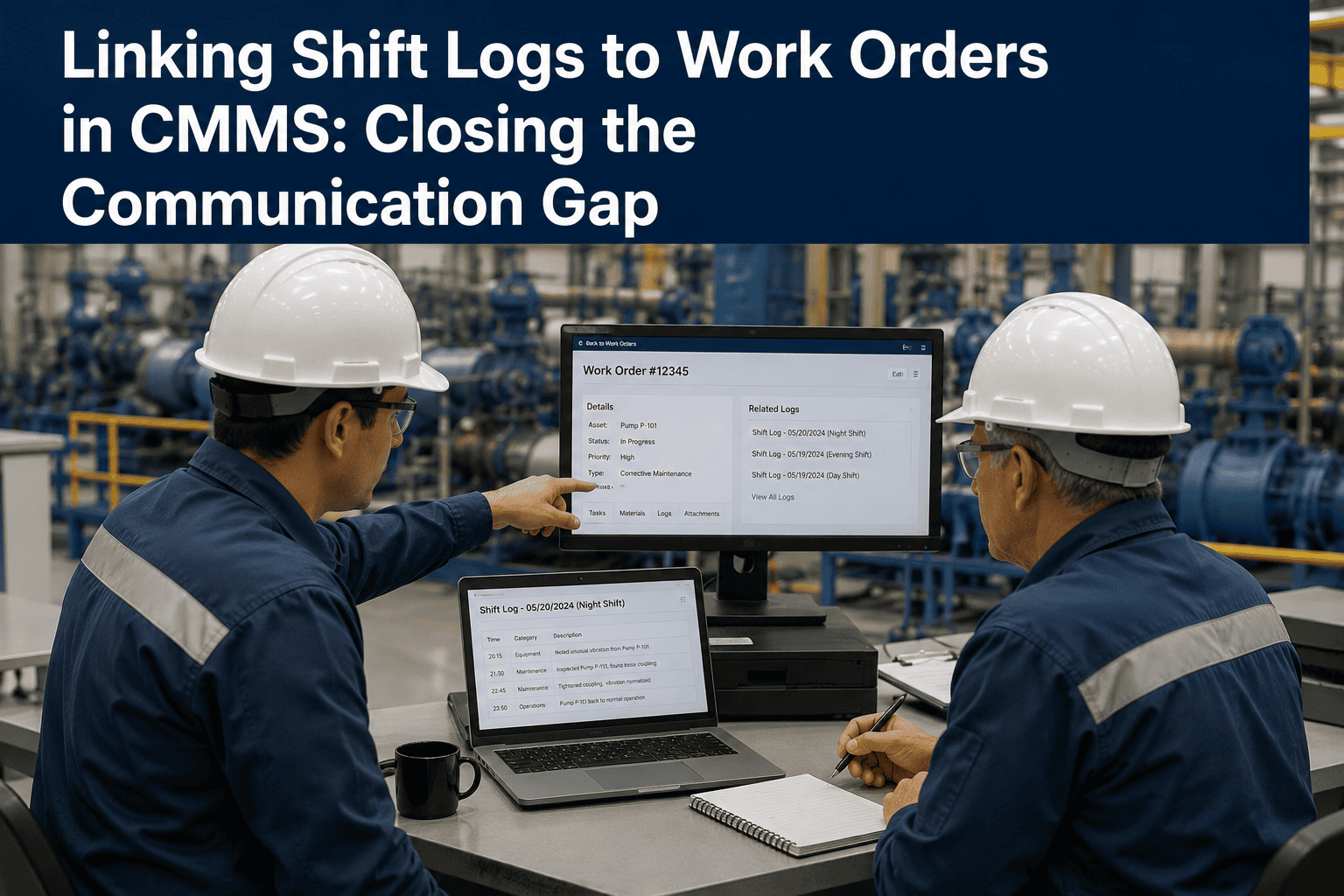
An operator types "pump 4 leaking, keep an eye on it" into the shift log at 2am. It's a good, honest note. It's also completely invisible to maintenance until someone happens to read that specific page of the log, days later, if ever. The information existed. It just never became a work order. That gap between what operations sees and what maintenance acts on is one of the most common and most fixable sources of unplanned downtime on a plant floor. Linking the shift log directly to the CMMS means a flagged entry like that doesn't wait to be noticed — it becomes a work order the moment it's written, the way OxMaint does it.
Turn Shift Log Entries Into Work Orders Automatically
Flag an issue in the shift log and it spawns a linked work order instantly — no re-typing, no waiting for someone to notice.
Where the Gap Between Ops and Maintenance Opens Up
The two teams are usually looking at the same plant, but through two different, disconnected systems, and the gap between them shows up in a few predictable ways.
Verbal-Only Reports
An issue gets mentioned in passing to whichever technician happens to walk by, with nothing written down.
Delayed Work Orders
A logged issue sits unread for days until someone happens to review the shift log and finally acts on it.
No Asset Link
The log entry doesn't reference a specific asset ID, so maintenance can't pull up its history without extra digging.
Lost Context
By the time a work order gets created manually, the original detail from the operator's note has been simplified or lost.
From Log Entry to Work Order
| Log Entry Type | Trigger | Resulting Action |
|---|---|---|
| Flagged equipment issue | Operator marks entry as actionable | Work order created and assigned |
| Abnormal reading | Value logged outside set range | Inspection work order triggered |
| Near miss or safety note | Safety flag added to entry | Incident record linked to asset |
| Routine observation | No flag required | Stored as searchable asset history |
What Breaks Without Integration
Double Entry
The same issue gets written once in the shift log and again in the CMMS, with details drifting between the two.
Slower Response Times
A gap between reporting and action means small issues have longer to develop into unplanned downtime.
No Feedback Loop
The operator who reported the issue never finds out what maintenance did about it, so reporting habits weaken over time.
Incomplete Asset History
Operational observations never make it into the asset's maintenance record, weakening future root cause analysis.
Integration Maturity
Fully Manual
Shift log and CMMS are separate systems, with someone manually transferring anything that needs action.
Partially Connected
Some entries get turned into work orders promptly, but the process still depends on someone remembering to do it.
Fully Linked
Flagged log entries generate work orders automatically, tied to the right asset with the original context intact.
The Numbers Behind the Ops-Maintenance Gap
The fastest way to close the gap between what operations sees and what maintenance does about it is to stop treating them as two separate systems. Sign up free to connect your shift log directly to work orders, or book a demo to see a flagged entry become a job in real time.
Close the Gap Between What's Seen and What Gets Fixed
One system for shift logs and work orders, so a flagged issue reaches maintenance the moment it's written, not days later.
Setting Up the Link
Add an Asset Field to the Log
Require entries about equipment to reference the specific asset, not just a general area or description.
Enable Actionable Flags
Give operators a simple way to mark an entry as needing maintenance attention, separate from routine notes.
Auto-Generate the Work Order
A flagged entry creates a work order automatically, carrying over the asset, description, and original context.
Close the Feedback Loop
Update the original log entry once the work order is closed, so the reporting operator can see it was actioned.
Frequently Asked Questions
Why don't all shift log entries need to become work orders?
Most entries are routine observations that add useful context to an asset's history, and only a smaller flagged subset actually needs an immediate maintenance response.
Does linking shift logs to work orders slow operators down?
It shouldn't, since flagging an entry as actionable typically takes the same effort as writing the note itself, with the work order generated automatically behind the scenes.
What happens to the context from the original log entry?
When the systems are linked, the original wording and any attached detail carries directly into the work order, rather than being re-typed and simplified by whoever creates it manually.
Can operators see what happened after they flagged an issue?
Yes, with a linked system the original log entry can be updated once the resulting work order is closed, giving the reporting operator visibility into the outcome.
Is this only useful for large plants with big maintenance teams?
No, smaller sites benefit just as much, since a missed or delayed report can have an outsized impact when there are fewer people available to catch it manually.