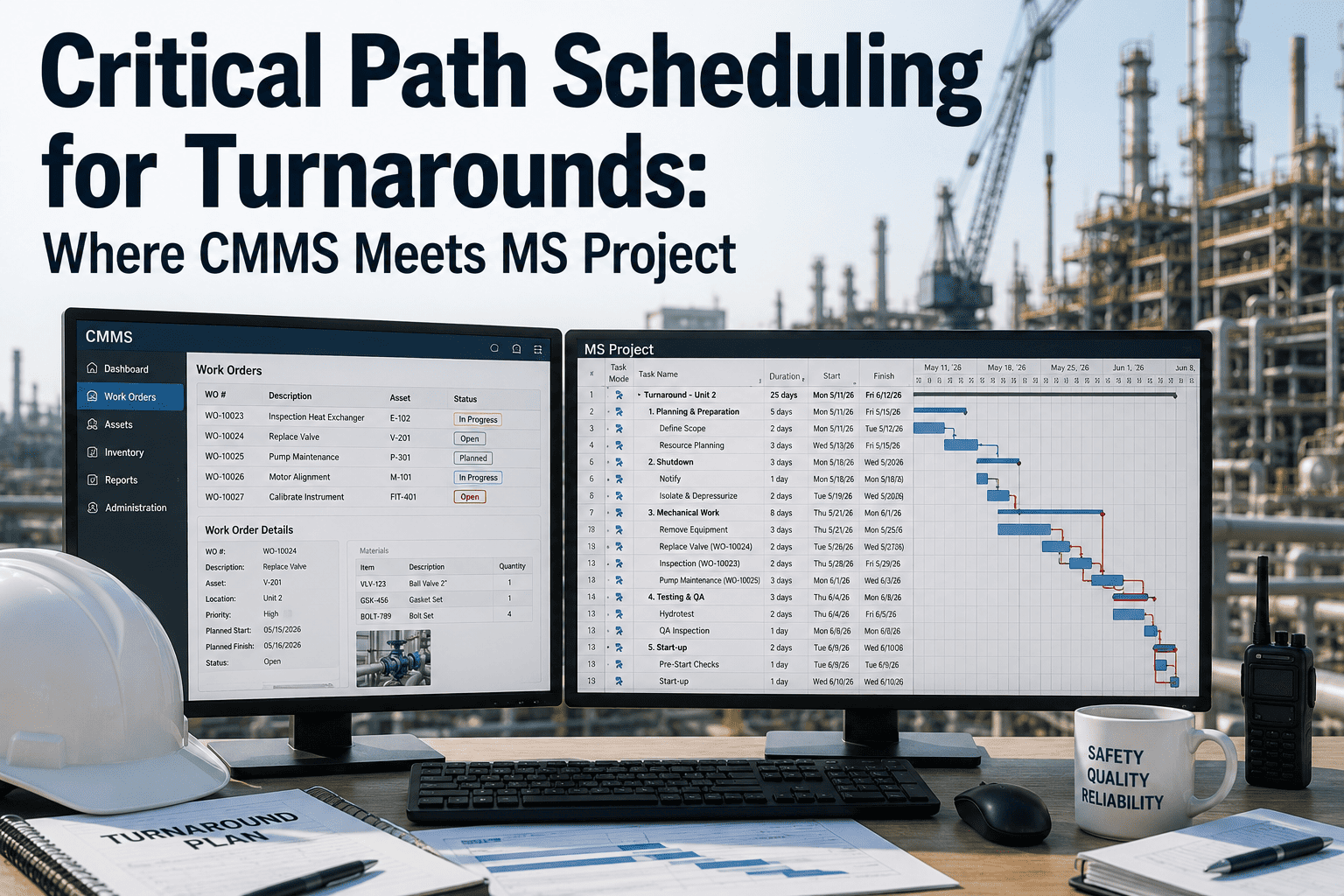
A turnaround schedule built in Primavera or MS Project is only as good as the work scope feeding it, and that scope almost always lives somewhere else first — in a CMMS, as a list of work orders written by people who know the plant but have never opened a scheduling tool. The gap between those two systems is where turnarounds actually go wrong: a work order duration that doesn't match reality, a predecessor relationship nobody encoded, a resource double-booked across two work packages that were planned in isolation. Getting the critical path right starts with getting the handoff between CMMS and scheduling tool right. A CMMS like OxMaint keeps the frozen work scope as the single source of truth that P6 or MS Project schedules against, instead of a spreadsheet exported once and never reconciled again.
Keep Your Frozen Scope and Your Schedule in Sync, Not Just Aligned Once
Work scope freeze, two-way P6 and MS Project sync, and real-time progress feed — so the critical path reflects what's actually happening on the turnaround.
Where CMMS Data Feeds the Critical Path
Each piece of CMMS work order data has a direct equivalent in the scheduling tool. Mapping the translation explicitly, rather than re-keying it by hand, is what keeps the two systems from drifting apart during execution.
| CMMS Data | Scheduling Tool Equivalent | What It Becomes |
|---|---|---|
| Work order estimated duration | Activity duration | The building block of the schedule network |
| Crew size and trade requirement | Resource assignment | Input to resource levelling and conflict checks |
| Work order sequence dependency | Predecessor / successor logic link | Defines the network structure and float |
| Long-lead material availability date | Constraint date | An anchor point the schedule can't move earlier than |
Building a Sane WBS
Level 1 — Turnaround
The top of the hierarchy: the turnaround itself, with its overall start, finish, and total budget rolled up beneath it.
Level 2 — Area / Unit
Major process units or plant areas, each with its own sub-schedule and area-specific critical path.
Level 3 — Discipline
Mechanical, electrical, instrumentation, and civil work grouped within each area, matching how crews are actually deployed.
Level 4 — Work Package
The individual work order or task level, matching one-to-one with CMMS work orders for clean two-way traceability.
Float Categories: Reading the Schedule Risk
Critical Path
Any delay here delays the entire turnaround finish date. These activities get the tightest daily tracking and the fastest escalation.
Near-Critical
Activities with only a small buffer, commonly under 10% of total duration, are one bad day away from joining the critical path.
Genuine Buffer
Comfortable slack that can absorb minor slippage without threatening the overall finish date — useful for resource rebalancing.
From CMMS Scope to Integrated Schedule
Freeze Work Scope
Lock the CMMS work order list at a defined scope freeze date, so the schedule isn't built against a moving target.
Export to P6 / MS Project
Push durations, resources, and dependencies into the scheduling tool using the CMMS-to-schedule data mapping.
Sequence & Resource Level
Build the network logic and resolve resource conflicts before the schedule is baselined, not after execution starts.
Baseline & Track Progress
Lock the baseline, then feed daily execution progress from the CMMS back into the schedule to keep the critical path current.
The Numbers Experienced Planners Work To
A schedule that was accurate on day one and never updated again isn't tracking the critical path — it's tracking the plan. Sign up free to see CMMS execution progress feeding the schedule automatically instead of a manual end-of-shift update.
How OxMaint Supports the CMMS-to-Schedule Handoff
Work Scope Freeze & Lock
Lock the work order list at a defined scope freeze point, giving the scheduling tool a stable baseline to build against.
Two-Way P6 / MS Project Sync
Durations, resources, and dependencies flow to the scheduling tool, with progress flowing back the other way during execution.
Resource Conflict Detection
Crew and equipment double-bookings across work packages are flagged before the schedule is baselined, not discovered mid-turnaround.
Real-Time Progress Feed
Work order completion status updates the schedule automatically, keeping the critical path calculation current throughout execution.
Stop Reconciling CMMS Scope Against Your Schedule by Hand
Scope freeze, two-way scheduling sync, and real-time progress feed — built so your critical path stays accurate from planning through execution.
Frequently Asked Questions
Should the WBS match the CMMS work order structure exactly?
At the lowest level, yes — a one-to-one match between the schedule's work package and the CMMS work order gives the cleanest traceability. Higher WBS levels can group work differently to match how the schedule is managed.
How is the critical path recalculated once execution starts?
As actual progress and updated durations are fed back into the scheduling tool, the network logic recalculates float automatically, which can shift which activities are on the critical path as the turnaround proceeds.
What's the biggest cause of critical path surprises during a turnaround?
Scope discovered once equipment is opened up is the most common cause, since it wasn't in the frozen scope the schedule was built against. Building in contingency and having a fast scope-change process reduces the impact.
Is Primavera P6 or MS Project better for turnaround scheduling?
Primavera P6 is more commonly used on large, complex turnarounds due to its resource levelling and multi-project capabilities, while MS Project often suits smaller-scale shutdowns well. The right choice depends more on team familiarity and turnaround scale than a fixed rule.
How much contingency should be built into a turnaround schedule?
A contingency in the range of 10 to 15% of overall duration is a common starting point, though the right figure depends on the plant's history of scope growth and the age and complexity of the equipment being turned around.