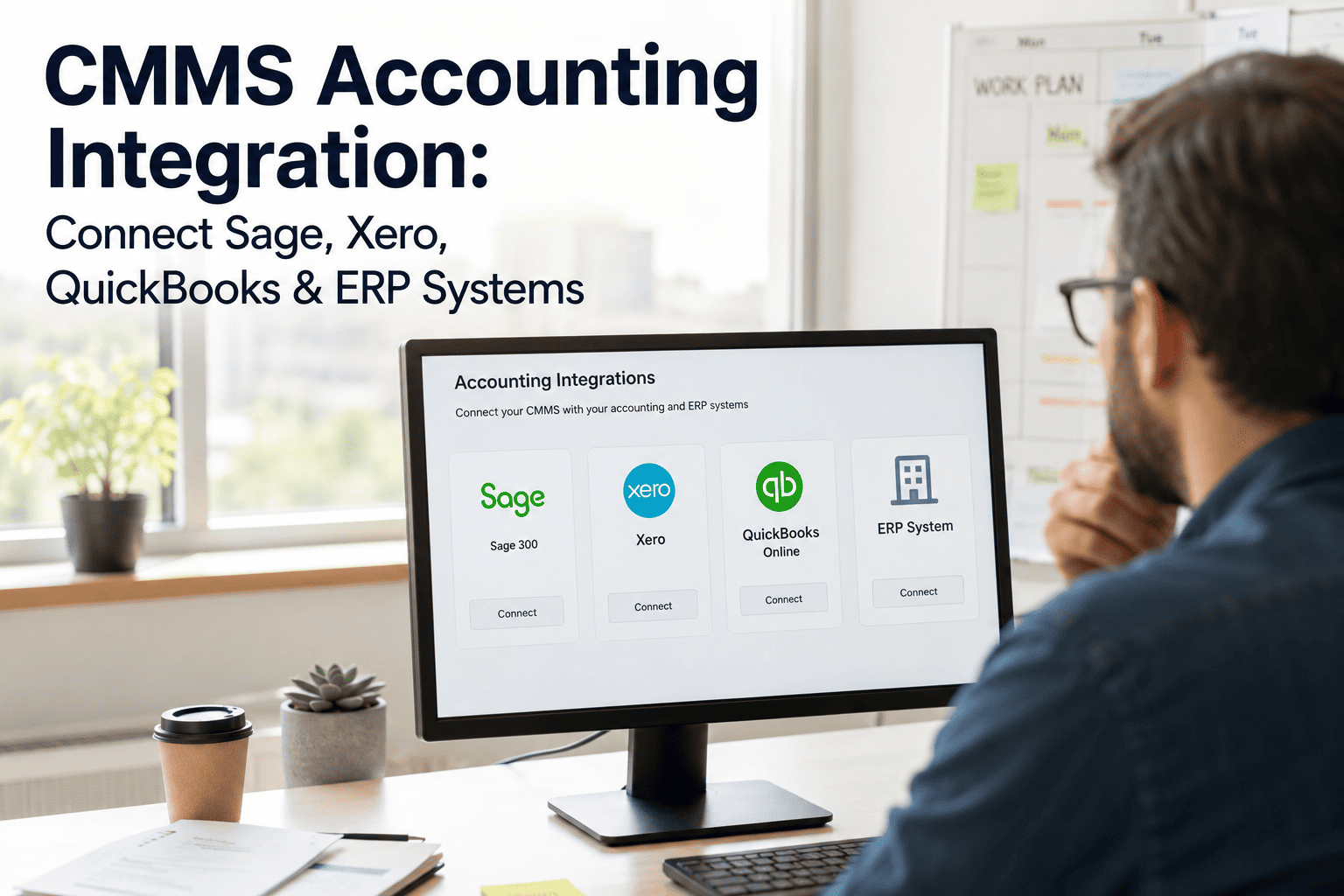
Every facility team eventually hits the same wall — maintenance work happens in one system and the money it costs lives in another, and somebody has to manually bridge the two. That bridge is usually a spreadsheet, and spreadsheets are where accuracy goes to die. Manual invoice processing costs $12 to $30 per invoice and takes an average of 14.6 days to complete, while roughly 57% of invoice data still gets keyed in by hand at organizations without integration in place. A CMMS like OxMaint connects directly to the accounting platforms your finance team already uses — Sage, Xero, QuickBooks, and major ERP systems — so maintenance costs flow into your books automatically, accurately, and in real time.
Stop Re-Typing Maintenance Costs Into Your Accounting System
OxMaint syncs purchase orders, invoices, and work order costs directly with Sage, Xero, QuickBooks, and ERP platforms — no double entry, no reconciliation guesswork.
The Real Cost of Disconnected Maintenance and Accounting
When a CMMS and an accounting platform do not talk to each other, every maintenance cost has to be manually transcribed from one system into the other — by someone, on top of their actual job. That gap is where most of the financial inaccuracy in maintenance budgets originates. Book a demo to see how OxMaint eliminates that manual step entirely.
What Actually Flows Between a Connected CMMS and Your Accounting Platform
Purchase Orders
A requisition approved in the CMMS generates a purchase order that posts directly as a bill or payable in the accounting system — no rekeying vendor, amount, or line-item detail.
Work Order Costs
Labor hours and parts consumed on a completed work order automatically generate the journal entries needed to reflect that cost against the right account or cost center.
Invoice Matching
Vendor invoices are matched against the original purchase order and goods receipt automatically — the three-way match that catches pricing discrepancies before payment is approved.
Asset Cost Data
Cumulative maintenance spend per asset feeds back into financial reporting — giving finance the total cost of ownership figures needed for depreciation and capital planning.
CMMS Integration by Accounting Platform
Each accounting platform has its own connection model, data structure, and sync behavior. Here is what a CMMS-to-accounting integration typically looks like for the four most common systems maintenance teams connect to. Sign up free and connect your accounting platform directly inside OxMaint.
The most common connection point for small and mid-sized maintenance operations. Completed work orders push as detailed invoices or bills, with line items and memos mapped automatically to existing customers, vendors, and products.
Popular with maintenance teams operating internationally or needing multi-currency support. Purchase orders and parts costs sync directly, generating bills and manual journal entries that reduce the relevant account by the value of parts consumed.
Common in finance-heavy and multi-entity organizations. Sage Intacct's multi-dimensional reporting structure supports tracking maintenance spend by department, location, and asset class simultaneously rather than a single flat ledger.
Large industrial and multi-site operations typically integrate through open APIs that push asset depreciation data, work order labor costs, and procurement transactions directly into the enterprise system of record.
Manual vs. Integrated: The Cost Comparison
| Process Step | Manual (Disconnected) | Integrated CMMS + Accounting |
|---|---|---|
| Invoice data entry | 57% keyed in by hand, error-prone | Auto-populated from work order and PO data |
| Invoice processing time | 14.6 days average | Same-day to real-time posting |
| Cost per invoice | $12–$30 manual processing cost | As low as $3 with automation |
| Invoice error rate | 39% contain at least one error | Significantly reduced — system-validated data |
| Reconciliation speed | Manual matching, multi-day month-end close | Up to 85% faster with automated reconciliation |
| Asset cost visibility | Fragmented across two unconnected systems | Unified — total cost of ownership per asset, in real time |
What to Look for in a CMMS-Accounting Integration
Native Connection, Not a Workaround
A direct, supported integration is far more reliable than exporting CSVs and importing them manually — which reintroduces the exact rekeying risk integration is meant to eliminate.
Two-Way Sync, Not Just Export
The strongest integrations sync in both directions — accounting data informs budget checks in the CMMS, and maintenance activity flows out to the books, rather than a one-way data dump.
Asset-Level Cost Attribution
The integration should tag every cost to the specific asset and work order that generated it — not just a generic department-level expense line that loses operational context.
Real-Time or Near-Real-Time Sync
A nightly batch sync is acceptable for some dashboards but creates real problems for approvals and payment collection — look for sync timing that matches how fast your finance team needs to move.
Three-Way Match Support
Purchase order, goods receipt, and invoice should be automatically compared before payment approval — the single control that catches pricing errors and unauthorized substitutions.
Multi-Entity and Multi-Currency Support
If your facility portfolio spans multiple locations, business units, or countries, confirm the integration can allocate costs by site and handle currency conversion without manual adjustment.
How OxMaint Connects Maintenance to Your Books
Direct Platform Connections
Connect OxMaint to Sage, Xero, QuickBooks, or your ERP system without custom development — purchase orders, invoices, and work order costs sync automatically once configured.
Automated Three-Way Match
Every invoice is checked against the originating purchase order and goods receipt before it is eligible for payment approval — flagging discrepancies instead of letting them through.
Asset-Level Financial Reporting
Every cost — parts, labor, contracted services — rolls up against the specific asset and work order, giving finance and operations the same numbers from two different vantage points.
Real-Time Budget Visibility
Maintenance spend reflects in your accounting system as it happens, not weeks later during reconciliation — giving budget owners accurate, current numbers instead of a month-old snapshot.
Connect Your CMMS and Accounting System in One Setup
OxMaint integrates with Sage, Xero, QuickBooks, and major ERP platforms — turning every purchase order, invoice, and work order cost into accurate, real-time financial data without a single manual re-entry.
Frequently Asked Questions
Which accounting platforms can a CMMS integrate with?
Most modern CMMS platforms support direct integration with QuickBooks (Online and Desktop), Xero, Sage Accounting and Sage Intacct, and major ERP systems including SAP, NetSuite, and Microsoft Dynamics 365. The specific connection method varies — some are native, pre-built integrations, while larger ERP systems often connect through open APIs that push asset and cost data directly into the enterprise system of record. Sign up free to see which platforms OxMaint connects to out of the box.
How much does manual invoice processing actually cost?
Manual invoice processing costs between $12 and $30 per invoice once labor, error correction, and processing time are accounted for, and takes an average of 14.6 days to complete from receipt to payment. Automated processing through an integrated system can reduce that cost to as low as $3 per invoice while cutting processing time dramatically. For a maintenance operation processing hundreds of invoices monthly, that difference compounds into substantial annual savings.
What is a three-way match and why does it matter for maintenance procurement?
A three-way match compares the purchase order, the goods receipt confirming what was actually delivered, and the vendor invoice before payment is approved. This single control catches pricing discrepancies, short shipments, and unauthorized substitutions that would otherwise slip through if invoices were approved on trust alone. Book a demo to see how OxMaint automates this match for every maintenance purchase.
Does CMMS-accounting integration require custom development?
It depends on the platform. QuickBooks, Xero, and Sage typically support native, pre-built integrations that can be configured without custom code. Larger ERP systems like SAP or NetSuite more often rely on open API connections, which may involve IT or developer resources to configure initial data mapping — though once set up, the sync runs automatically without ongoing manual intervention.
How does integration improve total cost of ownership reporting?
Total cost of ownership requires combining an asset's purchase price with every subsequent maintenance, repair, and parts cost over its lifespan. Without integration, that data lives split across a CMMS and an accounting system, requiring manual reconciliation to get a complete picture. An integrated CMMS like OxMaint automatically rolls up every cost against the specific asset, giving finance and operations teams the same real-time total cost figure to support repair-versus-replace and capital planning decisions.