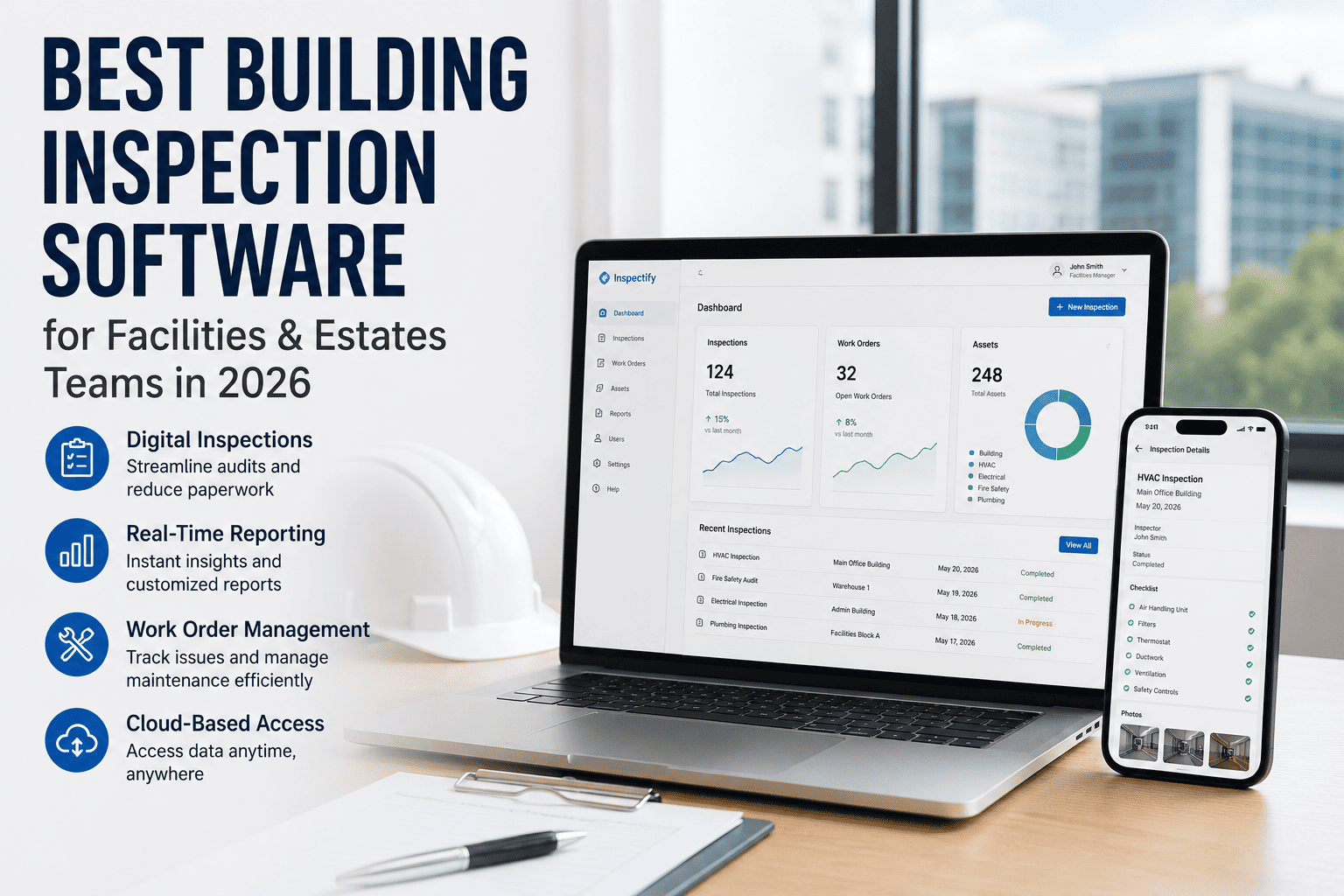
Your estates team runs scheduled walkthroughs. Your facilities manager logs defects. Your compliance officer files reports. But when an auditor arrives and asks to see the full inspection trail for a specific asset — how long does it take to pull it up? If the answer is "a few minutes" or "let me check my email," you already have a problem. The right building inspection software closes that gap before it becomes a liability. Sign up free on OxMaint to start building a full audit trail from day one, or book a demo to see how it works for estates operations like yours.
Built for Facilities Teams. Not Home Inspectors.
OxMaint gives estates and facilities teams mobile-first inspection records, regulation-mapped checklists, auto-generated work orders, and a full compliance trail — all linked to individual assets. No spreadsheets. No missing certificates.
Why Generic Inspection Apps Fall Short for Facilities Teams
Most inspection apps on the market were built for home inspectors or residential surveyors — professionals who complete a single report per visit and move on. Facilities and estates teams operate differently. You manage dozens or hundreds of assets across one or multiple sites, each with its own inspection schedule, compliance requirement, and maintenance history. You need software that matches that complexity.
PROBLEM 1
Disconnected Records
Paper logs in site cabinets, certificates in email threads, defect notes in a shared drive — none of it linked to the asset it belongs to.
PROBLEM 2
No Corrective Trail
A defect gets logged but the repair work order lives in a separate system. Auditors cannot see the defect-to-resolution chain from a single record.
PROBLEM 3
Expired Certificates
LOLER certificates lapse silently. No alert, no visibility. You only find out when an inspector asks and you cannot produce a current one.
What to Look for in Building Inspection Software in 2026
The FM software market is growing at 13.3% CAGR through 2030, driven by cloud adoption, IoT integration, and tightening compliance requirements. Not every platform is built for the compliance demands estates teams face. These are the criteria that matter most when evaluating your options. Sign up on OxMaint to see all of these capabilities in a single platform.
Feature
Why It Matters for Estates Teams
Red Flag if Missing
Asset-level records
Each inspection, certificate, defect, and repair is tied to a specific asset — not just a date or a site
Cannot trace history per asset
Regulation-mapped checklists
LOLER, PUWER, CDM, and RIDDOR requirements built into the checklist so nothing is missed in the field
Compliance gaps at every inspection
Auto work order generation
Defects flagged during inspection trigger corrective work orders automatically, keeping the audit trail complete
Broken defect-to-resolution chain
Certificate storage and alerts
LOLER and other examination certificates stored against the asset, with expiry reminders before they lapse
Lapsed certificates, enforcement risk
Offline mobile access
Inspectors must be able to complete checklists and capture photos in basements, plant rooms, and areas without signal
Incomplete field records
CAFM / CMMS integration
Inspection data feeds your existing maintenance platform so you are not managing two separate systems with no connection
Double-entry, data drift
The 2026 Landscape: What Each Platform Type Does Best
Not all platforms compete in the same space. Understanding where each type sits helps you avoid paying for capabilities you do not need — or missing the ones you do. Book a demo to see how OxMaint sits in the Facilities-first category.
FACILITIES-FIRST
OxMaint — Built Around Compliance and Asset Records
Designed specifically for facilities and estates operations. Inspection records, LOLER certificates, defect photos, and corrective work orders all live on the asset record. Regulation-mapped checklists mean technicians cannot close an inspection without completing every field the regulation requires. Ideal for teams managing 20 to 500+ assets across single or multi-site estates.
Sign up free to see it in action.
MULTI-SITE AUDIT
GoAudits — Strong for Multi-Location Head-Office Visibility
Best suited for operations teams running 5 to 500+ locations where the primary need is consistent checklist execution and branded reporting. Pricing starts at £10/user/month. Not a CMMS — does not natively manage maintenance work orders or asset lifecycles, which means a separate system is required for corrective action management.
SAFETY-FIRST
SafetyCulture — Broad Template Library, Premium Tier Required
A versatile mobile-first platform with an extensive pre-built template library, offline mode, and strong action tracking. Advanced analytics and custom branding are limited to premium tiers, which makes costs higher for small to mid-size facilities teams. Stronger for safety-led organisations than asset-centric estates operations.
PROPERTY MGMT
Chapps — Property Managers and Surveyors
A property inspection app built for real estate professionals running move-in/move-out condition reports, building condition assessments, and rental inspections. Works fully offline. Suited to surveying and property management workflows rather than ongoing compliance management for technical assets under LOLER or PUWER.
The Compliance Layer Most Platforms Miss
Facilities and estates teams in the UK operate under specific statutory obligations. A generic checklist app does not know the difference between a LOLER thorough examination and a PUWER pre-use check. The software you use should.
LOLER 1998
Thorough Examination — Every 6 or 12 Months
Lifting equipment must have a valid thorough examination certificate from a competent person. Certificates must be current: 6 months for equipment used to lift people, 12 months for other lifting equipment. Stored against the asset — not in a folder or an email.
PUWER 1998
Pre-Use Operator Checks — Every Shift
Work equipment must have documented pre-use or shift checks. A clean LOLER certificate does not substitute for a PUWER record. Inspectors check both. Nearly all lifting equipment is also work equipment — meaning both regulations apply simultaneously.
RIDDOR 2013
Incident Logs — Report Within 10 Days
All reportable injuries, dangerous occurrences, and near-misses must be documented with submission evidence. In 2024/25, over 59,000 employee injuries were reported under RIDDOR. Inspectors cross-reference internal records against what was submitted.
HSWA 1974
Written H&S Policy — 5+ Employees
Businesses with five or more employees must have a written health and safety policy. Risk assessments and method statements must be controlled documents — unique IDs, revision history, named accountable roles, and next review dates.
The enforcement reality
HSE's Fee for Intervention charges £183 per hour from the moment a material breach is identified. A Yorkshire manufacturing plant was fined £45,000 in 2024 for overhead cranes operating without valid LOLER certificates. A port operator received a £95,000 fine for using unqualified staff to conduct thorough examinations. The documentation gap is where enforcement actions begin — and where the right software pays for itself many times over.
Digital vs. Paper vs. Spreadsheet: Where Your Risk Actually Sits
How Your Records Are Stored
Audit Retrievability
Enforcement Exposure
Paper logs, certificates in a folder
Cannot confirm completeness or chain of custody on the spot
High — enforcement likely
Spreadsheets, certificates emailed but not asset-linked
Records exist but tracing per asset takes time — gaps likely
Moderate — gaps likely
Digital records per asset, certs linked, defect actions closed
Full audit trail retrievable in seconds per asset
Low — audit-ready
Digital with auto work orders, photo evidence, timestamped trail
Cradle-to-resolution trail, inspector-named, instantly exportable
Minimal — best practice
How OxMaint Is Built for Estates Operations
The compliance gap in most organisations is not a knowledge problem. Safety managers know what records they need. It is an execution problem — records get created in a different system from the inspection, at a different time, by a different person. OxMaint makes documentation the inspection itself. Book a demo to walk through a live example with your asset types.
REG
MAP
Regulation-Mapped Checklists
LOLER, PUWER, CDM, and RIDDOR requirements are built into each checklist by asset type. Technicians cannot close an inspection without completing every field the regulation demands.
PHOTO
LOG
Field Photo Evidence
Defects are photographed and attached to the inspection record at point of finding — timestamped, geotagged, and linked to the asset ID. No separate step required.
WO
AUTO
Auto-Generated Work Orders
Every defect flagged during inspection triggers a corrective work order linked to the same inspection record — giving auditors the complete defect-to-resolution chain they expect to see.
CERT
STORE
Certificate Storage with Expiry Alerts
LOLER examination reports attach directly to the asset record. Expiry dates trigger automatic alerts before certificates lapse — so you are never caught with an expired certificate during a visit.
Frequently Asked Questions
What is the difference between building inspection software and CAFM?
CAFM (Computer-Aided Facility Management) software centres on space management, occupancy, and desk booking. Building inspection software focuses on the physical condition of assets — checklists, defect records, examination certificates, and corrective actions. The two overlap when inspection data needs to feed into maintenance scheduling, which is where an integrated platform like OxMaint is most valuable. Sign up free on OxMaint to see how inspection and maintenance records connect on a single asset record.
Do HSE inspectors accept digital inspection records?
Yes. Electronic records are fully acceptable under current HSE guidance, provided they are producible in writing on request and protected from unauthorised alteration. Cloud-stored records with audit trails are increasingly the practical standard for estates managing more than 20 to 30 assets. Book a demo to see how OxMaint meets the HSE digital records standard.
How many assets do I need to manage before building inspection software is worth it?
Once you are managing more than 15 to 20 assets with different inspection schedules and compliance requirements, manual tracking becomes a material risk. The cost of a single enforcement notice or Fee for Intervention investigation will typically exceed a full year of software costs many times over.
Can building inspection software integrate with our existing CMMS or CAFM system?
The best platforms in 2026 are built with open integrations. OxMaint connects inspection data to maintenance workflows natively, without requiring a separate CMMS. For organisations that already have a CAFM system, the inspection data, certificates, and work orders sync to the asset record rather than living in a disconnected silo. Sign up free to explore how it fits your existing setup.
Stop Managing Compliance in Spreadsheets
OxMaint gives facilities and estates teams the full inspection trail — asset-level records, regulation-mapped checklists, photo evidence, work orders, and examination certificates — in one platform. Start free, no hardware required, no long setup.