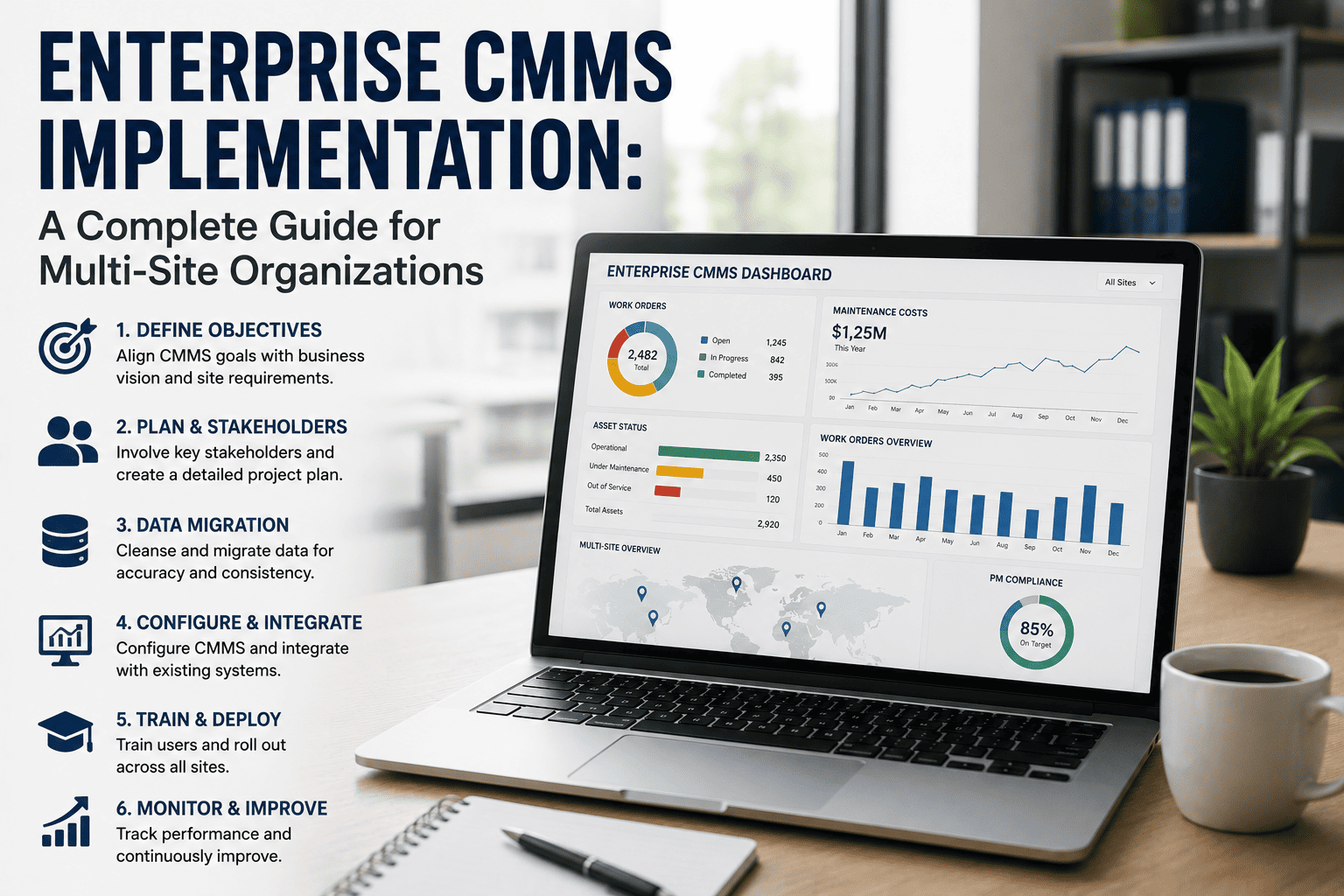
Rolling out a CMMS across 15, 25, or 40 sites is not the same project as digitizing one plant, just repeated more times. Each location carries its own legacy systems, tribal knowledge, and informal workarounds — and what worked perfectly at the pilot site often does not transfer cleanly to site two. Industry data shows that nearly 80% of CMMS implementations fail to meet expectations, and 65% of deployments experience significant delays or user resistance within the first year — almost never because of the software itself. A CMMS like OxMaint is built for the realities of multi-site rollout: phased deployment, structured data migration, and an adoption plan that survives contact with twenty different site managers who each think their building is the exception.
Roll Out One Standard, Not Twenty Local Variations
OxMaint gives multi-site organizations a phased deployment framework, structured data migration tools, and adoption tracking — so what works at your pilot site actually transfers everywhere else.
Why Most Enterprise CMMS Rollouts Stall
The technology is rarely the reason an enterprise rollout underdelivers. Poor planning, unclear goals, and a missing change management plan account for the overwhelming majority of failed implementations. Book a demo to see how OxMaint builds change management into the rollout sequence itself, rather than treating it as an afterthought.
The Five-Phase Rollout Framework
Multi-site CMMS deployment works best as a structured sequence rather than a single big-bang release. Sign up free and move through each of these phases inside OxMaint at a pace that matches your portfolio's complexity.
Inventory every system holding maintenance data — including spreadsheets and shadow trackers. Define migration objectives beyond "switching systems."
Standardize workflows, naming conventions, and PM templates centrally before any site-specific configuration begins.
Deploy to one facility first. A small pilot group surfaces the majority of configuration and adoption issues at a fraction of full-scale impact.
Expand site by site or in small batches, applying lessons from each wave before launching the next. Issues surface early instead of after full deployment.
A defined post-launch support window at each newly live site, with elevated attention until the location's usage and data quality stabilize.
The 90-Day Timeline — What Each Phase Actually Covers
Foundation
- Complete data audit across all legacy systems and spreadsheets
- Define migration scope — selective, not exhaustive, data import
- Configure core workflows, asset hierarchy, and PM templates
- Select pilot site and identify internal champions
Pilot & Refine
- Run a 2–4 week pilot with a small group of 3–5 users
- Collect technician feedback on mobile workflow and forms
- Adjust configuration based on real pilot-site data, not assumptions
- Document the standard configuration before expanding further
Scale & Stabilize
- Roll out in batches across remaining sites using the refined template
- Apply hypercare support at each newly live location
- Track adoption metrics — mobile compliance, work order completion rates
- Establish a recurring cadence for cross-site performance review
Data Migration — What to Bring, What to Leave Behind
Migrating everything from every legacy system is a common and costly mistake. Clean, relevant data is more valuable than complete data.
- Active assets currently in service across every site
- Current spare parts inventory and reorder thresholds
- Failure codes and fault history from the last 12–24 months
- Active preventive maintenance schedules and SOPs
- Vendor and contractor records still in active use
- Decommissioned or retired assets with no active service need
- Maintenance history beyond 24 months unless required for compliance
- Duplicate or conflicting records from shadow spreadsheet systems
- Outdated vendor contacts no longer in use
- Legacy free-text notes with no structured field mapping
Change Management: What Actually Drives Adoption
Mobile-First Design
Platforms built for mobile use in the field achieve 75%+ technician compliance within 90 days. A desktop-only system gets ignored the moment a technician leaves the office.
Faster Than Paper
If logging a work order in the new system takes longer than writing it on a clipboard, technicians will quietly revert to the clipboard within weeks.
Visible Leadership Usage
If the maintenance director does not use the CMMS personally, technicians will not either. Adoption follows visible example, not policy memos.
Internal Champions
Pilot-site users who become confident with the system are far more persuasive to peers at the next site than a corporate rollout email ever will be.
Standard CMMS vs. Enterprise CMMS — The Real Difference
| Capability | Standard / Single-Site CMMS | Enterprise Multi-Site CMMS |
|---|---|---|
| Site management | Designed for one location | Centralized visibility across all sites simultaneously |
| Standardization | Configuration set per individual site | Shared templates, naming conventions, and PM standards enforced centrally |
| Integrations | Limited or none | Native ERP, procurement, and BI integration |
| Security and access | Basic user permissions | Granular role-based access, SSO, and audit logs as standard features |
| Rollout timeline | Single deployment, weeks | Phased, 4–8 weeks per site with parallel execution at scale |
| Reporting | Site-level only | Cross-site benchmarking and corporate-level analytics |
How OxMaint Supports Multi-Site Enterprise Rollout
Phased Rollout Tools
Configure a standard template centrally and deploy it in controlled waves — pilot site first, then batches — instead of attempting every location at once.
Selective Data Migration
Import active assets, recent fault history, and live PM schedules while leaving outdated or duplicate legacy records behind — keeping the new system clean from day one.
Mobile-First Technician App
Field technicians log work orders, parts used, and completion status from a phone — the design choice most directly tied to real adoption rates.
Cross-Site Benchmarking
Compare PM compliance, downtime, and cost per asset across every location in one dashboard — the corporate-level visibility a single-site CMMS cannot offer.
Make Your Pilot Site Win Transfer Everywhere Else
OxMaint gives enterprise teams the phased framework, clean data migration, and adoption tools needed to scale a CMMS standard across every site — without 12 months of stalled rollout.
Frequently Asked Questions
How long does an enterprise CMMS rollout take across multiple sites?
A properly sequenced implementation runs roughly 90 days for foundational deployment and adoption at the pilot site, with full multi-site rollout taking anywhere from a few months to over a year depending on the number of locations and data migration complexity. Modern cloud-based platforms can deploy in 4 to 8 weeks per site with parallel execution, while legacy on-premise systems often require 12 or more months for the same scope. Sign up free to see how OxMaint structures a realistic rollout timeline for your portfolio.
Why do most enterprise CMMS implementations fail?
Nearly 80% of CMMS implementations fail to meet expectations, and the cause is almost never the software itself — it is poor planning, unclear goals, and a missing change management strategy. Skipping the pilot phase, migrating every piece of legacy data instead of just the relevant subset, and failing to get visible leadership usage are the three most common failure points in multi-site deployments.
Should we migrate all of our historical maintenance data?
No — migrate selectively. Most enterprise implementations should import 12 to 24 months of maintenance history, current active asset information, and live PM schedules, rather than every record from every legacy system. Clean, relevant data produces a more trustworthy and usable CMMS than a complete but cluttered data set full of duplicates and decommissioned assets. Book a demo to see how OxMaint handles selective migration.
How do you get technicians to actually use a new CMMS?
Three factors consistently drive adoption: mobile-first design that works in the field rather than requiring a desktop, workflows that are genuinely faster than the paper or spreadsheet process they replace, and visible leadership usage — if the maintenance director does not use the system, technicians will not either. Platforms with strong mobile design achieve 75%+ technician compliance within 90 days of rollout.
What is the benefit of a pilot phase before a full multi-site rollout?
A 2 to 4 week pilot with a small group of 3 to 5 users typically catches around 80% of configuration and workflow problems at roughly 10% of the cost and disruption of a full rollout. The pilot also produces internal champions — early users who become confident with the system and help drive adoption credibility at the next sites far more effectively than a corporate rollout announcement.