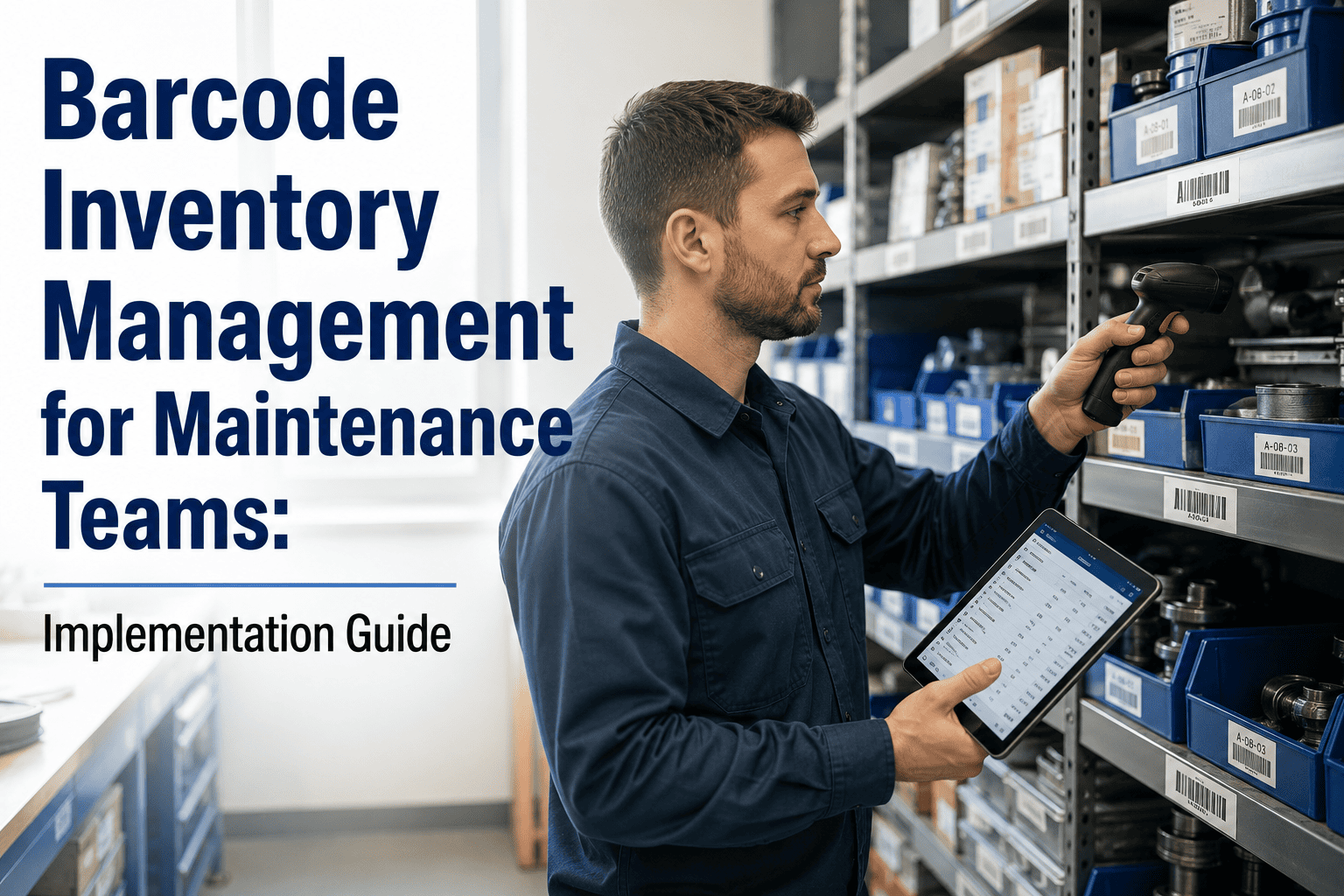
A technician needs a bearing. He walks to the storeroom, checks the bin, finds it empty. The system says there are three in stock. He raises an emergency purchase order, pays expedited freight, and waits — while the machine stays down. The bearing was not missing. It was in the wrong bin, pulled two weeks ago by someone who did not update the sheet. This is the daily reality of manual inventory management in maintenance storerooms. Manual inventory processes carry a typical error rate of 1 to 3% — barcode scanning reduces that to fewer than 1 error in several million transactions. For a storeroom managing 2,000 spare parts SKUs, that difference is the gap between a storeroom that runs reliably and one that causes the downtime it is supposed to prevent. Sign up free on OxMaint to run barcode-enabled spare parts tracking connected to your work orders and asset register — or book a demo to see how maintenance teams implement it in under a week.
Barcode Spare Parts Tracking — Connected to Your Work Orders
OxMaint generates barcodes for every part, lets technicians scan and issue from mobile, updates stock levels instantly against work orders, and alerts your team before reorder points are breached. No separate system. No manual entries.
Why Manual Storeroom Tracking Fails Maintenance Teams
The root cause is not careless technicians. It is a system that requires manual data entry at every transaction — receiving, issuing, returning, relocating — and gives people no fast, accurate way to update records in the field. Barcode scanning removes manual entry from every one of those transactions. The record updates the moment the scan happens, not when someone gets around to entering it. Sign up on OxMaint to implement barcode spare parts tracking connected directly to your maintenance work orders.
Barcode vs. QR Code vs. RFID: Which Is Right for a Maintenance Storeroom?
The choice of scanning technology affects cost, hardware, workflow, and what you can achieve at each storeroom transaction. For most maintenance teams, barcode or QR code scanning via mobile is the right starting point — practical, low-cost, and sufficient for 90% of use cases.
Start with QR codes generated by your CMMS and scanned via the maintenance team's existing mobile phones. Zero hardware cost. All the accuracy of a dedicated scanner. Once the storeroom is organised and the team is comfortable with the workflow, evaluate whether RFID adds enough value at your specific volume to justify the investment. Most facilities with under 5,000 active parts SKUs never need to go further than mobile QR scanning. Sign up free on OxMaint to generate barcodes for your parts inventory today.
Implementation Guide: Setting Up Barcode Inventory Management in Your Storeroom
A phased rollout is far more reliable than a big-bang implementation. Each phase produces a usable output before the next begins — which means the team builds confidence and the system builds accuracy progressively. Book a demo to see how other maintenance teams completed their first OxMaint barcode rollout within five working days.
The Four Storeroom Transactions That Must Always Be Scanned
Accuracy is only maintained if scanning is enforced at every stock movement. Partial adoption — scanning some transactions but not others — produces records that drift from reality within weeks. These four transactions are non-negotiable. Sign up free on OxMaint to enforce scan-in and scan-out at each transaction type, linked to your work order history.
IN
OUT
STOCK
COUNT
What Changes When Barcode Scanning Is Connected to Work Orders
The difference between a standalone barcode system and one connected to your CMMS is the difference between knowing how much stock you have and knowing which assets are consuming it, at what rate, and when they will next need it. Most maintenance teams discover this gap the first time they try to reorder intelligently.
Frequently Asked Questions
Do we need dedicated barcode scanner hardware or can we use mobile phones?
For most maintenance storerooms, mobile phones running the CMMS app are entirely sufficient for 1D and QR code scanning. Dedicated handheld scanners are faster in high-volume environments (hundreds of scans per day, every day) and more durable in very harsh conditions. Start with mobile scanning on your existing devices — the zero hardware cost lets you prove the workflow before investing in dedicated hardware. Upgrade only if volume or durability becomes a genuine limitation. Sign up free on OxMaint to run your first barcode scans from any mobile device today.
How long does it take to implement barcode inventory management?
A phased implementation for a maintenance storeroom with 500 to 2,000 active SKUs typically takes three to five weeks from starting the parts master clean-up to having the full storeroom running on barcode scanning. The pilot phase — covering one section of the storeroom for two weeks — is the most important step. It surfaces process gaps and trains the team before the full rollout commits everyone to the new workflow. Book a demo to see how other maintenance teams structured their OxMaint rollout.
What accuracy improvement can we realistically expect from barcode scanning?
Studies consistently show manual inventory accuracy running at around 63 to 97% depending on team discipline and system design. Barcode scanning with a connected CMMS delivers inventory accuracy of 99% or above in most implementations. For a storeroom managing 2,000 SKUs, improving from 95% to 99% accuracy means reducing wrong records from 100 parts to 20 — which directly translates to fewer emergency orders, fewer stockouts, and less technician time lost searching for parts that the system says exist but cannot be found.
Can barcode scanning work in environments with no Wi-Fi signal in the storeroom?
Yes. Most modern CMMS mobile apps — including OxMaint — support offline mode. Scans are captured locally on the device and synced to the system the moment a connection is re-established. This is essential for maintenance storerooms in plant rooms, basements, and remote facilities where Wi-Fi coverage is unreliable. The scan log does not wait for connectivity — it queues and pushes automatically. Sign up free on OxMaint to test offline barcode scanning in your storeroom environment.
From Clipboard to Scanner in Under a Week
OxMaint generates barcodes for every part in your inventory, lets technicians scan issues and returns from their phone, links every transaction to the relevant work order, and keeps your stock counts accurate without a manual spreadsheet in sight. Start free — no hardware required, first barcode scans active on day one.