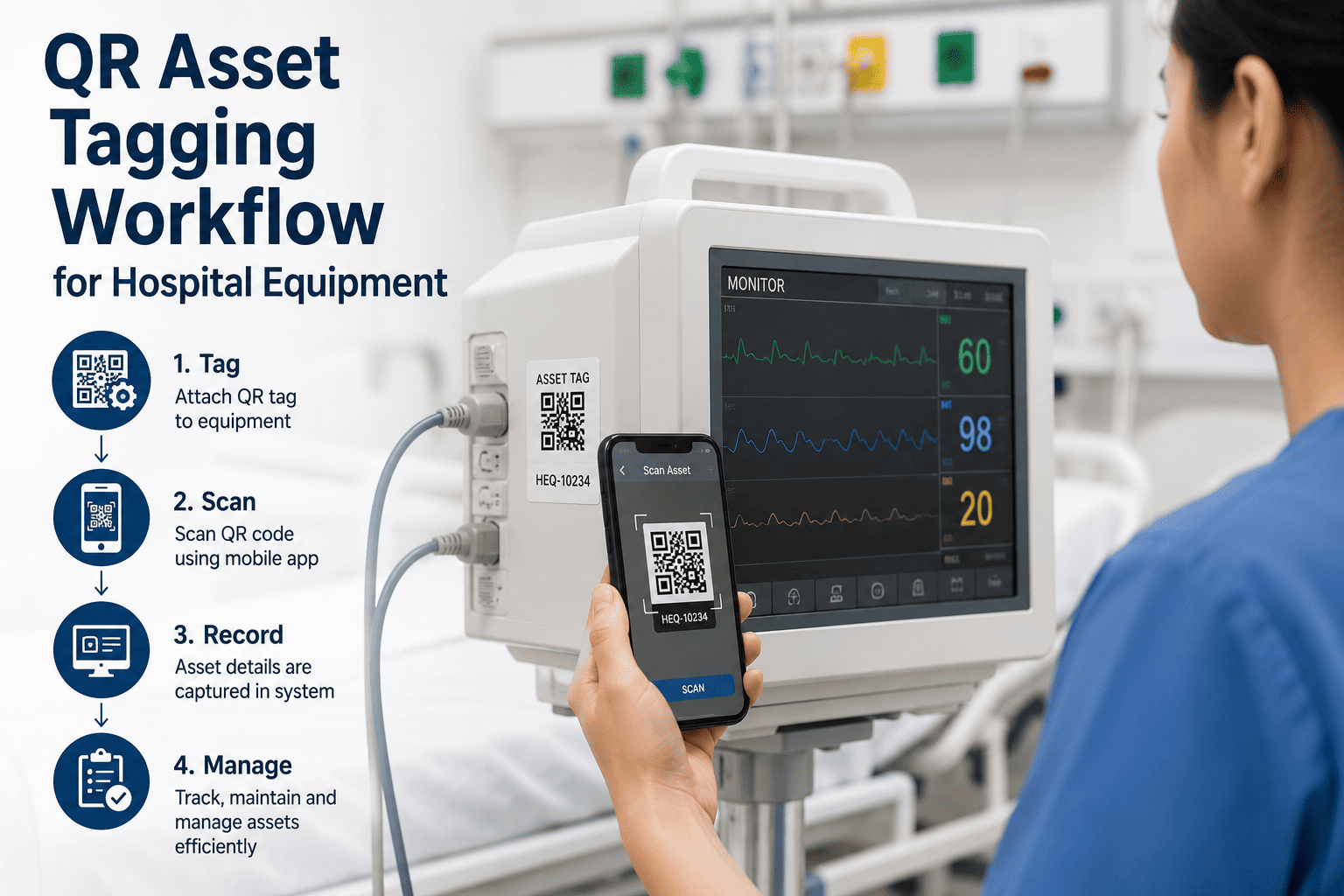
A nurse needs an infusion pump. She doesn't know which storage room has one ready, which one is overdue for calibration, or which one was just pulled for repair. So she walks. And searches. And calls biomedical engineering. Multiply that five-minute search across every shift, every department, every day — and hospitals lose hundreds of staff hours a year hunting for equipment that was in the building the whole time. A QR code fixes this in one scan: instant location, instant maintenance status, instant answer. Start a free OxMaint trial and turn every hospital asset into something your team can find, verify, and act on in seconds.
Hospital Equipment · QR Asset Tagging · Biomedical Maintenance
Every Scan Should Answer Three Questions: Where, What Condition, What's Next
OxMaint turns every QR tag on hospital equipment into a live window into asset location, maintenance history, and compliance status — so staff stop searching and start scanning.
15workdays saved per employee yearly with QR tracking, per industry reports
30%label damage a QR code can sustain and still scan correctly
1scan to reveal location, service history, and next maintenance date
The Hidden Cost
What Untagged Equipment Actually Costs a Hospital
Hospitals run thousands of mobile assets — infusion pumps, wheelchairs, monitors, diagnostic carts — moving constantly between departments. Without a tagging system, every one of these movements erases a little bit of visibility.
01
Misplaced equipment. Devices get moved between wards and never logged, so staff search storage rooms instead of caring for patients.
02
Duplicate purchases. When no one can confirm what already exists in inventory, departments order equipment the hospital already owns.
03
Missed maintenance windows. A device due for calibration sits untracked until it fails mid-use, turning a scheduled task into an emergency.
04
Audit chaos. Without a unique ID per asset, compliance audits turn into manual spreadsheet reconciliation across every department.
The Scan-to-Action Flow
What Happens the Moment Someone Scans the Tag
A QR tag is only useful if the scan leads somewhere. OxMaint connects every tag to a live asset record, so the action a person takes next is exactly the one they need.
1
Scan the TagAny smartphone camera reads the code — no dedicated scanner required
2
See the Live RecordLocation, current status, calibration date, and open work orders load instantly
3
Take the Right ActionReport a fault, log a checkout, or confirm readiness — all from the same screen
4
Record Updates EverywhereBiomedical, compliance, and inventory teams all see the same update, instantly
Tagging Method Comparison
QR Codes vs. Barcodes vs. RFID for Hospital Assets
| Factor |
Barcode |
QR Code |
RFID |
| Data capacity |
Low — ID only |
High — ID plus metadata |
High — ID plus sensor data |
| Scan method |
Requires precise alignment |
Any angle, any smartphone |
No line of sight needed |
| Damage tolerance |
Fails if scratched |
Scans with up to 30% damage |
Tag failure if antenna breaks |
| Hardware cost |
Low |
Lowest — uses existing phones |
Higher — readers required |
| Best use case |
Static, low-value supplies |
Mobile equipment, daily scanning |
High-value assets needing real-time location |
Most hospitals run a hybrid model — QR codes across the general equipment fleet, with RFID reserved for the highest-value, highest-movement assets like surgical sets and infusion pumps.
See Your Equipment Fleet Tagged and Searchable
Walk through how OxMaint generates, assigns, and links QR tags to live maintenance records for your specific asset list.
Department Impact
Who Benefits When Every Asset Has a Tag
Nursing & Clinical Staff
Find available, calibrated equipment in seconds instead of walking floors and calling departments.
Biomedical Engineering
See full service history per device at a glance, prioritizing repairs and calibration by real urgency.
Compliance & Audit Teams
Pull a complete, timestamped maintenance trail per asset in seconds instead of digging through paper files.
Finance & Procurement
Confirm what equipment already exists before approving a new purchase, cutting duplicate spend.
Expert Review
What Biomedical Teams Should Get Right From Day One
BM
Biomedical Equipment Management Advisory Panel
Tag durability matters more than most facilities expect — codes need to survive autoclaving, disinfectant wipes, and repeated handling without becoming unreadable. Equally important is using dynamic codes that point to a live record rather than static codes printed with fixed data, since asset details like location and service status change constantly. Start tagging with your highest-value, most-moved equipment first; that's where the visibility gap costs the most.
FAQs
Common Questions on QR Asset Tagging for Hospitals
Do staff need special scanners to read OxMaint QR tags?
No. Any standard smartphone camera can scan an OxMaint tag and pull up the live asset record immediately, with no dedicated hardware required.
Try it free on a sample asset today.
What happens if a QR tag gets damaged from cleaning chemicals?
QR codes include built-in error correction and remain scannable even with partial damage, but OxMaint also lets you reprint and reassign tags without losing any asset history.
Can a QR tag show maintenance history, not just asset ID?
Yes. Every scan opens the full live record — location, calibration dates, open work orders, and complete service history — not just a static identifier.
How long does it take to tag an entire hospital's equipment fleet?
Most facilities phase rollout by criticality, starting with high-value mobile equipment, and complete full-fleet tagging within a few weeks depending on asset count.
Book a demo to plan your rollout phases.
Does QR tagging integrate with our existing CMMS work orders?
Yes. Scanning a tag in OxMaint opens directly into the asset's work order history, so staff can report faults or check status without switching systems.
Stop Searching. Start Scanning.
OxMaint turns every hospital asset into a single scan away from its full location, maintenance, and compliance history — so your team spends less time hunting and more time on patient care.