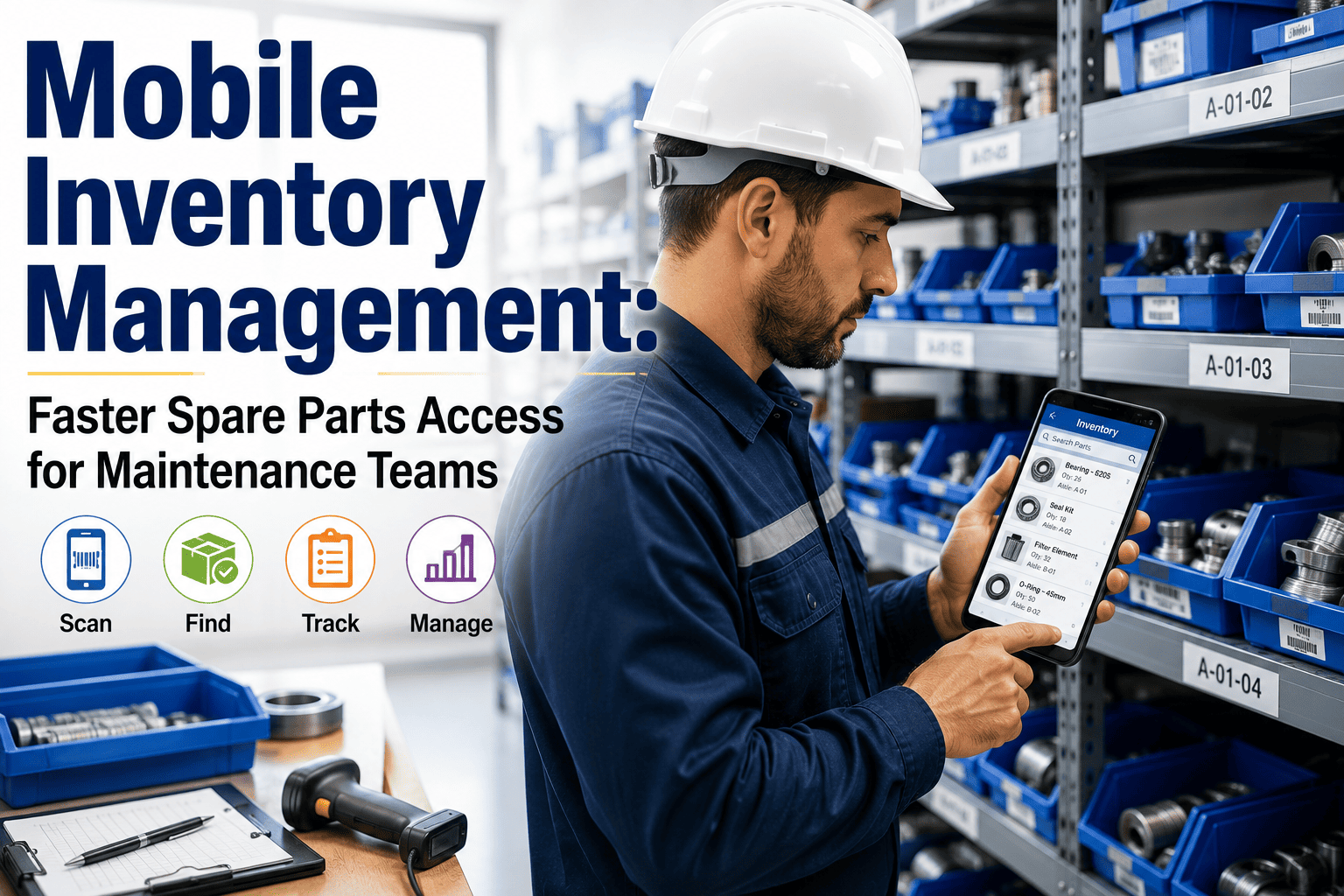
A maintenance technician responds to a breakdown. He walks to the storeroom, finds the shelf empty, walks back to the maintenance office, opens the desktop CMMS, discovers the part is actually in a different bin, walks back to the storeroom, finds it, carries it to the machine, and begins the repair — forty minutes after the machine stopped. Field technicians spend only 25 to 35% of their shift on actual wrench-time maintenance. The rest is consumed by searching for parts, walking to the storeroom, returning to a desktop to look up records, and manually entering data after the job is done. Mobile inventory management removes every one of those friction points from the technician's day. Every technician saving sixty minutes per day returns six full work weeks of productive capacity per year — without adding a single headcount. Sign up free on OxMaint to put live parts inventory, barcode scanning, and work order linkage in every technician's pocket — or book a demo to see how maintenance teams deploy mobile inventory access in under a week.
Live Spare Parts Inventory — in Every Technician's Pocket
OxMaint's mobile app gives maintenance technicians live parts availability, barcode scanning, scan-to-issue linked to work orders, and offline capability in plant rooms, basements, and remote sites with no signal. Stock counts update the moment a scan happens — not when someone gets round to it.
The Hidden Productivity Cost of Desktop-Only Inventory Systems
Most maintenance teams operate a desktop CMMS for inventory management and a separate reality on the storeroom floor. The system says one thing. The bins say another. Technicians have learned to go to the storeroom first — because the system cannot be trusted — which means no one is updating the system accurately, which makes the system less trustworthy. It is a self-reinforcing cycle that compounds daily.
25–35%
of shift time spent on actual maintenance
The rest is searching, walking, waiting, and manual data entry — none of it productive
60 min
saved per technician per day with mobile inventory access
Equal to six full work weeks of recovered capacity per technician per year
30%
average productivity increase from mobile workforce management adoption
Wrench time can climb to 60%+ within 90 days of full mobile deployment
What Happens at Each Step Without Mobile — and With It
The workflow comparison below is not theoretical. It is the sequence every technician using a desktop-only storeroom system lives through daily. Sign up free on OxMaint to replace every step on the left with the one on the right — starting from the first shift.
Desktop-Only System — What Technicians Actually Do
OxMaint Mobile — What Happens Instead
Breakdown reported
Technician walks to maintenance office to find out which machine, then looks up part requirements on a desktop terminal
Breakdown reported
Work order pushed to technician's phone instantly with asset details, required parts, and storeroom location — before they leave their current job
Checking parts availability
Technician walks to storeroom, visually checks bins — because the system is often wrong — sometimes finding the part in a different location or not at all
Checking parts availability
Technician checks live stock availability on their phone — bin location, quantity, and whether a colleague has that part reserved for another job — before walking anywhere
Taking the part
Part taken from storeroom. Stock count not updated — technician does not have access to update the system in the field. Count drifts from reality until the next manual audit
Taking the part
Technician scans the part's barcode on their phone. Stock count updates immediately. Work order is linked. Consumption recorded. No admin step on return to the office
Completing the job
Technician writes job notes on paper or a form. Walks back to the office. Enters data manually into the desktop — after the repair is done, often from memory
Completing the job
Technician closes the work order on their phone at the machine — photos, notes, and parts used logged in real time. Supervisor sees completion live. No office return required
If stock hits zero
A technician discovers the empty bin. Raises an emergency purchase order. Pays expedited freight. Equipment waits
If stock hits minimum
An automatic reorder alert fires the moment the last scan brings stock below the minimum threshold — before the bin is empty, before the emergency
Five Capabilities That Define Effective Mobile Inventory Management
Not every mobile inventory app is built for the realities of a maintenance storeroom. A consumer-grade stock-counting app and a CMMS-integrated mobile inventory system are fundamentally different tools. These five capabilities separate one from the other. Book a demo to see all five working in OxMaint across a live maintenance operation.
1
Offline-First Architecture
Plant rooms, basements, roof plant, tunnels, and remote sites — the places maintenance teams actually work — have unreliable or zero connectivity. A mobile app that requires a network signal to function is a desktop in disguise. Offline-first means the app caches parts inventory, asset records, and work orders locally. Every scan and update made without signal syncs automatically the moment connectivity returns — no data lost, no manual re-entry, no work order closed twice.
2
Barcode and QR Scan-to-Issue
Every parts issue should be a scan, not a manual entry. The technician scans the bin barcode, the app pulls up the part, quantity is decremented, and the transaction is linked to the work order in one action. Scan-to-issue eliminates the error source at the most common transaction point in the storeroom. It also means every piece of consumption data feeds directly into reorder calculations without a secondary entry step. No barcode scanner hardware required — the technician's existing phone camera handles 1D and QR codes from any angle.
3
Live Stock Visibility Across All Locations
For multi-site operations, a technician at Site A should be able to see whether the part they need is available at Site B before raising an emergency purchase order. Live inventory visibility across all locations — updated in real time from every scan — turns what would be an expedited order into an internal transfer. The spare parts management market is growing at 12.3% CAGR through 2030 as more manufacturers move to centralised real-time inventory visibility across sites.
4
Work Order Linkage at Point of Issue
A parts issue that is not linked to a work order is invisible from a cost and performance perspective. Which asset is consuming that bearing? At what rate? Is this the third replacement in four months — suggesting a root cause that has not been addressed? When scan-to-issue links directly to the work order in a single workflow, every part tracked becomes a data point for maintenance planning, cost analysis, and future stocking decisions — without any additional effort from the technician.
5
Automated Low-Stock Alerts and Reorder Triggers
Every scan that takes stock below a minimum threshold should fire an alert — to the storeroom manager, the procurement team, or directly to the supplier in a VMI arrangement — automatically. Not when someone notices. Not when a technician finds an empty bin at 2 AM. The mobile system that updates stock counts in real time at the point of issue is also the system that knows when to reorder, the moment the threshold is crossed.
Mobile Inventory in the Field: What It Looks Like Across Different Environments
Manufacturing Plant
Signal varies by zone — offline mode is non-negotiable
Technicians move between production cells, compressor rooms, and electrical substations throughout a shift. A CMMS that requires connectivity in 70% of the building is used in 30% of the building. Mobile-first with full offline capability means the app works where the technicians actually are — and syncs everything on reconnection without prompting.
Multi-Site Estates
Storeroom at Site A, needed part at Site B
A facilities team managing multiple buildings across a campus or portfolio needs to see all storeroom inventory in a single view — and confirm where a part is before sending a technician to collect it. Live multi-site visibility through mobile prevents the emergency order that gets raised because no one knew the part was available two buildings away.
Power and Utilities
Parts for equipment in underground or remote locations
Technicians in cable vaults, substations, and remote pump stations have no access to desktop systems and no reliable connectivity. Every work order, parts lookup, and scan completed offline — with full sync on reconnection — means no job is left undocumented because the system was unreachable. Eleven man-hours of productive maintenance time recovered per day has been measured at facilities switching from desktop-only to offline-first mobile.
Rotating Shift Operations
Parts issued on night shift — available to day shift immediately
In a 24/7 operation, a part issued at 2 AM on a night shift and not recorded until the day shift updates the desktop at 8 AM is six hours of invisible consumption. Mobile scan-to-issue that syncs in real time means day shift arrives with an accurate stock position — not a six-hour-old snapshot that generates its own emergency orders.
What Teams Measure After Mobile Inventory Deployment
Metric
Before Mobile
After Mobile Deployment
Inventory accuracy
63–95% — drift unchecked between manual audits
99%+ — updated at every transaction
Time to locate and issue a part
15–40 minutes including office walk and system lookup
Under 5 minutes — phone check then straight to bin
Emergency purchase orders
Raised when bin is found empty — reactive
Alert fires at minimum threshold — before stockout
Wrench time (actual maintenance)
25–35% of shift
60%+ within 90 days of full deployment
PM compliance rate
Varies — parts unavailability frequently delays PMs
Facilities report 61% to 94% improvement in four months
Frequently Asked Questions
Do technicians need dedicated scanner hardware for mobile inventory management?
For the vast majority of maintenance operations, the technician's existing smartphone handles 1D barcode and QR code scanning without any additional hardware. The phone camera reads codes from any angle under normal storeroom lighting conditions. Dedicated handheld scanners add speed and durability in very high-volume environments — hundreds of scans per shift under harsh conditions — but are not required to begin. Most maintenance teams start with phone-based scanning and upgrade only when volume justifies the hardware investment. Sign up free on OxMaint to start mobile barcode scanning with your team's existing devices.
What happens to scans made in a no-signal area?
In an offline-first mobile system like OxMaint, parts inventory, asset records, and work orders are cached locally on the device before entering a no-signal area. Every scan, update, or work order closure made offline is stored in encrypted local storage and syncs automatically — with a full timestamp — the moment connectivity is restored. No re-entry required. No data lost. This is essential for maintenance teams working in plant rooms, basements, substations, and remote locations where connectivity is unreliable. Book a demo to see offline mode in action in an environment like yours.
How quickly can a maintenance team deploy mobile inventory management?
With a cloud-based CMMS like OxMaint, mobile deployment is a matter of days, not months. There is no hardware installation, no IT project, and no extended training requirement. The sequence: clean the parts master, generate barcodes, print and apply labels, set minimum stock thresholds, and train the team on scan-in and scan-out. Most facilities have their first barcode scans active within five working days of starting. PM compliance improvements and wrench time gains are measurable within 30 to 60 days of full deployment.
Can mobile inventory management handle parts across multiple storeroom locations?
Yes — and for multi-site operations, this is one of the highest-value capabilities. A technician at one location can check live stock availability across all linked sites before raising a purchase order. In practice, this regularly reveals that a part classified as an emergency at one site is sitting at minimum quantity at another — turning what would have been an expedited order into an internal transfer. The spare parts management market's 12.3% CAGR growth through 2030 is driven substantially by this shift to centralised, real-time multi-site inventory visibility. Sign up free on OxMaint to connect your storeroom locations in a single inventory view.
Give Your Technicians the Parts Access They Need — Wherever They Are
OxMaint puts live spare parts inventory, barcode scan-to-issue, offline capability, and automatic reorder alerts on every technician's phone. Work orders, asset records, and parts transactions all in one place — online or offline, from the first shift. Start free — no hardware, no IT project, no long setup.