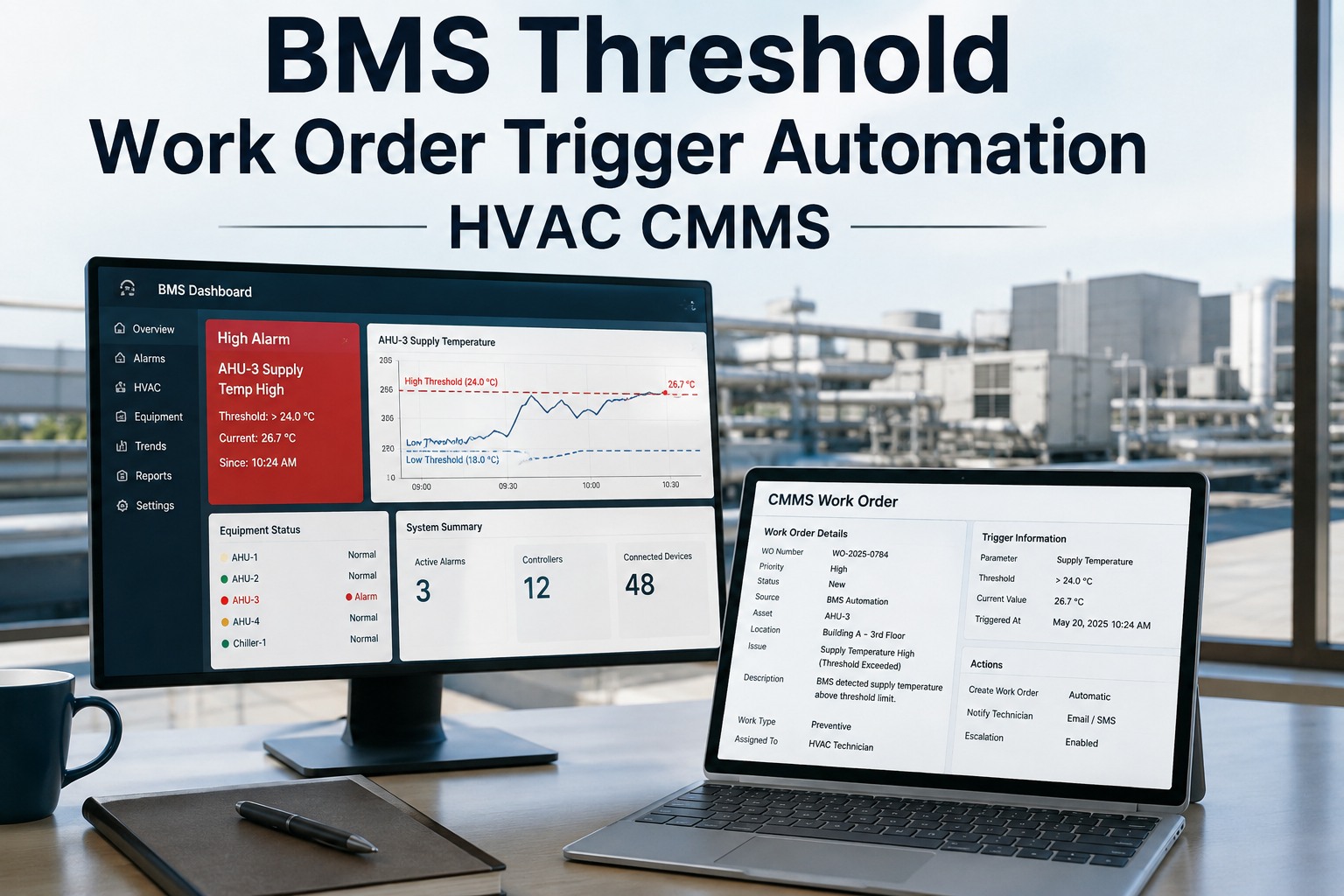
Building management systems generate thousands of alarm events every week — yet most facilities still rely on an operator to review the BMS screen, decide whether to act, and manually enter a work order into a separate maintenance system. That gap between fault detection and maintenance response is where equipment damage accumulates, occupant complaints originate, and reactive maintenance costs compound. Facilities that Sign Up Free on Oxmaint can connect BMS alarm events directly to CMMS work order workflows — eliminating manual handoff, reducing response delay, and creating a documented record of every alarm-to-action sequence. For building operations teams ready to close the gap between building automation and maintenance execution, Book a Demo to see Oxmaint's BMS-to-CMMS work order automation in a live building environment.
Oxmaint connects BMS events to CMMS workflows so every qualifying alarm becomes a routed, assigned, and trackable maintenance work order — automatically.
6 BMS-to-CMMS Integration Capabilities That Eliminate the Alarm-to-Action Gap
BMS integration with CMMS is not a data migration exercise — it is a live operational connection that transforms alarm events into structured maintenance actions. Facilities that Sign Up Free on Oxmaint can configure BMS alarm-to-work-order rules against their building asset hierarchy without an IT project.
BMS alarms meeting configured criteria automatically create CMMS work orders pre-populated with asset, fault type, alarm priority, and recommended action — eliminating the manual entry step entirely.
Not every BMS alarm warrants a work order. Integration rules filter nuisance events, consolidate related alarms on the same asset, and escalate only fault events that meet maintenance response criteria.
Work orders generated from BMS alarms route automatically to the correct technician or trade based on fault type, building zone, and skill assignment — with mobile app delivery and asset context included.
With BMS alarm timestamps linked to CMMS work order creation and closure, facilities gain measurable mean time to response and mean time to repair metrics — previously invisible without integrated systems.
Every BMS-triggered work order links to the relevant CMMS asset record — building an alarm and maintenance history that surfaces repeat fault patterns and informs predictive maintenance decisions over time.
Timestamped BMS alarm events, work order generation, technician assignment, and closure records create a complete alarm-response audit trail supporting regulatory, insurance, and SLA compliance requirements.
BMS Integration with CMMS: Alarm Types, Integration Rules, and Work Order Outputs
Effective BMS-to-CMMS integration maps each building system alarm category to specific work order creation rules, routing logic, and maintenance response requirements. Use this reference to evaluate your current alarm-to-action coverage. Facilities still managing the BMS-to-CMMS gap manually are encouraged to Book a Demo to see automated work order generation against live building alarm data.
| BMS Alarm Category | Integration Trigger | Work Order Rule | Routing Output | Priority |
|---|---|---|---|---|
| HVAC Equipment Fault | Fault alarm from AHU, chiller, or RTU | Generate WO immediately on fault confirmation | HVAC technician — asset zone assignment | Critical |
| Fire / Life Safety Alarm | BMS fire integration point trip | Generate WO + escalation notification | Facilities manager + assigned trade | Critical |
| Temperature Exceedance | Zone temp sensor outside setpoint band | Generate WO after 15-min sustained deviation | HVAC technician — zone-specific routing | Critical |
| Utility Metering Alarm | Abnormal consumption spike event | Generate WO for meter and circuit investigation | Electrical technician — meter zone | Important |
| Lighting Control Fault | Lighting controller fault or zone failure | Generate WO on persistent failure confirmation | Electrical technician — zone routing | Important |
| Access / Security Alarm | Door or access point fault event | Generate WO with asset location and fault code | Security/facilities technician | Important |
| Nuisance Alarm Pattern | High-frequency low-priority repeat alarms | Consolidate into single investigation WO | Controls technician — root cause review | Routine |
| Scheduled Maintenance Trigger | Runtime or calendar threshold reached | Generate PM work order at threshold crossing | Assigned trade — PM checklist delivered | Routine |
How Building Teams Deploy BMS-to-CMMS Integration Without a Multi-Month IT Project
BMS integration projects traditionally require months of middleware development, IT resource allocation, and consultant involvement. Oxmaint's approach delivers BMS alarm-to-work-order automation through configurable integration rules that building operations teams manage directly — no custom software development required. Facilities can Sign Up Free and begin configuring BMS-to-CMMS work order rules in their first session.
- BMS alarm feeds connected to Oxmaint via standard integration or API
- Alarm-to-work-order rules configured per building system and alarm category
- Nuisance alarm filtering reduces noise before work order generation
- Automatic task routing assigns work orders to the correct trade and zone
- Mobile app delivers work orders with alarm context and asset history
- Complete alarm-to-closure audit trail maintained in the CMMS asset record
ROI of BMS-CMMS Integration: Response Speed, Fault Resolution, and Operational Efficiency
Per-user SaaS pricing with no infrastructure overhead. Most facilities connect BMS alarms to CMMS work order workflows within 30–45 days using Oxmaint's no-code integration configuration tools.
Eliminating the manual BMS-to-CMMS handoff reduces alarm response time from hours to minutes — directly limiting the damage window for equipment faults and comfort events in occupied buildings.
Automated alarm-to-work-order generation removes the manual monitoring and data entry burden from building operators — freeing attention for higher-value building management tasks.
Nuisance alarm filtering and pattern consolidation reduce the total work order volume from BMS alarms — ensuring maintenance teams respond to genuine faults rather than processing alarm noise.
Timestamped alarm-to-response records satisfy SLA reporting requirements, insurance documentation needs, and regulatory compliance obligations that manual alarm logs cannot reliably support.
Linking BMS alarm history to CMMS asset records builds the fault pattern data needed for predictive maintenance decisions — compounding reliability intelligence across equipment lifecycles.
Oxmaint gives building operations teams BMS-triggered work order generation, intelligent alarm routing, and complete audit trails — without a multi-month IT project.
BMS Integration with CMMS — Questions Building Operations Teams Ask
BMS-CMMS integration automates the conversion of building alarm events into structured maintenance work orders — including asset identification, fault classification, technician routing, and response tracking — without manual operator intervention.
Oxmaint applies configurable alarm filtering rules that identify high-frequency low-severity patterns and consolidate related alarms on the same asset — reducing work order volume to genuine fault events requiring maintenance response.
No. Oxmaint's BMS integration uses standard protocols and no-code configuration tools that building operations teams manage directly — without requiring IT resource allocation or custom middleware development.
Every BMS alarm, work order creation timestamp, technician assignment, and closure record is stored in Oxmaint — providing the documented alarm-to-response audit trail that SLA contracts, regulatory audits, and insurance reviews require.
Yes. Oxmaint normalises alarm data from diverse BMS platforms and applies consistent work order creation rules across a multi-building asset hierarchy — enabling portfolio-level alarm-to-action automation from a central operations view.
Oxmaint gives building teams BMS alarm integration, automated work order generation, intelligent routing, and compliance audit trails — go live in 60 days without an IT project.