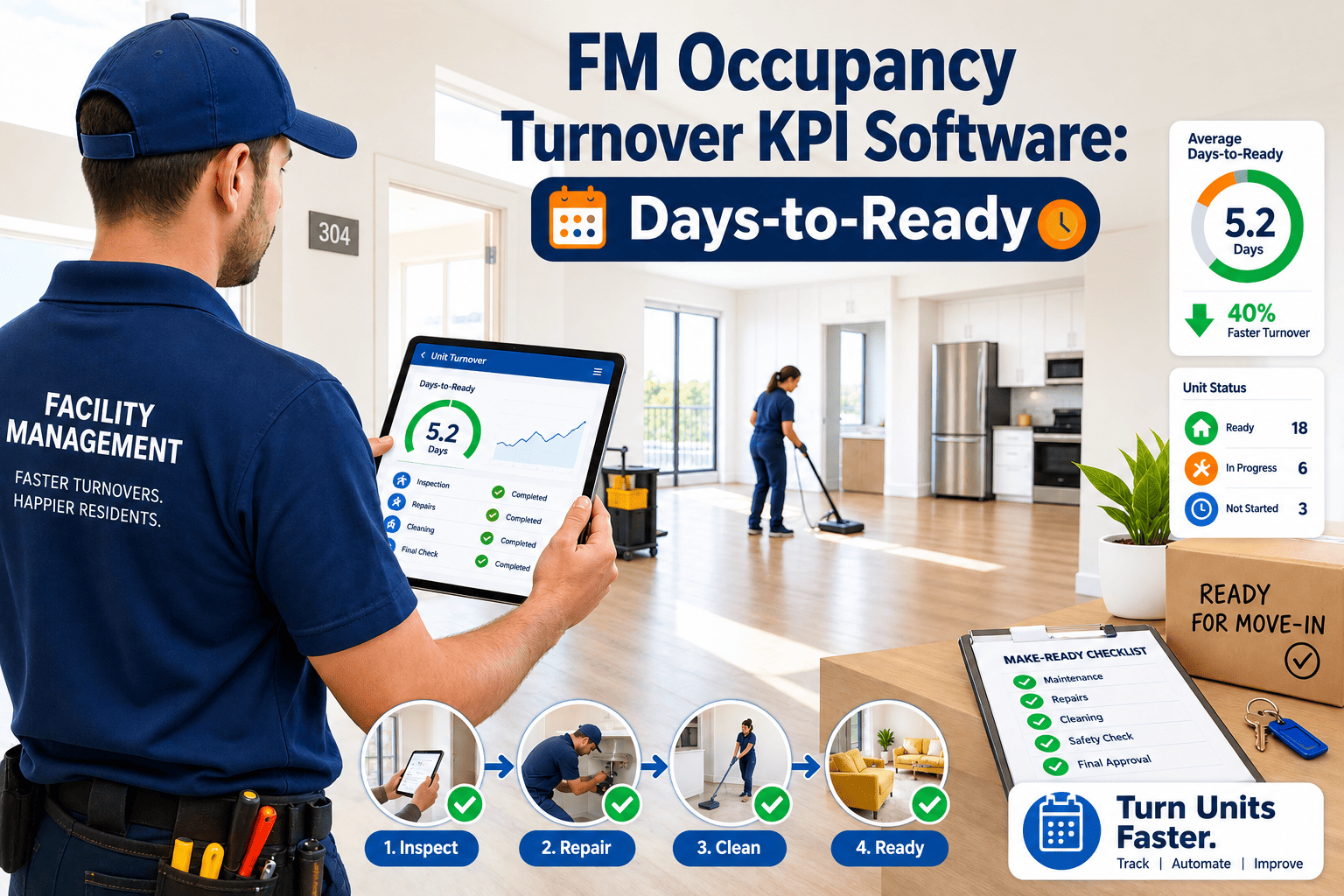
Every leasing season comes down to one number on the regional manager's report: days-to-ready, the gap between a resident handing back the keys and that same unit going back on the market. On a mid-size 300-unit community, each extra day of vacancy during peak turnover quietly erases somewhere between $45 and $70 in lost rent per unit, and when paint crews, carpet vendors, and punch-list inspectors are still being coordinated over phone calls and spreadsheets, that gap widens without anyone noticing until occupancy numbers slip. Most operations teams do not lack effort — they lack a system that timestamps the exact moment a unit crosses from down to leasable and flags the step that stalled it. OxMaint's turnover workflow module ties every make-ready task, vendor assignment, and inspection to one work order so property and facilities teams always know precisely how many days a unit has been down, and why.
Days-to-Ready Software for Occupancy Turnover
Move-out to move-in is a sequence of dependent tasks — inspection, make-ready, punch, final walk. Days-to-ready software is the system that sequences them, assigns them, and proves when a unit actually became leasable.
The Five Stages Every Unit Passes Through
Days-to-ready is not one task — it is five handoffs, and the KPI only means something when every stage is timestamped. A community that only measures "notice to lease-up" is blind to which specific stage is bleeding days. Breaking the turn into its component stages is the first step toward fixing it.
Days-to-Ready Benchmarks by Property Type
A student housing community turning 400 units in a single August week faces a different bottleneck than a senior living operator turning three units a month. Benchmarks below are drawn from multifamily operations reporting for 2025 and give a realistic target range per asset class.
| Property Type | Industry Avg Days-to-Ready | Top-Quartile Target | Primary Bottleneck | OxMaint Tracking Feature |
|---|---|---|---|---|
| Class A Multifamily | 5.1 days | Under 3.5 days | Vendor scheduling conflicts during peak turn season | Automated vendor dispatch with SLA countdown timers |
| Class B/C Multifamily | 7.8 days | Under 5 days | Delayed damage assessment and parts procurement | Mobile inspection app with instant work order creation |
| Student Housing | 4.2 days (compressed turn week) | Under 2 days | Volume overload — hundreds of units turning simultaneously | Bulk work order templates and crew load-balancing |
| Senior Living | 9.5 days | Under 6 days | Specialised compliance inspections before re-occupancy | Compliance checklist enforcement before status flip |
| Build-to-Rent | 6.6 days | Under 4 days | Landscaping and exterior punch items delaying final walk | Cross-department work order routing (interior/exterior) |
Four Steps to Shrink Your Portfolio's Days-to-Ready
Every community I have managed treated days-to-ready as a report that arrived after the damage was done. The shift happens when it becomes a live number instead — when the operations manager can see, at 10 a.m. on a Tuesday, that unit 214 has been sitting in the make-ready stage for three days because the flooring vendor never confirmed the appointment. That single visibility gap is worth more than almost any other operational fix we have made. The number itself does not improve morale, but seeing it move in the right direction, week over week, changes how the whole team works the turn.
Frequently Asked Questions
How does OxMaint calculate days-to-ready automatically?
OxMaint starts the clock the moment a move-out is logged and stops it the moment the final inspection closes the unit's work order. Every stage in between — inspection, make-ready, punch — is timestamped, so the KPI is calculated from real activity, not manual entry. Start a free trial to see your own portfolio's live number.
Can OxMaint manage vendors for paint, carpet, and cleaning separately?
Yes. Each make-ready task can be routed to a specific vendor or in-house technician, with its own due date inside the overall turnover timeline. If one vendor slips, the delay is visible against that specific task rather than buried inside the total. Book a demo to walk through vendor routing for your portfolio.
Does days-to-ready tracking work for a portfolio of 50-plus properties?
OxMaint's portfolio dashboard rolls up every property's turnover KPI into one view, so a regional director can compare communities side by side and spot the outlier before it drags down the quarterly average. Start your free trial to configure portfolio-level reporting.
What causes most days-to-ready delays that software can actually fix?
The largest recoverable delay is vendor dispatch lag — the gap between a unit going vacant and a crew actually being assigned. Pre-staged vendor queues and automated task creation close most of that gap without adding headcount.
How quickly can a property team start tracking this KPI in OxMaint?
Most teams configure their make-ready checklist templates and go live within a week, since the workflow mirrors the turn process teams already run — it simply replaces the spreadsheet with a timestamped system. Book a demo to see setup time for your unit mix.
Every Day a Unit Sits Vacant Is a Day of Rent You Cannot Recover.
OxMaint timestamps every stage of the turnover — inspection, make-ready, punch, final walk — so your team knows exactly which unit is stalled and why, before the regional report does it for them.