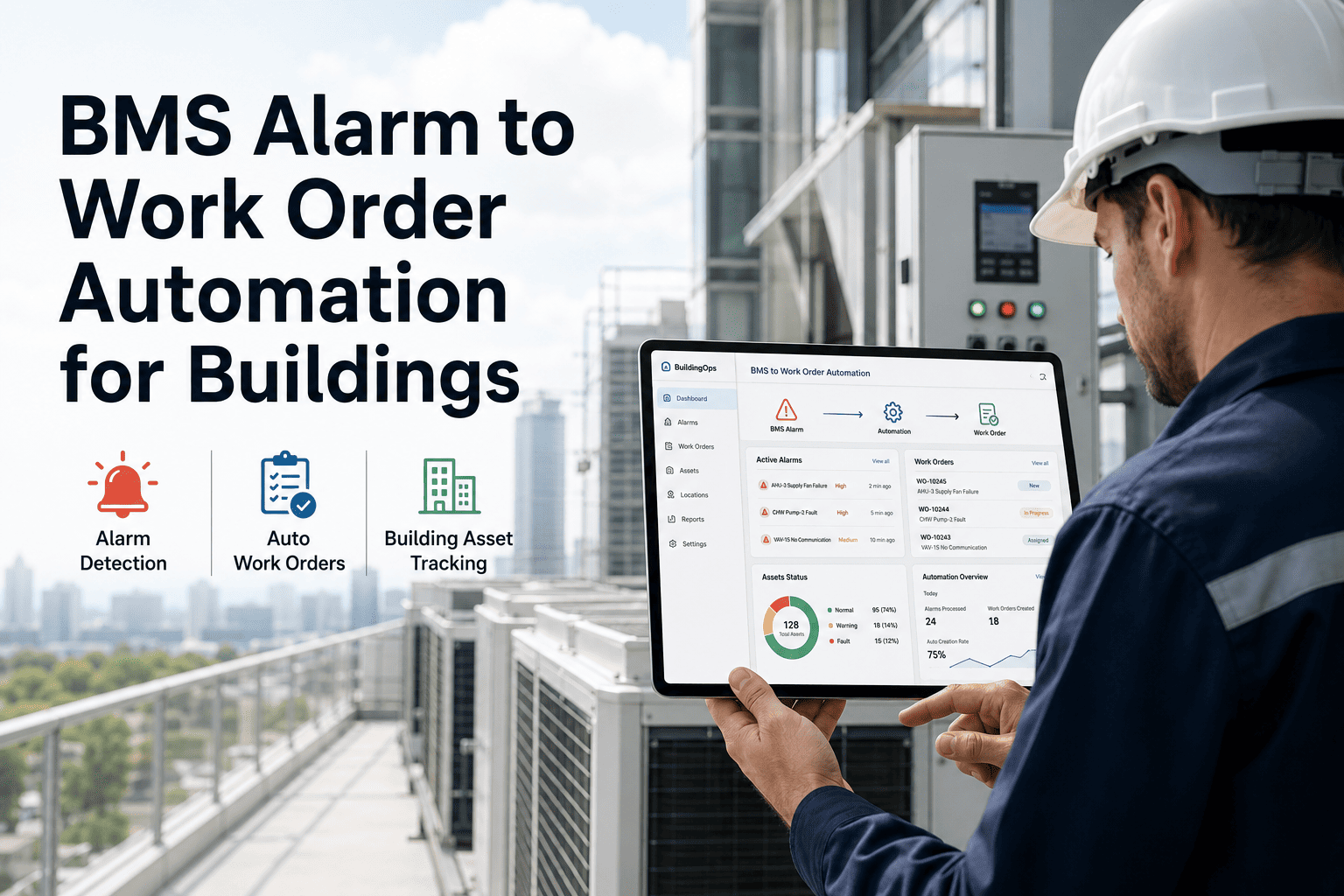
A building management system generates thousands of alarms every month — temperature deviations, pressure faults, equipment lockouts, and sensor failures streaming across operator dashboards around the clock. The problem is not detection. Most BMS platforms detect faults within seconds. The problem is what happens next — or more accurately, what does not happen next. In most facilities, an alarm sits in a controls interface until someone manually reads it, decides its priority, finds the right technician, creates a work order, and follows up. That manual gap averages four to eight hours and produces zero documentation. Oxmaint eliminates that gap entirely — converting BMS sensor threshold breaches into prioritized, assigned, and documented work orders within 60 seconds, so your maintenance team responds to building data instead of chasing alarm screens. If your facility still relies on manual alarm triage, book a 30-minute demo to see automated BMS-to-work-order pipelines in action.
Work Order Automation
BMS Alarm Fires. Work Order Lands. 60 Seconds.
Oxmaint converts building management system sensor threshold breaches into prioritized, assigned, and fully documented work orders — automatically. No manual triage. No alarm fatigue. No documentation gaps.
45–65%
Reduction in unplanned downtime
3.4 hrs
Daily tech time saved
The Pipeline
From BMS Alarm to Assigned Work Order — In Four Steps
Every BMS alarm follows a structured pipeline inside Oxmaint. No human reads the alarm screen. No one copies fault codes into spreadsheets. The entire sequence — detection, classification, assignment, and dispatch — completes in under 60 seconds with full audit documentation generated automatically.
1
Alarm Capture
0–5 seconds
BMS detects a threshold breach — supply air deviation, chiller fault, VFD trip, zone pressure alarm — and transmits the fault code with timestamp, asset ID, and parameter values via BACnet/IP, Modbus, MQTT, or REST API. Oxmaint receives the alarm as a read-only subscriber without touching BMS programming.
2
AI Classification
5–15 seconds
Oxmaint's classification engine scores the alarm using alarm type mapping, asset criticality tier, historical fault patterns, and time-of-day weighting. The system assigns one of four priority levels — P1 emergency, P2 urgent, P3 scheduled, or P4 informational — and applies de-duplication logic to prevent duplicate tickets from oscillating thresholds.
3
Work Order Generation
15–40 seconds
A structured work order is created containing the fault type, severity classification, sensor readings that triggered the alarm, asset maintenance history, recommended intervention with parts list, and a trend graph showing the parameter behavior over the relevant window. The work order maps to a pre-configured template for each alarm class.
4
Technician Dispatch
40–60 seconds
The work order routes to the correct technician based on trade qualification, shift schedule, and site assignment. The technician receives a mobile notification with full diagnostic context — fault data, trend graph, equipment history, and recommended action — before arriving at the equipment. No round trip to a desktop system required.
Two-thirds of facility managers receive BMS alerts. Only one-third act on them. Automation closes that gap.
Oxmaint turns every actionable BMS alarm into a tracked, assigned, and documented work order — replacing the manual alarm triage cycle that costs facility teams 3.4 hours of technician time every day.
Before vs. After
Manual Alarm Triage vs. Automated BMS-to-Work-Order Pipeline
Manual Process
Alarm-to-work-order time
4–8 hours
Documentation rate
Under 40%
Priority accuracy
Operator judgment
Night/weekend coverage
Alarms sit unread
Duplicate ticket handling
Manual dedup
Escalation on no response
None
Oxmaint Automated
Alarm-to-work-order time
Under 60 seconds
Documentation rate
100% — every alarm
Priority accuracy
AI-scored, 4-tier
Night/weekend coverage
24/7 auto-dispatch
Duplicate ticket handling
Auto dedup + merge
Escalation on no response
Auto-escalate by rule
Alarm Coverage
Building Systems That Trigger Automated Work Orders
Oxmaint maps alarm classes from every major building subsystem to pre-configured work order templates. Each alarm category routes to the correct trade with the appropriate priority, diagnostic checklist, and parts list attached — no manual configuration per alarm required after initial setup.
HVAC Systems
AHU faults, chiller alarms, VAV failures, duct pressure deviations, economizer lockouts, coil freeze warnings
Electrical Infrastructure
Circuit failures, power factor deviations, consumption spikes, meter communication loss, UPS battery alerts
Fire and Life Safety
Sprinkler valve status changes, smoke detector supervision faults, fire panel communication failures, damper position errors
Access and Security
Door reader failures, locking mechanism faults, camera offline alerts, intrusion detection triggers
Plumbing and Water
Leak detection alerts, sump pump faults, domestic hot water temperature deviations, backflow preventer alarms
Vertical Transportation
Elevator fault codes, escalator safety trips, door mechanism failures, motor overtemperature warnings
Response Cost
The Real Cost of Manual Alarm Response vs. Automated Work Orders
| Alarm Scenario |
Manual Response |
Automated Response |
Cost Difference |
| Chiller fault at 2 AM on Saturday |
Discovered Monday — 48 hrs lost |
Work order in 60s, on-call tech dispatched |
$12,000–$45,000 saved |
| AHU supply air deviation |
Noticed during comfort complaint |
Corrective WO before tenant notices |
Tenant satisfaction preserved |
| Fire damper position fault |
Found during annual inspection |
Immediate P1 work order with compliance tag |
Compliance violation avoided |
| VAV box calibration drift |
Energy waste compounds for months |
Scheduled corrective within 24 hrs |
15–30% energy savings |
| Cooling tower conductivity spike |
Legionella risk increases silently |
Water treatment WO with urgency flag |
Health risk mitigated |
| Repeat alarms — same asset, same fault |
Multiple duplicate tickets created |
Auto-merged into single escalated WO |
3.4 hrs/day tech time saved |
Integration
Connects to Your Existing BMS — No Replacement Required
Oxmaint operates as a read-only subscriber to your BMS — it reads alarm states, sensor values, and trend data without writing to or modifying any BMS programming, control logic, or setpoints. Your controls contractor does not need to be involved. Integration typically completes in one to two weeks.
BACnet/IP
Native building automation protocol — direct controller communication with Siemens, Honeywell, JCI, Schneider
Modbus TCP
Legacy and industrial protocol support for older BMS controllers and field devices
MQTT
Lightweight messaging protocol for IoT-connected sensors and modern BMS platforms
REST API
HTTP-based integration for cloud BMS platforms with webhook and API endpoint support
Compatible BMS Platforms
Siemens Desigo CC, Johnson Controls Metasys, Honeywell EBI, Schneider EcoStruxure, Trane Tracer, Tridium Niagara, and any BMS communicating via standard protocols
FAQ
BMS Alarm-to-Work-Order Automation — Common Questions
Does Oxmaint replace our existing BMS?
No. Oxmaint connects as a read-only subscriber — it listens to alarm streams and sensor data without writing to or modifying any BMS control logic, setpoints, or programming. Your BMS continues operating exactly as it does today. The integration adds a maintenance execution layer on top of your existing building controls.
Book a connectivity assessment for your BMS platform.
Can we control which alarms create work orders and which are suppressed?
Yes. Oxmaint includes configurable alarm filtering rules — you define which alarm categories, severity levels, and asset types trigger work order creation, and which routine status messages are logged without generating tickets. Suppression windows prevent false work orders during planned maintenance shutdowns.
Configure your alarm filter rules in a free trial.
How does the system handle repeat alarms from the same asset?
Oxmaint applies configurable de-duplication logic per asset and alarm type. A cooldown window prevents the same fault from creating duplicate tickets — additional alarms during the cooldown update the open work order with new readings instead. If the alarm remains unresolved past a configurable threshold, the system auto-escalates to a supervisor.
See de-duplication and escalation in a live demo.
Does this work across a multi-building portfolio?
Yes. Oxmaint's multi-site architecture maps each BMS instance to its corresponding site — alarms from Building A generate work orders assigned to Building A technicians, while Building B faults route to Building B team automatically. Facility portfolio managers see a consolidated view across all sites from a single dashboard.
Start a free trial to explore multi-site configuration.
What documentation does the automated work order produce for compliance audits?
Every alarm-to-closure cycle generates a timestamped audit trail — alarm receipt, work order creation, technician assignment, diagnostic data, resolution actions, and sign-off are all logged with user attribution. These records are exportable for NFPA, ASHRAE, Joint Commission, and energy benchmarking compliance requirements.
Review the compliance documentation package in a demo.
Stop watching alarm screens. Start closing work orders.
Oxmaint converts every actionable BMS alarm into a prioritized, assigned, and fully documented work order in under 60 seconds — 24 hours a day, across every building in your portfolio. Book a 30-minute demo to see the alarm-to-work-order pipeline configured for your BMS platform.