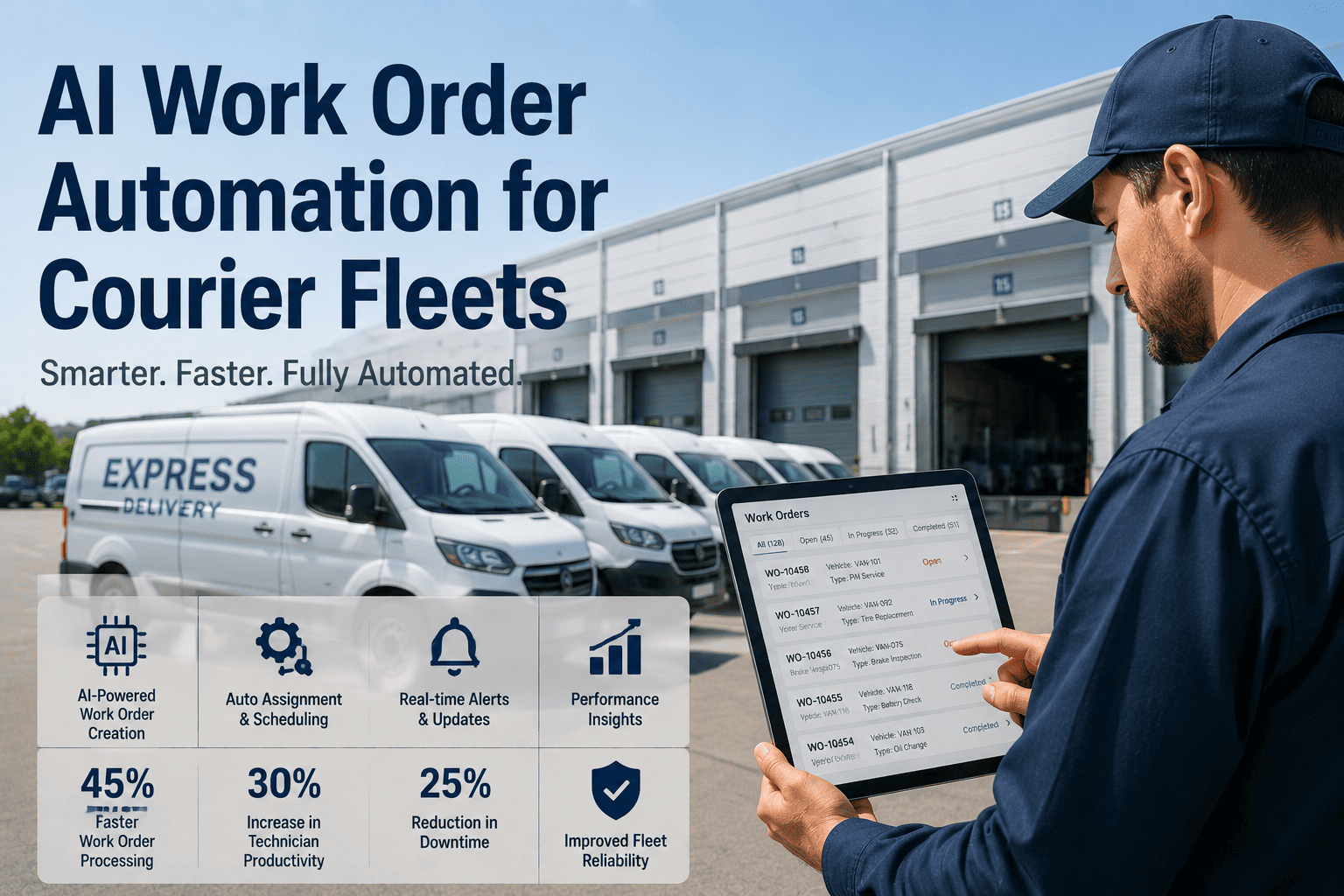
A delivery exception — a missed stop, a vehicle breakdown mid-route, a failed access attempt at a delivery point — does not just inconvenience one customer. It triggers a chain reaction that maintenance teams are often the last to hear about and the first to be blamed for. The gap between when a vehicle problem creates a delivery exception and when a work order actually lands in a technician's queue is where operational damage accumulates fastest. Most delivery operations have no structured workflow connecting the exception event on the road to the maintenance action that prevents its recurrence. OxMaint.ai closes that loop with AI-generated work orders that fire the moment an exception is flagged, giving maintenance teams the context, urgency, and parts information they need to act in minutes — not hours. Start your free trial and see how exception-driven maintenance workflows transform fleet reliability.
AI WORK ORDER AUTOMATION · DELIVERY EXCEPTIONS · LAST-MILE RESPONSE
Every delivery exception hides a maintenance failure waiting to repeat itself.
When a vehicle breaks down, a door mechanism fails, or a driver reports an issue that kills a route — the maintenance response speed determines whether it happens once or ten times. OxMaint.ai automates the entire exception-to-work-order workflow.
EXCEPTION TYPES THAT REQUIRE MAINTENANCE ACTION
The delivery exceptions that are actually maintenance problems in disguise
Not every delivery exception is a maintenance issue — but the ones that are tend to repeat, escalate, and cost exponentially more when the maintenance connection is not made quickly.
High Impact
Vehicle Breakdown Mid-Route
Engine failure, brake failure, or mechanical seizure that takes a vehicle off the road during active delivery. Every package on board becomes an exception. Every downstream stop in the sequence fails.
High Impact
Refrigeration or Climate Failure
Temperature-controlled cargo vehicles with failing refrigeration units create exceptions across the entire cold-chain load — often with spoilage liability attached.
Recurring Risk
Cargo Door or Lift Mechanism Failure
A failed liftgate or jammed cargo door forces the driver to abandon multiple stops. These failures are often preceded by warning signs that a digital inspection process would have caught.
Recurring Risk
Battery or Fuel System Warning
Telematics-triggered range alerts or low fuel warnings mid-route that force route abandonment. Often repeated on the same vehicle before anyone connects the pattern to a maintenance issue.
Preventable
Driver-Reported Vehicle Defect
Noises, warning lights, or handling issues reported by drivers that dispatch does not escalate to maintenance — creating a future hard failure with a paper trail of ignored warnings.
Preventable
Vehicle Pulled from Route Due to Safety Concern
Roadside inspection failure or driver safety refusal that grounds a vehicle mid-shift. These events almost always have a maintenance antecedent that went unaddressed.
WHY EXCEPTIONS REPEAT
The broken loop between delivery exceptions and maintenance response
1
Exception occurs on route — driver calls dispatch, packages delayed
2
Dispatch resolves the delivery crisis — reroutes, customer contacts, SLA notes
3
Vehicle returns to depot — driver verbal report gets noted informally or not at all
4
No formal work order is created — vehicle is dispatched again next morning
5
Exception recurs — same vehicle, same failure, same cost
OxMaint breaks this loop at step 1
When an exception is flagged — by the driver app, telematics alert, or dispatch input — OxMaint automatically generates a work order, assigns it to the right technician, and flags the vehicle as requiring inspection before next dispatch. The loop breaks before step 4.
CLOSE THE LOOP AUTOMATICALLY
AI work orders that fire the moment a delivery exception is flagged.
OxMaint connects your delivery exception events directly to your maintenance workflow — so no exception goes uninvestigated and no vehicle returns to the road without a cleared maintenance check.
THE OXMAINT EXCEPTION WORKFLOW
From delivery exception to resolved work order — step by step
Step 01
Exception captured at source
Driver logs exception through the OxMaint mobile app, telematics sends an automated fault alert, or dispatch enters exception details directly. All sources feed one system.
Step 02
AI categorizes and prioritizes
OxMaint's AI analyzes the exception type, vehicle history, and current fleet availability to assign priority. A brake warning on a high-use vehicle routes differently than a cosmetic door scratch.
Step 03
Work order generated automatically
A fully structured work order is created with vehicle details, exception description, vehicle history context, and suggested parts list — without any manual input from the maintenance manager.
Step 04
Technician assigned and notified
The work order is assigned to the appropriate technician based on skill set and availability. They receive a mobile notification with the full work order details — ready to act immediately.
Step 05
Vehicle cleared or quarantined
Once the work order is closed, the vehicle status updates automatically. If the issue requires extended repair, the vehicle is flagged as unavailable in the fleet dispatch view — preventing re-dispatch before clearance.
Step 06
Exception linked to maintenance record
The original exception event, work order, repair details, and resolution are all linked in the vehicle's maintenance history — creating the pattern data that enables predictive maintenance over time.
MEASURABLE IMPACT
What changes when exceptions drive maintenance automatically
73%
Reduction in Repeat Exceptions
Delivery teams using structured exception-to-work-order workflows see dramatic drops in the same vehicle generating multiple exceptions within 30 days
4 min
Average Work Order Creation Time
OxMaint AI generates a complete, parts-ready work order from an exception flag in under 4 minutes — versus 45+ minutes when created manually
89%
Same-Day Resolution Rate
Exception-triggered work orders resolved within the same shift when technicians receive mobile notification with full vehicle context and suggested parts list
EXCEPTION RESPONSE COMPARISON
Manual exception handling vs. OxMaint automated workflow
COMMON QUESTIONS
What teams ask about OxMaint exception workflows
Can drivers log exceptions directly from their phones without a separate app?
Yes. The OxMaint driver mobile app handles pre-trip inspections, in-route defect flags, and exception logging in one interface. No separate tool required.
Start a free trial to see the driver interface firsthand.
Does OxMaint prevent a flagged vehicle from being re-dispatched before it is cleared?
Yes. When an exception creates an open work order, the vehicle is automatically marked as unavailable in the OxMaint fleet view. Dispatch can see the hold status and the reason — preventing re-dispatch until maintenance clears it.
Book a demo to see how this works in the dispatch view.
How does OxMaint AI determine the priority of an exception work order?
Priority is calculated based on the exception type, the vehicle's maintenance history, how recently it was last serviced, and current fleet availability. Safety-related exceptions automatically receive the highest priority regardless of other factors.
Can we track which exceptions are maintenance-related vs. operational?
OxMaint categorizes exception types at the point of logging and allows further classification during work order creation. Analytics dashboards show the split between maintenance-caused and operationally-caused exceptions over any reporting period.
How does OxMaint connect telematics data to exception work orders?
OxMaint integrates with major telematics platforms. Fault codes and diagnostic alerts from connected vehicles trigger automated exception flags in OxMaint — which then generate work orders without requiring any driver or dispatch input.
ACT FASTER ON EVERY EXCEPTION
The next delivery exception is preventable. But only if your maintenance team hears about it first.
OxMaint.ai connects every delivery exception to an automated maintenance response — AI work orders, technician assignment, vehicle hold, and pattern tracking built into one seamless workflow that eliminates the gap between road events and repair action.