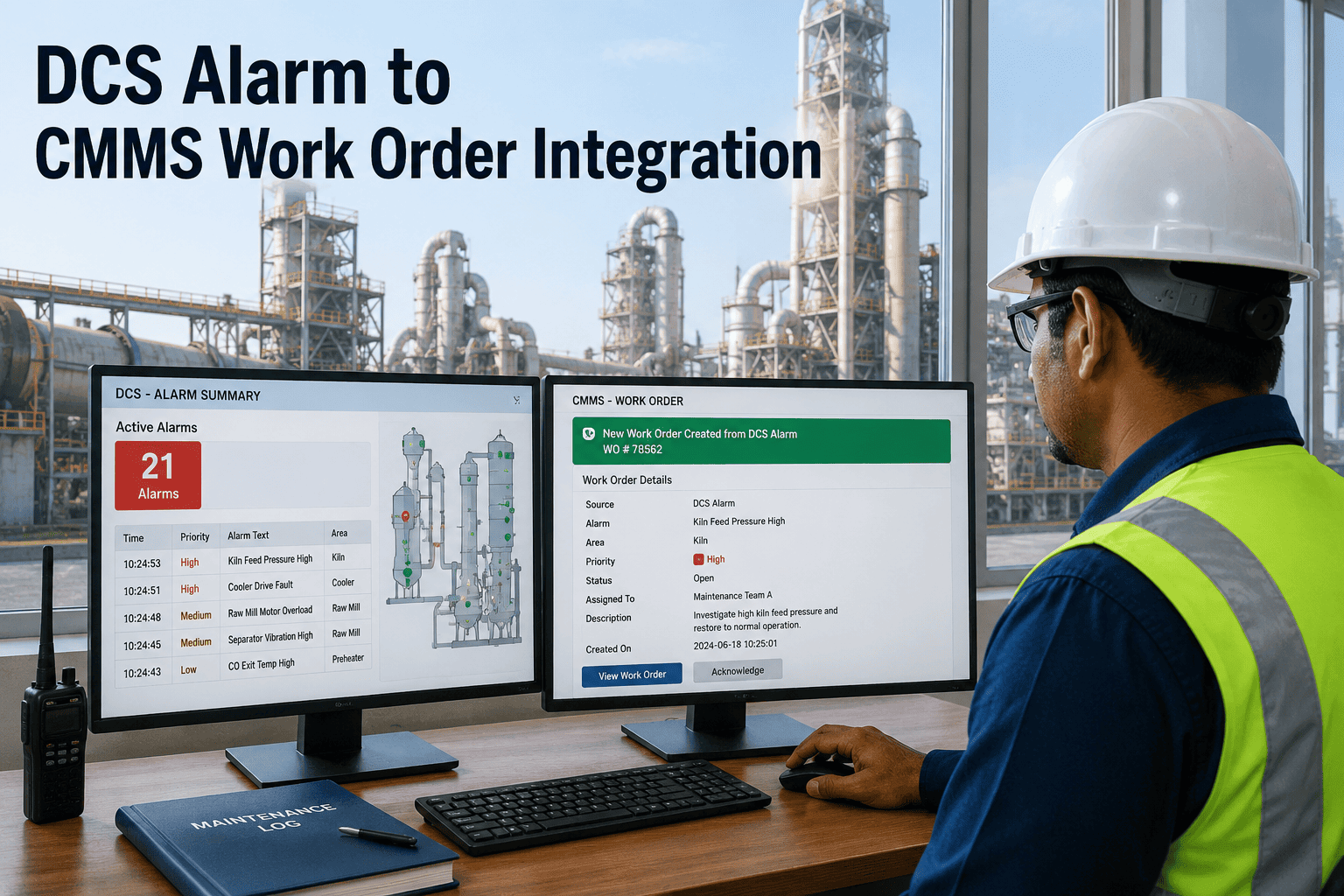
Most cement plants running SAP for finance and inventory eventually hit the same wall with SAP PM: technicians avoid opening it, work orders sit unclosed for days, and a five-minute bearing replacement update turns into an ERP support ticket. The module was built as a back-office record-keeping layer inside a much larger system, not as a tool a millwright reaches for on the plant floor. OxMaint's SAP integration lets maintenance teams run inspections and work orders from a mobile-first app while keeping status, inventory consumption, and purchase requisitions synced back to SAP. Book a 30-minute demo to see both systems running side by side on a live cement plant setup.
SAP PM
ERP-native maintenance module
4–9 month typical rollout
Mobile execution needs an add-on
VS
OxMaint
Mobile-first CMMS
2–4 week typical rollout
Native offline-capable app
HEAD TO HEAD
Capability-by-Capability Comparison
Both systems can technically record a work order. The difference shows up in who actually uses the system day to day, and how much setup it takes to get there.
| Capability |
SAP PM |
OxMaint |
| Primary design purpose |
ERP record-keeping module |
Field-first maintenance execution |
| Mobile work order execution |
Requires a separate mobile add-on |
Native app, works offline on the floor |
| Typical implementation timeline |
4–9 months as part of an ERP project |
2–4 weeks, standalone |
| Inspection checklists & photo capture |
Limited, often needs custom build |
Built in, with photo and signature capture |
| Technician access to asset history |
Back-office focused, often restricted |
Full history available at the point of work |
| AI-based work order prioritization |
Separate add-on module required |
Built in to the core platform |
| SAP / ERP integration |
Native, since it is SAP |
Two-way sync for work orders, stock, and PRs |
| Licensing structure |
Bundled into broader SAP/ERP licensing |
Standalone subscription scoped to maintenance users |
BALANCED VIEW
Where Each System Actually Wins
SAP PM Makes Sense When
Finance, materials management, and maintenance already run on one S/4HANA instance and you want everything native
You need a single, centralized audit trail across procurement and maintenance spend for finance sign-off
Plant policy requires standardizing on SAP with no separate maintenance vendor contract
OxMaint Makes Sense When
Technicians need to adopt the system without ERP training, because the interface is built for fieldwork
Checklists, photos, and signatures need to be captured at the asset instead of re-keyed later from paper
You want results in weeks, running alongside your existing SAP instance rather than replacing it
See OxMaint and SAP Running Side by Side
We'll walk through a live work order from creation on the floor to inventory sync back into SAP, using a cement plant configuration close to yours.
SAP / ERP INTEGRATION
How the Sync Actually Works
OxMaint does not ask you to choose between mobile execution and ERP control. Work order data flows in one direction and inventory data flows back in the other, automatically.
1
Technician closes a work order in OxMaint and logs the parts consumed against the job
2
Inventory consumption and a purchase requisition are synced into SAP MM automatically
3
PR status and live stock availability flow back into OxMaint, so the next technician sees real numbers
EXPERT REVIEW
ERP & Maintenance Systems Integration Consultant
Independent Consultant, SAP PM and CMMS Deployments — 15 Years
The mistake most plants make is treating this as a replacement decision. SAP PM is rarely the wrong system to have — it's usually the wrong system to hand to a technician standing next to a vibrating pump. The plants that get the most value keep SAP as the system of record for cost and inventory, and put a lightweight execution layer in front of the technician for the actual work. Once that layer talks to SAP instead of bypassing it, you stop seeing the two failure patterns I see most often: maintenance data that never makes it into the ERP, and ERP data nobody on the floor trusts because it's three days stale.
FREQUENTLY ASKED
OxMaint vs SAP PM — Common Questions
Can OxMaint and SAP PM run together, or do we have to choose one?
They run together by design. OxMaint handles field execution and syncs work order and inventory data back to SAP, so finance and procurement keep working from SAP as the system of record.
Book a demo to see the integration mapped to your SAP setup.
Does switching to OxMaint mean re-entering our SAP asset master data?
No. Asset and equipment master data can be imported from your existing SAP export, so technicians see the same asset records they already work against, just in a mobile-first interface.
Why is SAP PM mobile execution typically weaker without an add-on?
SAP PM was originally built for desktop ERP screens, and full mobile execution usually requires a separate licensed add-on plus configuration work. That extra layer is exactly what a standalone mobile-first CMMS removes from the equation.
How long does an OxMaint deployment take compared to a SAP PM rollout?
A standalone OxMaint deployment typically takes 2–4 weeks, against the 4–9 month timeline common for SAP PM rollouts tied to a broader ERP project.
Sign up free to see setup time for your own asset list.
Does OxMaint support purchase requisition sync back to SAP for spare parts?
Yes. When a work order consumes stock below a threshold, a purchase requisition is generated and synced into SAP MM, and the resulting PR status is reflected back inside OxMaint for the maintenance team to track.
OXMAINT · SAP / ERP INTEGRATION · COMPARISON
Keep SAP as Your Backbone. Give the Floor a Tool It Will Actually Use.
OxMaint runs maintenance execution on mobile while staying synced to SAP for inventory, cost, and procurement — no ERP replacement project required.